What are datacenter proxies? Uses, limits and pricing
Datacenter proxies use IPs owned by hosting companies. What they are used for, why strict sites block them, how to test a target, and IPv4 port pricing.
Quick summary · TL;DR
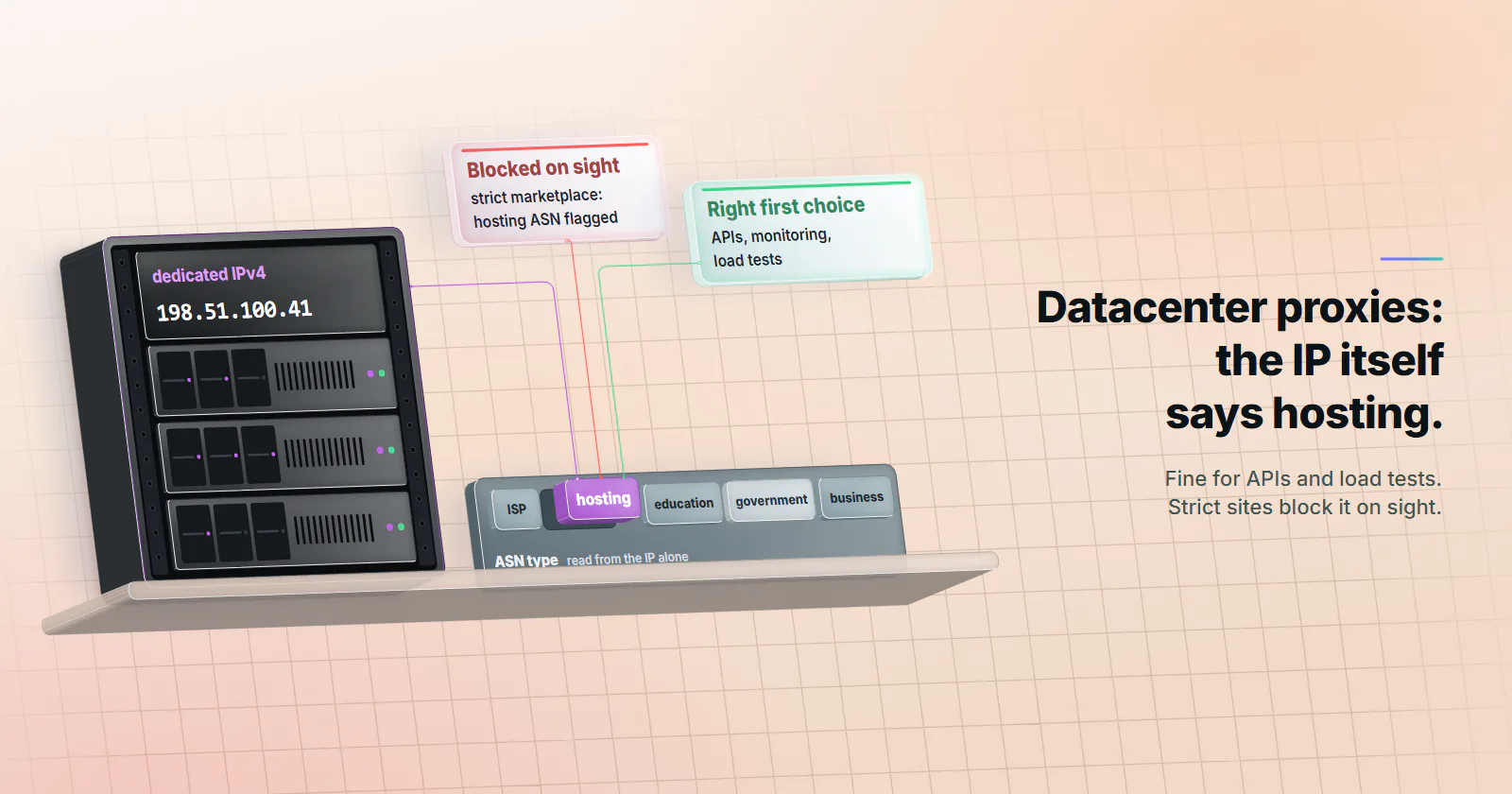
- Datacenter proxies exit from IPs announced by hosting networks. The target sees a cloud, colocation or server provider instead of a consumer ISP, and it can read that from the IP alone before any header arrives.
- For machine-to-machine work, the tier is the right first choice. APIs, uptime and price monitoring on lenient targets, load tests, internal QA and public data with no bot defence do not score traffic by ASN, so a consumer-origin address adds nothing there.
- Strict targets block the hosting ASN on sight. Social platforms, marketplaces with anti-bot vendors and strict retail sites can reject the first request at a slow pace, and rotating to another hosting address does not change that.
- IPv4 is billed per port, not per GB. A dedicated port costs the same each month whether it moves one gigabyte or fifty. On proxymint, IPv4 ports carry no bandwidth cap under normal use, and the rate drops as the port count grows.
Datacenter proxies are proxy servers whose exit IPs belong to hosting companies, not consumer ISPs. They carry fast, economical, dedicated traffic to targets that do not score visitors by network type: APIs, monitoring, load tests, QA and public data. Strict sites read the hosting label from the IP alone and block it.
A job that polls a partner API every 30 seconds does not need a home connection in Ohio. Neither does a load test or an uptime check. Those jobs talk to targets that never ask what kind of network the request came from, and a server address on a fast uplink is all they need.
What are datacenter proxies?
A datacenter proxy is a proxy server whose exit IP belongs to a hosting, cloud or server network rather than a consumer ISP. The client sends its request to the proxy, and the proxy forwards it to the target from that hosting address. The target sees the datacenter IP address, never the client’s own.
Among the types of proxies (datacenter, residential, static ISP and mobile), datacenter is the one whose network is registered in public records as a server network.
How a datacenter proxy works
It is a forward proxy: the path runs client, proxy server, target, and the target never talks to the client. Before any header arrives it can judge three things: the IP, the autonomous system number (ASN) that announces it, and the reverse DNS name, which on hosting ranges often carries the provider’s domain.
An example. A dedicated IPv4 port on a hosting network polls a partner’s API every 30 seconds. The partner adds that one address to its firewall, the rate limit applies to that address alone, and the office network never touches the API.
The purpose. Separation and location. Traffic leaves from an address that is not the office’s, from a chosen country. The target can always tell a request came from a server, and on many targets it does not care.
Where datacenter IPs come from
IANA allocates address blocks to five regional internet registries, which pass them to networks in their region. Hosting and cloud companies such as AWS, Google Cloud, OVHcloud and DigitalOcean announce their blocks from their own ASN, and a proxy operator runs the proxy software on servers or virtual machines inside those ranges, one or more addresses per machine. The free IPv4 pools are gone: ARIN’s was depleted on 24 September 2015, per its IPv4 guide (checked October 2026), and the RIPE NCC announced on 25 November 2019 that it had run out. ARIN now points networks to its waiting list or to transfers from another holder, and many networks lease space instead.
Why subnet and ASN spread matter. A blocklist can list a whole range instead of one address, such as an IPv4 /24 or the announcing ASN. Fifty ports inside one /24 are then flagged together when a target lists that range. Ports spread across subnets and networks keep a flag on one range from reaching the rest, so a job with many ports should spread its load across the distinct ranges it has.
Dedicated vs shared datacenter proxies
Dedicated datacenter proxies give an address to one customer for the billing term, so its rate limit and its reputation during the term are that customer’s alone. Shared pools put many customers on the same addresses, and one noisy customer can get a range flagged for everyone. For a partner’s firewall and predictable limits, dedicated is the default; dedicated vs shared proxies compares the two models in full.
Other types: rotation, IP version, protocol
Static vs rotating. A static proxy keeps its address; a rotating one changes it per request or on a timer. Rotation changes the address, but every address in a hosting pool carries the same ASN class.
IPv4 vs IPv6. IPv6 only reaches hosts that publish an AAAA record, and rate limiters can count a whole /64 as one client, as Cloudflare’s previous rate limiting product does (checked October 2026).
HTTP vs SOCKS5. An HTTP proxy speaks HTTP and tunnels TLS with CONNECT; SOCKS5 relays TCP streams at a lower level. Most clients support both, and SOCKS5 vs HTTP proxy covers when each fits.
Free and public proxies. Open proxies found on public lists run on unknown machines with unknown operators. The operator can read or alter anything sent unencrypted through them, and sees the hostname of every site a client reaches.
What proxymint sells. On proxymint, datacenter proxies are dedicated IPv4 ports billed per port per month, with the country chosen at order time and both HTTP and SOCKS5 included. A port has no rotation setting: a job that wants rotation cycles through its own list of ports in the client.
How targets identify datacenter IPs
No header is needed to tell that a request came from a hosting network. The lookup runs directly on the IP, and it is cheap.
IP data sells the label. IP data providers classify every autonomous system by type. IPinfo’s ASN database documentation (updated October 2025) lists five types: ISP, hosting, education, government and business. Any site that licenses the data sees the word “hosting” next to every request from a datacenter exit.
Bot defences filter it by rule. Cloudflare added ASN lists to its WAF in a November 2023 post that names the use case directly: managing traffic from ISPs and cloud providers where bots may be hosted. The same post warns that blocking the wrong ASN affects a large range of IPs, which is one reason some sites challenge a hosting network instead of dropping it.
Ad measurement filters it by standard. The Media Rating Council’s invalid traffic guidelines list known data-center traffic that is a consistent source of non-human traffic as General Invalid Traffic. An MRC memo dated February 2017 told measurement vendors to start with IPs of the three largest hosting entities: Amazon AWS, Google and Microsoft.
None of this matters on a target that does not look, and plenty do not. TLS fingerprints and pacing are the next signals past the ASN.
What are datacenter proxies used for
Any target that does not score traffic by ASN, which covers most machine-to-machine work. For these jobs datacenter is the right first choice.
APIs and machine endpoints
Public and partner APIs are built for programs and rate-limit per key or per IP. Dedicated datacenter proxies are predictable here: a partner can add the address to its firewall, and the rate limit belongs to one customer.
Uptime and price monitoring
Uptime checks, and price or stock monitoring on retailers without an anti-bot vendor, repeat the same small requests on a schedule that never stops. Ports with no bandwidth cap under normal use suit a schedule that never takes a day off.
Load and performance tests
A load test needs many source addresses so per-IP limits and the load balancer behave as they do under production traffic. Datacenter ports supply them on server uplinks, so a household connection does not cap the test. Spread the load across many ports rather than pushing one address hard.
Internal QA and staging
Checking geo redirects, CDN edges, currency and language on a site the team owns, from a set of countries. The target is friendly by definition, so a consumer-origin address adds nothing.
Public data with no bot defence
Government statistics portals, open registries, documentation sites and many B2B catalogs. SERP tooling on lenient engines belongs here too.
What are datacenter proxies bad at?
Social platforms, marketplaces running anti-bot vendors and strict retail sites classify hosting ASNs on sight. There a datacenter request can be blocked on the first try, at a slow pace, with a clean client, and another address in a hosting range does not change the ASN class.
The responses show which side of that line a target is on, in four patterns:
- 403s or connection resets from the first requests, at a human pace. That is an ASN filter: the target does not serve hosting addresses.
- A challenge page instead of content, while the same client from a home connection gets through. That target filters by network type.
- A 200 with different content: other prices, missing stock, a different ranking. It is the worst pattern because it looks like success. Spot-check against a home connection.
- 429s that grow with request rate. A rate limit. Slowing down fixes it; more ports or a tier change do not.
Limits that point to another tier
None of these patterns is a cue to change tier on a running job: a block is the site saying no. For jobs datacenter does not fit, the job picks the tier before the first run. Rotating residential proxies cover public-data jobs on targets that filter hosting ranges by policy; the explainer on what a residential proxy is covers the mechanics. Static ISP proxies fit a job that needs one ISP-registered address for weeks, and mobile carrier IPs fit platforms that only trust mobile origins. The explainers on what are ISP proxies and what are mobile proxies cover both.
Key differences: datacenter, residential and ISP proxies
Datacenter vs residential proxies, with static ISP in the middle, across five attributes.
For fixed-address work, ISP vs datacenter proxies turns on one row: whether the target reads the ASN. On a lenient target, datacenter is enough.
Pricing models: ports vs gigabytes
Proxies are billed per IP or port per month, or per GB moved. Which fits depends on how much traffic one address carries and what the target checks.
Why IPv4 is billed per port. Since the free pools ran out, each IPv4 address has a real cost to its holder. So datacenter IPv4 proxies are sold as dedicated ports with a monthly fee, and a busy port costs the same as an idle one. Residential and mobile traffic is metered per GB instead, because every gigabyte crosses a real household or carrier connection.
Dedicated IPv4 on proxymint is billed per port per month, and the rate drops as the port count grows; current rates are on the pricing page.
Where the units cross. A port bills the same whether it moves one gigabyte or fifty, while per-GB tiers bill the traffic. Heavy traffic through one address suits a port, if the target accepts hosting IPs. If it does not, the target’s filter decides, and residential is the tier built for it.
How to use and choose them
The endpoint. A datacenter port is a proxy URL in the form http://USERNAME:PASSWORD@HOST:PORT. Most HTTP clients and scraping frameworks accept it as is; percent-encode a password that contains @, : or /. The guide on how to use a proxy covers where it goes in each system, browser and language.
Check what the target sees. curl -x http://HOST:PORT -U 'USERNAME:PASSWORD' https://ipinfo.io/json returns the exit IP, and its org field names the AS number and the network that owns it (fields checked October 2026). When that field names a hosting or cloud company, the exit is a datacenter one.
A one-command test. Send 200 requests through one port, record the status and time to first byte, then repeat with no proxy from the same machine. The gap between the two p50 values is what the proxy adds; p95 shows how steady it is.
for i in $(seq 1 200); do
  curl -s -o /dev/null -x http://HOST:PORT -U 'USERNAME:PASSWORD' \
    -w "%{http_code} %{time_starttransfer}\n" https://TARGET_HOST/PATH
done > proxied.txt

awk '{print $2}' proxied.txt | sort -n | \
  awk '{a[NR]=$1} END {print "p50", a[int(NR*0.5)], "p95", a[int(NR*0.95)]}'
Keep the status codes: the share of 200s with correct content shows whether the setup works on this target. For throughput, download a large file from a server the team controls through one port, then several in parallel, and note where it stops scaling.
Before buying, check four things:
- Dedicated or shared. Dedicated if a partner will add the address to a firewall, or if the job needs its own rate limit.
- Protocol. On proxymint both come with every port, so it is a client setting: HTTP for web clients, SOCKS5 for tools that need a raw TCP relay.
- Country. Where the target expects traffic from, chosen at order time.
- The real target. Run the test above against it, with a home connection as the control, before committing a month of ports.
Pick the tier per target
Decide the tier by the job before the first run.
- If the target is an API, a site the team owns, a load test or public data with no bot defence, use datacenter IPv4 ports and stop there.
- 429s that grow with request rate call for a slower pace.
- If the job collects public pages from a target that filters hosting ranges by policy, such as a marketplace with an anti-bot vendor, use rotating residential from the start.
- If the target blocks or challenges a running job, stop: slow down, read its terms or use its official route.
- If the job needs one fixed address for weeks on a target that reads the ASN, use static ISP. Platforms that only trust mobile origins take mobile.
- If the same client is challenged from a home connection, fix the client first.
Write the tier into each job’s config, and re-test when the target changes.
Frequently asked questions
Datacenter proxies are proxy servers whose exit IP addresses belong to hosting companies, such as cloud, colocation or server providers, rather than consumer ISPs. The target sees the hosting address instead of the client address. They are fast and economical because the addresses sit on server uplinks, and they are easy to classify because the network is registered as hosting.
Datacenter proxies are used for machine-to-machine work on targets that do not score traffic by network type: polling public and partner APIs, uptime and price monitoring on lenient sites, load and performance tests, QA of a site the team owns from several countries, and collecting public data that has no bot defence. Search result tooling on lenient engines fits too. Social platforms, marketplaces with anti-bot vendors and strict retail sites are not on the list, because they block hosting networks.
The source network. A datacenter proxy exits from a hosting or cloud network, while a residential proxy exits from a home connection on a consumer ISP, and targets can read that difference from the IP alone. Datacenter exits sit on server uplinks, so they are usually faster and steadier, and they are billed per port per month; residential traffic is billed per GB. Residential is the fit for targets that filter hosting ranges, datacenter for targets that do not.
Both are usually hosted on servers, but an ISP proxy's address is registered to an internet service provider, while a datacenter proxy's address is registered to a hosting network. A target that reads the ASN treats the two differently. A static ISP proxy fits a job that needs one fixed ISP-registered address for weeks on a target that checks the network type; datacenter fits fixed-address work on targets that do not check.
They are good for scraping targets that do not score traffic by network type: public data portals, documentation sites, many B2B catalogs and retailers without an anti-bot vendor. They are a poor fit for social platforms, marketplaces with anti-bot vendors and strict retail sites, which block hosting networks on sight. A sample of a few hundred requests at the real pace shows which group a target belongs to.
Every IP belongs to an autonomous system, and IP data providers label those networks as ISP, hosting, business, education or government. A site can read the hosting label from the IP alone and block or challenge it with one rule. In ad measurement, the Media Rating Council's guidelines class known data-center traffic that is a consistent source of non-human traffic as general invalid traffic, so measurement vendors filter it.
Rotating datacenter proxies change the exit address per request or on a timer, drawing from a pool of hosting IPs. Rotation changes the address, but every address still belongs to a hosting network, so it does not help on a target that blocks the hosting ASN. On proxymint, datacenter IPv4 ports are dedicated with no rotation setting, so a job that wants rotation cycles through its own list of ports in the client.
Researched and drafted with AI tools, then checked against our publishing rules before it went live: 6 outside links, 13 links to other proxymint pages, no prices and a fact-check pass against our product records. How we write.