What is a proxy server? How it works and when to use one
What is a proxy server: how a request travels through one, forward vs reverse, what it hides and what it does not, proxy vs VPN, the risks and what it costs.
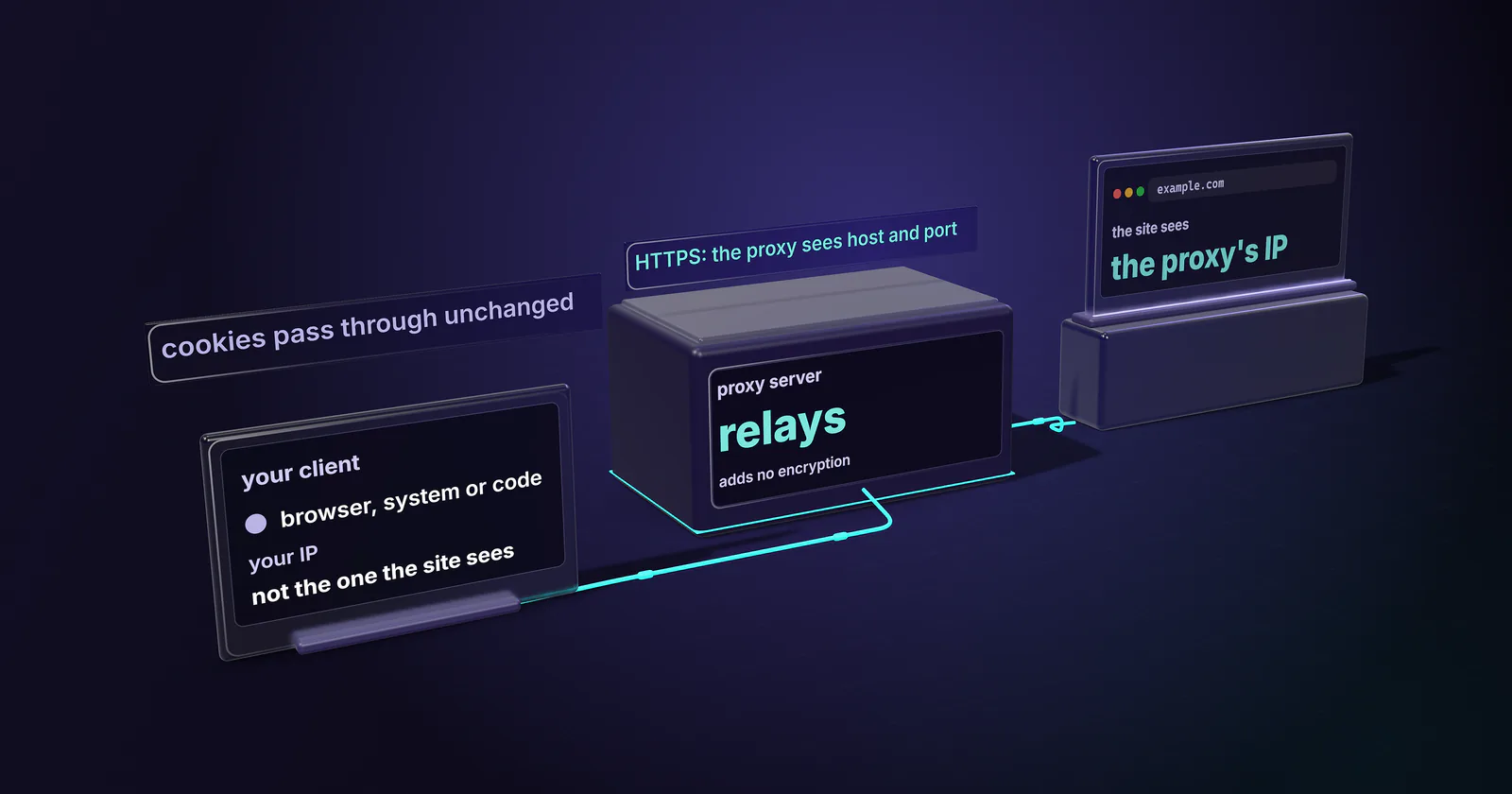
Quick summary · TL;DR
- A proxy server relays a client's requests, so the site sees the proxy's IP address instead of the client's. The client is configured to use it on purpose, through a browser, system or code setting.
- What the proxy can see depends on the protocol. Plain HTTP is visible in full; HTTPS runs through a CONNECT tunnel where the proxy sees only the hostname and port; SOCKS5 relays any TCP traffic.
- A proxy changes the address and nothing else. It adds no encryption, and cookies, logins and browser fingerprints pass through unchanged.
- Targets read the network type of the exit IP first. A hosting address reads as a server, a consumer ISP or carrier address reads like a customer, and that label decides how strict sites respond.
What is a proxy server? It is a computer that sits between a client and the sites it talks to. The client sends each request to the proxy, the proxy sends it on, and the answer comes back the same way. So the site sees the proxy’s IP address, not the client’s. Swapping that address is the whole job.
A team that needs a proxy for work (checking prices in another market, verifying ads, testing an app from a real home connection) needs to know something the glossaries skip: what the target actually reads when the request arrives.
This guide covers the request path, forward and reverse proxies, what a proxy hides and what it leaves in plain view, the types and what they cost, the risks, and a one-line check to see what a proxy really gives you.
What is a proxy server?
The HTTP standard puts it precisely. RFC 9110 (June 2022) defines a proxy as a message-forwarding agent “chosen by the client”, usually through local configuration, that satisfies requests on the client’s behalf. The words “chosen by the client” matter. A proxy works because the client is set up to use it: a browser setting, an operating system setting, a flag in a script.
A plain example. A price monitor runs on a server in Frankfurt. It sends its requests through a residential proxy in Chicago. The store sees a Chicago home broadband address and serves the prices and stock a Chicago shopper would see. Without the proxy, it would see a Frankfurt data center and might serve a different page, or none.
The office example. Every laptop in a company sends web traffic through one filtering proxy. The proxy blocks some categories, caches common downloads and logs who went where. The sites on the other end see the company’s address, not each laptop’s.
So what is a proxy server in one line? A relay the client points at on purpose, which changes the address the destination sees.
How a proxy server works
The path depends on the protocol between the client and the proxy. There are three common cases, and each one decides what the proxy can see.
Plain HTTP: the full URL
For an http:// page, the client sends the proxy the whole address, GET http://example.com/page, instead of just the path. The proxy opens its own connection to the site, sends the request, and relays the response. It sees everything: the URL, the headers, the cookies, the body. It can also change any of it, which is how caching and filtering proxies work.
HTTPS: a CONNECT tunnel
For an https:// page, the client asks the proxy to open a tunnel with CONNECT example.com:443. The CONNECT method (RFC 9110, June 2022) turns the proxy into a blind relay: once it answers 200, it passes bytes in both directions. TLS then runs from the client to the site, end to end. The proxy sees the hostname and port, and nothing of the page, headers or cookies, as long as the client checks the certificate.
This is why “HTTPS proxy” is a confusing label. HTTPS sites run through an ordinary HTTP proxy via CONNECT. The scheme the client uses to reach the proxy itself stays http:// or socks5://.
SOCKS5: a relay for any TCP
A SOCKS5 proxy works one layer lower. The client connects, authenticates, and asks the proxy to open a connection to a host and port. The protocol is RFC 1928 (March 1996). The proxy does not parse HTTP at all, so SOCKS5 carries any TCP traffic: web requests, database connections, mail clients.
Where DNS gets resolved. With an HTTP proxy, the proxy looks up the hostname. With SOCKS5, the client can either resolve the name itself and send an IP address, or send the hostname and let the proxy resolve it. In curl, socks5:// resolves locally and socks5h:// hands the name to the proxy. Local resolution leaks the lookups to the local network and can return an address for the wrong country.
Forward proxy vs reverse proxy
Everything above describes a forward proxy: it works for the client and hides the client. A reverse proxy is the mirror image. It sits in front of a website, chosen by the site’s owner, and hides the servers behind it. Load balancers, CDNs and web application firewalls are reverse proxies. RFC 9110 calls this a gateway: an intermediary that acts as the origin server for the client.
The quick test is to ask who configured it. If the person sending the requests set it up, it is a forward proxy. If the site did, it is a reverse proxy. The rest of this guide is about forward proxies.
What a proxy hides, and doesn’t
A proxy replaces one thing: the source IP address the destination sees. Everything else the client sends travels through unchanged.
Not hidden: identity inside the request. Cookies, logins, the user agent, the browser fingerprint and the TLS fingerprint all come from the client. A logged-in session through a proxy is still the same account. Switching the exit does not reset a site’s memory of a browser.
Not hidden: traffic from the operator. Whoever runs the proxy sees every plain HTTP request in full, and the hostname of every HTTPS connection. A proxy moves trust from the local network to the proxy operator. It does not remove the need for trust.
Not added: encryption. A standard proxy encrypts nothing. HTTPS pages stay encrypted because of TLS between client and site, not because of the proxy.
Headers that give a proxy away
A proxy can also announce itself. RFC 9110 defines the Via header, which intermediaries add to forwarded requests. Many proxies also add X-Forwarded-For or Forwarded with the original client IP. This is where the old anonymity labels come from:
- Transparent proxy: forwards the client IP in a header. Office filters and caches often work this way.
- Anonymous proxy: hides the client IP but still says a proxy is present.
- Elite proxy: adds neither.
Those headers only exist on plain HTTP. Inside a CONNECT tunnel the proxy cannot touch the request, so HTTPS traffic carries no proxy headers at all, unless the proxy intercepts TLS, as some corporate security gateways do.
What the target reads first
Headers are the easy part. The target also looks up who owns the exit IP. The IPinfo ASN database (updated October 28, 2025) files every network under one of five types: ISP, hosting, education, government or business. An address from a hosting network reads as a server, however clean its headers. An address from a consumer ISP or a mobile carrier reads like a customer. That label, more than the word “proxy”, decides how a strict site treats the request.
Why use a proxy server
Proxies started as an office tool, and the office uses still hold:
- Filtering and policy: one place to block categories and log access.
- Caching: a shared copy of common downloads saves bandwidth.
- Security gateways: inspecting traffic leaving the network.
Business teams run proxies for a different reason: to see a site the way a user in another place sees it.
- Price and stock monitoring: the prices a store shows in Chicago, Munich or Osaka.
- Ad verification: the creative a user in a given market actually gets.
- QA and localisation: testing a site or app from a real consumer network.
- Spreading load: keeping a data collection job from sending every request from one address, on sites whose terms allow it.
Where a proxy is the wrong tool
On public Wi-Fi, for personal privacy, a VPN protects more because it encrypts the whole device’s traffic. For an app that ignores proxy settings, a proxy does nothing until the app supports one. And if a site’s terms forbid automated access, a proxy does not change the terms; a provider’s proxy acceptable use policy says the same. A block or a challenge is the site’s answer.
Proxy types and what they cost
For business use, the type that matters most is where the exit IP comes from, because that sets the network label the target reads. The types of proxies guide ranks all four as a ladder; here is the short version.
Datacenter proxies are the fastest and simplest to run, and plenty of public pages never filter them. Rotating residential proxies exit from home connections, which is what price monitoring and ad checks on stricter sites need. ISP proxies keep one ISP-registered address for the whole term, which suits logins and long sessions. Mobile proxies exit from carrier networks, the label strict sites trust most.
Protocol is a separate choice. Every proxymint tier includes both HTTP and SOCKS5, with username and password authentication.
What a proxy server costs
proxymint pricing is usage-based. Residential and mobile traffic is billed per GB; datacenter ports are billed per port per month and static ISP addresses per IP per month. Each order is a one-off package that does not renew, the rate falls as the order grows, and no expiry is set on GB.
To size a budget, estimate how much traffic the job moves, or how many addresses it holds at once, and read the matching band on the pricing page.
Proxy server vs VPN
A VPN and a proxy both change the IP a site sees. They differ in scope, encryption and exits.
- Scope: a VPN routes the whole device, every app. A proxy covers only the clients pointed at it.
- Encryption: a VPN encrypts traffic between the device and the VPN server. A proxy adds none.
- Exits: a VPN usually gives one exit at a time, on a hosting network. A proxy service can give many exits at once, rotate them per request, or hold one for weeks.
So a VPN is the tool for personal privacy on an untrusted network. A proxy is the tool when a job needs many addresses, a specific market, or a consumer network label. The two can also be chained: VPN on the device, proxy in the scraper.
Risks of free and open proxies
A proxy operator sees what passes through, so the operator matters more than the price. Free proxy lists are the worst case. A 30-month study of free proxy lists tracked 640,693 proxies from 11 providers between April 2021 and October 2023 (Mehanna et al., MADWeb 2024, arXiv March 2024).
Dead proxies are the mild problem. The same study found proxies that changed the content they relayed. Anything sent over plain HTTP through an unknown operator, a login included, should be treated as read. A paid provider is not automatically safe either. Ask how the exits are sourced, what is logged, and how authentication works.
Set up and check a proxy
Browsers and most operating systems take a proxy in their network settings. On Windows it sits under Settings, Network and internet, Proxy (Microsoft Support, checked September 2026). On macOS it sits in the network service’s details, under Proxies. Code usually takes a proxy per client or through the HTTP_PROXY and HTTPS_PROXY environment variables; how to use a proxy walks through each one.
The same settings page answers “am I using a proxy?”. If a proxy is switched on there and nobody at work or school set it, treat that as a warning sign: some unwanted software installs one to read traffic. For ordinary home browsing, the setting should be off.
To see what a proxy actually gives you, ask an IP lookup service through it:
curl -x http://USERNAME:PASSWORD@HOST:PORT https://ipinfo.io/jsonThe answer shows the exit IP, the city and the org field with the network’s AS number and owner. Run it three times. If the IP changes each time, the proxy rotates per request; if it holds, the session is sticky or static. Then look up the network type: that label, not the proxy’s marketing name, is what the target reads.
Which proxy server to use
Now that the question “what is a proxy server” has a working answer, the choice comes down to the target.
- If the target is a lenient public site or an API, start with a datacenter port. It is fast and simple to run.
- If the target blocks hosting networks or shows different content to them, move to rotating residential, billed per GB.
- If the job logs in and breaks when the address changes, use one static ISP address per account.
- If the target only trusts carrier traffic, use mobile, billed per GB.
- If the goal is personal privacy on public Wi-Fi, a VPN is the better tool.
Run the curl check above through the type you pick, and trust the exit’s network label over the product name.
Frequently asked questions
A price monitor running on a server in Frankfurt that sends its requests through a residential proxy in Chicago is a typical example: the store sees a Chicago home address and serves Chicago prices. The web filter that every laptop in an office passes through is another. A CDN in front of a website is a reverse proxy, which hides the site's servers rather than the visitor.
It hides the client's IP address from the destination site, which sees the proxy's address instead. It does not hide the client from the proxy operator, and some proxies forward the original IP in headers such as X-Forwarded-For. Cookies, logins and browser fingerprints still identify the client.
Using a proxy is legal in most countries, and companies run them every day for security, caching and testing. The law and the target site's terms still apply to what is done through the proxy, so it changes nothing about whether an activity is allowed. This is general information, not legal advice.
A proxy server is an intermediary that forwards a client's requests to websites and returns the answers, so the sites see the proxy's IP address instead of the client's. Companies use proxies to filter and cache web traffic, and business teams use them to see a site the way a user in another market sees it, for price monitoring, ad verification and QA.
No. A VPN routes and encrypts all traffic from the whole device through one server, while a proxy only relays the apps pointed at it and adds no encryption of its own. A proxy service can also give many exit addresses at once or rotate them per request, which a VPN usually does not.
It is as safe as the operator. A proxy can read every plain HTTP request that passes through it, and a 2024 study of free proxy lists found proxies that changed the content they relayed. A paid provider that states how exits are sourced, what is logged and how authentication works is a safer choice than a free list.
Check the network settings: on Windows under Settings, Network and internet, Proxy, and on macOS in the network service details under Proxies. A browser or app can also carry its own proxy setting. If a proxy is switched on and no employer, school or job needs it, treat it as a warning sign and find out what set it.
Researched and drafted with AI tools, then checked against our publishing rules before it went live: 5 outside links, 11 links to other proxymint pages, no prices and a fact-check pass against our product records. How we write.