Switching proxy providers without downtime: a checklist
Switching proxy providers without breaking jobs: what to inventory, how to map credentials and rotation, the parallel test to run, and when switching fails.
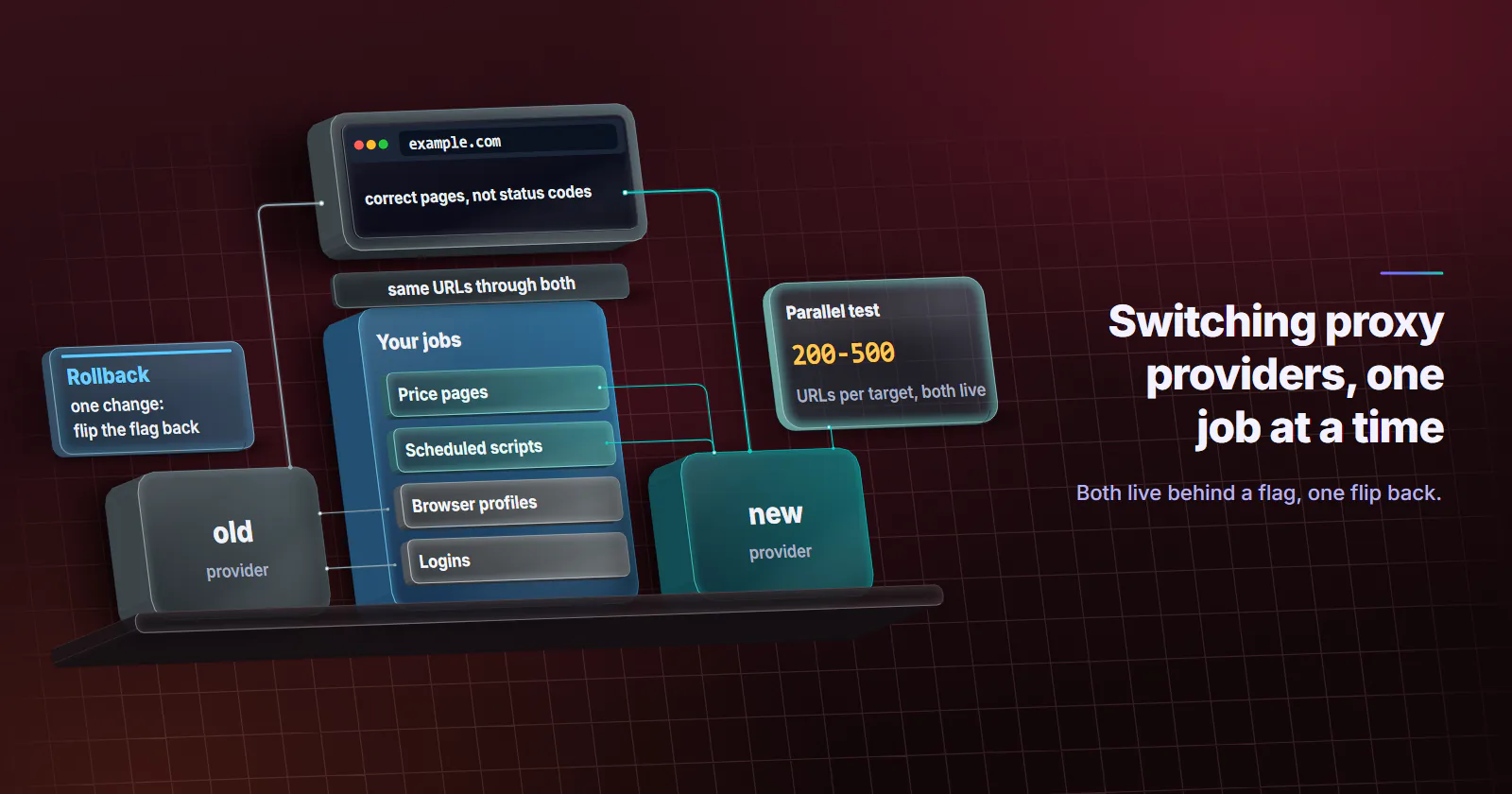
Quick summary · TL;DR
- Switching proxy providers is a five-step job. Diagnose, inventory, map settings, test both providers in parallel, then cut over one job at a time with a rollback ready.
- A new vendor cannot fix the client. Headers, TLS, DNS behaviour and request rate follow the scraper to any provider, so rule them out with a home-connection control first.
- Formats differ more than prices. URL versus host:port:user:pass lists, username parameters versus per-order settings, and passwords with : or @ that need percent-encoding cause most failed switches.
- Measure correct pages, not status codes. Success rate, content parity and bytes per page from a parallel test show how each pool handles the real workload.
- Static IPs do not transfer. Partners that admit specific addresses need the new ones before the old plan lapses.
Switching proxy providers safely takes five steps: confirm the proxy is the problem, inventory every job and credential, map the old provider’s settings onto the new one, run both side by side on the same URLs, then move production one job at a time behind a config flag. Cancel the old plan only after the new setup holds for a full cycle.
The usual trigger is a slow slide. Success rates on one target drop, the invoice climbs, or unused traffic expires at the end of the month. A new vendor looks like the fix, and the migration gets done in an afternoon: new credentials pasted in, old ones deleted.
Then a login flow breaks because the new pool rotates on a different schedule, or a partner firewall stops admitting traffic because the fixed IPs are gone.
Switching proxy providers in five steps
- Diagnose. Confirm the problem is the proxy and not the client. A vendor switch cannot fix a header leak or a request rate the target already rejects.
- Inventory. List every job, target, tier, rotation mode, location, protocol and monthly volume, plus every place a credential lives.
- Map. Translate each setting into the new provider’s model: credential format, where location and session are set, how rotation is timed.
- Test in parallel. Send the same URLs through both providers with the same client and pace, and compare what comes back.
- Cut over and keep a rollback. Move one job at a time behind a flag. Keep the old credentials working until the new setup survives a full billing cycle.
Teams that start at step 5 find the gaps in production.
Why teams switch proxy providers
Five reasons come up, and they are not equally good.
Success-rate drift. One target starts returning more challenges or 403s. Worth investigating, but check the client first (see the next section).
Useful results per target. What counts is the share of pages that come back correct. A pool that needs extra retries on a key target moves more traffic for the same data.
Expiring traffic. Some plans reset unused GB at the end of the billing month, so a team pays for bandwidth it never moves. A per-GB package with no expiry set on the GB fits bursty jobs better.
Missing controls. No city targeting, no sticky option, or rotation that cannot be changed without new credentials.
Sourcing doubts. After Google Threat Intelligence disrupted a large residential proxy network on 2026-01-28, more buyers ask how a pool’s devices are enrolled. A vendor that cannot describe consent and opt-out is a reason to leave on its own.
When switching will not help
A proxy changes the exit IP, the network that owns it and its location, and nothing else. The User-Agent, the TLS handshake, cookies, DNS behaviour and request timing all come from the team’s own client, and they follow it to any vendor.
Before switching proxy providers over a block rate, run three checks from the failing setup:
- Home control. Send 50 of the failing URLs from a normal home connection with the same client. If those fail too, the client is the problem.
- Pace. Halve the request rate for an hour. If the challenges fall away, the target is rate limiting, and a new pool will hit the same ceiling.
- Leaks. Confirm DNS lookups and any forwarding headers do not reveal the origin, with the same curl checks as our proxy leak test results. A leak survives every vendor change.
If the failure survives all three, the address is the likely cause, and a different pool or one of the other types of proxies is worth testing. The best proxies for web scraping guide covers which tier fits which target.
Inventory before switching providers
Write the current setup down before touching it. A spreadsheet with one row per job is enough: target, tier, rotation, location, protocol, concurrency, GB or IPs per month, and where the credentials are stored. Take the volume from the old provider’s usage history for the last three months, not from memory, and list every city a job targets, because a new pool can be deep in a country and thin in the one city that matters.
That last column is where migrations break. Credentials hide in environment variables, secret managers, config files, CI variables, browser profiles and scheduled scripts nobody has opened in a year. Search the repositories for the old hostname, and grep the secret store for its username prefix.
Also list anything outside the team’s control that depends on a fixed address: a partner API with a firewall rule for specific IPs, a bank portal, an internal service. Fixed IPs belong to the old provider and do not transfer.
Credential and endpoint formats
Providers export access in different shapes. The common ones:
| Field | Shape A | Shape B | What to check |
|---|---|---|---|
| Access format | http://USERNAME:PASSWORD@HOST:PORT URL | HOST:PORT:USERNAME:PASSWORD list, one line per port | Does the client parse the new shape as-is? |
| Endpoints | One gateway, many sessions | Hundreds of ports, one session each | Does the code pick a port, or reuse one? |
| Location | Parameters inside the username | Set on the order | Remove username parameters the new provider ignores |
| Session | Session ID in the username | Rotation mode on the order | Map every sticky flow explicitly |
| Protocol | HTTP and SOCKS5 on one port | Separate ports or credentials per protocol | Test the protocol each job actually uses |
| Login | Username and password | Another method | Move everything to username and password first |
Passwords break URL-shaped configs more often than anything else. RFC 3986 (January 2005) lists : and @ among its reserved delimiters. In a proxy URL the @ ends the userinfo and the first : splits username from password, so a password containing either must be percent-encoded, or the client splits it in the wrong place. The symptom is a 407 Proxy Authentication Required, the status RFC 9110 (June 2022) defines for a proxy that rejects the credentials.
from urllib.parse import quote
import os

user = quote(os.environ["PROXY_USER"], safe="")
password = quote(os.environ["PROXY_PASS"], safe="")
proxy = f"http://{user}:{password}@{os.environ['PROXY_HOST']}:{os.environ['PROXY_PORT']}"
proxies = {"http": proxy, "https": proxy}
Environment variables have their own trap. curl’s documentation (checked 2026-09-29) says http_proxy is read in lowercase only, while HTTPS_PROXY and ALL_PROXY work in either case. A migration that sets HTTP_PROXY in uppercase can leave curl-based jobs on the old provider without any error.
Keep the scheme to the proxy as http:// or a SOCKS5 scheme. With SOCKS5, socks5h:// hands the hostname to the proxy, while socks5:// makes the client resolve it locally, which leaks the lookup to the team’s own resolver. In Chromium-based browsers and browser profiles, use the http:// form, since they do not send SOCKS5 credentials. Test the exact string each job uses on the new provider before relying on it.
Rotation and session settings
Rotation is where two providers that look identical behave differently. For every job, write down which of three modes it uses and map it:
- Per request. A new exit for each request. Fine for stateless page fetches.
- Timed. The same exit for a fixed window. Check whether the new provider’s timer runs from first use or on a schedule, and what happens when the device behind the exit goes offline.
- Sticky. The same exit for as long as possible. On a residential or mobile pool that still ends when the device drops, so any flow that must hold for days belongs on a static address.
On proxymint, the rotation mode is chosen on the order (a new IP every request, a 5 to 60 minute timer, or sticky while the device stays online) and can be changed later with the same logins. Location works the same way: country, region and city are set on the order from places with devices online, can be changed later, and do not change per request. Sessions are set by the rotation mode on the order, so a team coming from username-encoded sessions maps each sticky flow to an order setting once.
Logged-in work deserves its own row. Accounts that expect a consistent login location notice when the address changes, and a switch changes every address at once. Move those accounts on a planned date, one at a time, onto static ISP proxies or another fixed address, and expect a re-verification prompt on some of them.
Run a parallel test
Keep the old provider running and add the new one as a second endpoint behind a flag. Then send the same URLs through both, with the same client, headers, concurrency and pace. Change only the provider.
Start with a small slice of real work, 200 to 500 URLs per target, including the hardest target in the inventory. If the new provider holds, widen to 10-20% of production for one full business cycle, so weekly patterns such as Monday traffic peaks show up in the data.
Add a control. A small sample from a home connection shows what a clean response looks like, which turns “the new pool returned 200” into “the new pool returned the right page”.
A short script is enough for the first slice. It sends each URL through both providers in turn, at the same pace, and writes one CSV row per request:
import csv, os, sys, time
import requests

PROXIES = {"old": os.environ["OLD_PROXY"], "new": os.environ["NEW_PROXY"]}
MARKER = sys.argv[2]  # text a correct page must contain, such as a price label

with open(sys.argv[1]) as f:
    urls = [line.strip() for line in f if line.strip()]

with open("pilot.csv", "w", newline="") as out:
    w = csv.writer(out)
    w.writerow(["provider", "url", "status", "bytes", "seconds", "correct"])
    for url in urls:
        for name, proxy in PROXIES.items():
            start = time.monotonic()
            try:
                r = requests.get(url, proxies={"http": proxy, "https": proxy}, timeout=30)
                w.writerow([name, url, r.status_code, len(r.content),
                            round(time.monotonic() - start, 2), MARKER in r.text])
            except requests.RequestException as e:
                w.writerow([name, url, type(e).__name__, 0,
                            round(time.monotonic() - start, 2), False])
            time.sleep(1)  # same pace for both providers
Run it as python pilot.py urls.txt "Add to cart", with https:// target URLs and the production client’s headers added to requests.get. len(r.content) counts the decoded body, so metered traffic runs higher: compare the batch total with each provider’s usage counter to get the real bytes per page.
What to measure in the test
| Metric | Why it matters |
|---|---|
| Success rate per target | Share of requests that returned the expected page, not just status 200 |
| Challenge, 403, 429 and 407 counts | Each points to a different cause: filter, block, rate, credentials |
| Content parity | Diff prices, titles or result counts against the control; a 200 with wrong content is silent bad data |
| Bytes per page | Sizes the traffic the workload needs on a per-GB plan |
| Latency (median and p95) | Slow exits stretch job windows and time out browsers |
| Geo accuracy | Check the exit’s country and city against what the order asked for |
| Unique exits and networks (ASNs) per 1,000 requests | Shows whether rotation actually rotates, and whether the exits all sit in one block |
Record everything per target. A provider can win on one site and lose on another, and the right answer may be to route some jobs to each.
Cutover and rollback
- Write the rollback trigger down before the first job moves. For example: success rate on any target below the old provider’s pilot figure for two hours, or any 407 spike.
- Move production one job at a time, lowest risk first. Each job switches through a config flag or environment variable, not a code edit, so rolling back is one change.
- Watch each job closely for its first 48 hours on the new provider, since that is when a missed setting shows up.
- Roll back when the trigger fires. Flip the flag back and investigate without pressure.
Common migration failures
| Symptom after cutover | Likely cause | Fix |
|---|---|---|
| 407 on every request | Password with : or @ not encoded, or old username parameters left in | Percent-encode the userinfo; remove parameters the new provider ignores |
| Old provider still bills traffic | Uppercase HTTP_PROXY ignored by curl, or a credential the inventory missed | Set http_proxy in lowercase; search again for the old hostname |
| Logins drop mid-flow | Rotation timer shorter than the flow, or per-request rotation | Map the job to sticky, or move it to a static address |
301 on every plain http:// URL | Some gateways redirect http:// targets to https:// | Test and run with https:// target URLs |
| 200s with the wrong content | Wrong location on the order, or a soft block page | Check content parity and geo accuracy per target |
| Lookups show up on the team’s own resolver | socks5:// instead of socks5h:// | Switch the scheme, then rerun the leak check |
| A partner integration stops | Fixed IPs released with the old plan | Send the new addresses before the renewal date |
Cancelling the old provider
Cancel last, and check four things first:
- Renewal date. Cancel before auto-renewal, but after the new setup has run a full cycle.
- Unused traffic. Find out whether leftover GB expire at cancellation, and use them up on low-risk jobs first if they do.
- Fixed addresses. Once released, they are gone. Confirm every partner has the new ones.
- Credentials. Delete the old ones from every location in the inventory, so nothing quietly keeps sending traffic.
The cost of switching
A staged migration runs both providers for a few weeks: the old plan keeps billing during the overlap, and the pilot needs its own package or ports. Size the pilot from the inventory, pages in the first slice times bytes per page. At 100 KB per page, 50,000 page loads come to about 5 GB of traffic.
Per-GB and per-IP billing measure different things. Convert both into traffic or addresses per correct page using the bytes-per-page figure from the pilot, and compare what each workload needs. proxymint does not set an expiry on GB, which suits bursty jobs and pilots that pause between slices.
Switching proxy providers: the decision
If the failure survives a home-connection control, a slower pace and a leak check, the address is the problem: pilot rotating residential proxies on the failing target before moving anything else. If the problem is a session that breaks on IP change, the fix is a fixed address, the trade covered in ISP vs residential proxies. If the pilot shows no difference, stay put and fix the client.
If a provider cannot say how its residential proxy devices are sourced, that alone justifies switching proxy providers, whatever the success rate.
The checklist above works for any two vendors.
Frequently asked questions
Add the new provider as a second endpoint behind a config flag, run both on the same URLs, and move production one job at a time. Keep the old credentials working until the new setup has held for a full billing cycle, so any job can be flipped back in one change.
Start with 200 to 500 URLs per target for a day or two to catch configuration errors. Then run 10 to 20 percent of real production through the new provider for one full business cycle, usually a week, so weekly traffic patterns show up in the numbers.
It can. Every exit address changes at once, and accounts that expect a consistent login location may ask for re-verification or end the session. Move logged-in accounts one at a time on a planned date, onto a static address if the work runs for days.
Usually only configuration, if the proxy URL lives in an environment variable or config file. Code changes are needed when the new provider uses a different credential shape, sets location or sessions on the order instead of in the username, or splits protocols across ports. Passwords containing a colon or an at sign must be percent-encoded in URL form.
Success rate per target, counts of challenges, 403, 429 and 407 responses, content parity against a home-connection control, bytes per page, latency, geo accuracy and unique exits per 1,000 requests. Record each per target, because one provider can win on one site and lose on another.
It depends on the old plan. Some plans reset unused GB at the end of each billing month or at cancellation, so check the terms and use leftover traffic on low-risk jobs before the renewal date. proxymint does not set an expiry on GB it sells per package.
When a failure survives a home-connection control, a slower request rate and a leak check, the address is the likely cause and another pool is worth testing. A falling share of correct pages, expiring traffic, missing rotation or location controls, and a vendor that cannot explain how its devices are sourced are also good reasons.
Researched and drafted with AI tools, then checked against our publishing rules before it went live: 4 outside links, 11 links to other proxymint pages, no prices and a fact-check pass against our product records. How we write.