
urllib proxy: ProxyHandler, auth, HTTPS tunnels and env vars
Set a proxy in Python's urllib.request with ProxyHandler: credentials, HTTPS CONNECT tunnels, the 407 trap, HTTPS_PROXY and no_proxy, SOCKS5 and rotation.
Quick summary · TL;DR
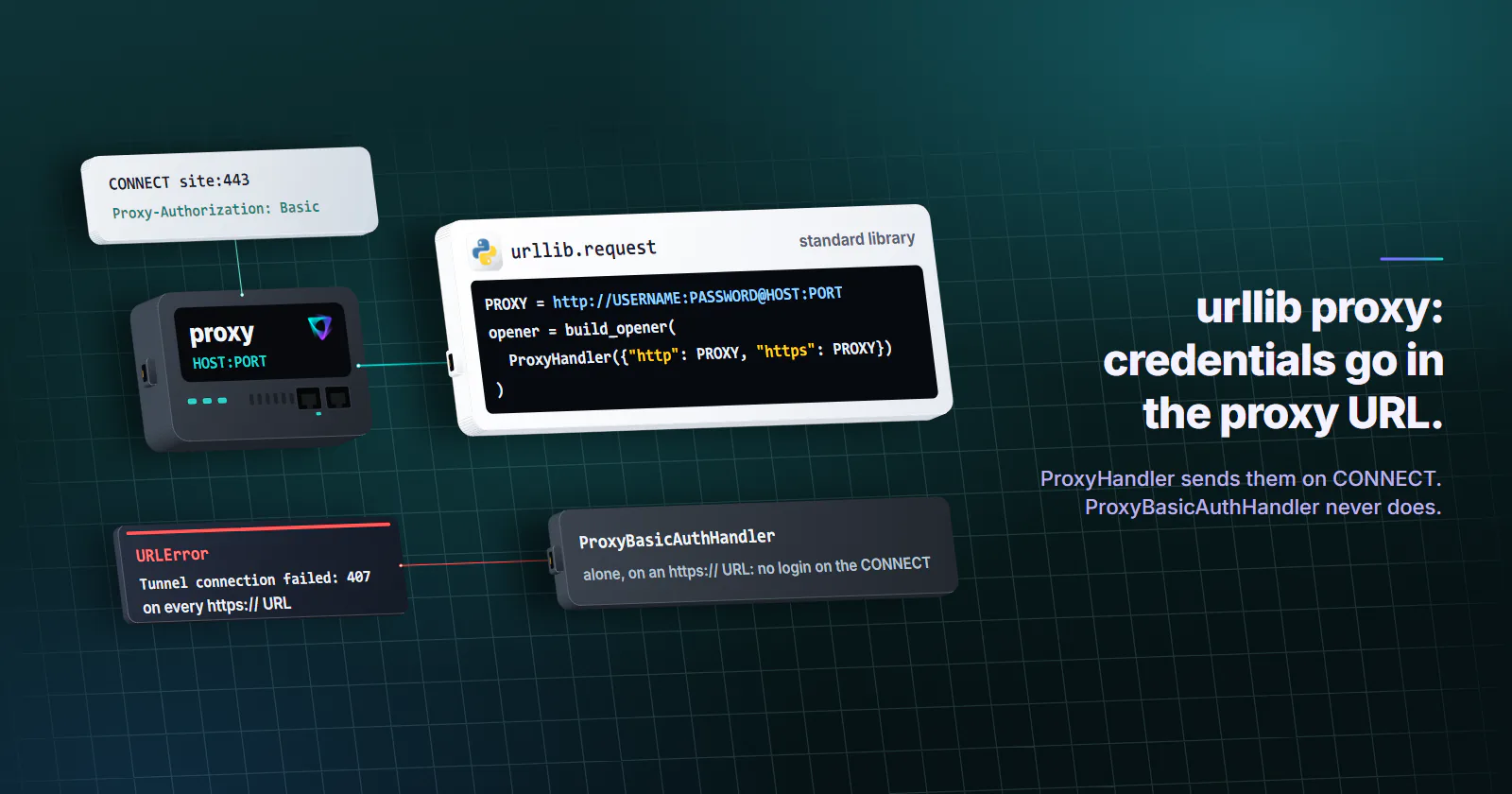
- urllib takes a proxy through ProxyHandler. urllib.request.build_opener(urllib.request.ProxyHandler({"http": PROXY, "https": PROXY})) routes both schemes, with PROXY set to http://USERNAME:PASSWORD@HOST:PORT for both keys.
- Credentials belong in the proxy URL. ProxyHandler sends them as a Basic Proxy-Authorization header, on the CONNECT for HTTPS sites. ProxyBasicAuthHandler alone fails every https:// URL with Tunnel connection failed: 407.
- urlopen(context=...) drops an installed proxy. It builds a fresh opener for that call, so the SSL context belongs inside the opener as an HTTPSHandler.
- The environment can override code. On Linux a matching no_proxy entry bypasses even an explicit ProxyHandler, and urlopen reads proxy variables once, at its first call.
- urllib has no SOCKS5 and no keep-alive. A socks5:// URL fails or is spoken to as HTTP; PySocks adds a handler. Every call opens a new connection and tunnel, which suits a rotating gateway.
To set a urllib proxy, build an opener with urllib.request.ProxyHandler({"http": PROXY, "https": PROXY}), where PROXY is http://USERNAME:PASSWORD@HOST:PORT. Both keys take the http:// URL, HTTPS sites run through a CONNECT tunnel, and credentials in the URL work for both. Pass a timeout on every call: urllib waits forever by default.
That covers a script that fetches a few pages. A urllib proxy breaks where the official docs stop. The documented auth example uses ProxyBasicAuthHandler, which never authenticates an HTTPS tunnel, so every https:// call fails with Tunnel connection failed: 407. A context= argument quietly drops the proxy you installed. A no_proxy entry left in the environment overrides a proxy set in code. SOCKS5 is not in the standard library at all.
Every snippet below runs on the standard library alone, for the places where pip install requests is not an option: an AWS Lambda handler, a CI step, a slim container or a locked-down server. Each one was run on CPython 3.11, 3.13, 3.14 and the 3.15 beta (3.15.0b4) against a local test proxy. Placeholders stand in for real credentials: HOST, PORT, USERNAME, PASSWORD.
urllib proxy setup with ProxyHandler
Read the proxy URL from the environment, build one opener, and check the exit IP before the real work runs:
import json
import os
import urllib.request

PROXY = os.environ["PROXY_URL"]  # http://USERNAME:PASSWORD@HOST:PORT

opener = urllib.request.build_opener(
    urllib.request.ProxyHandler({"http": PROXY, "https": PROXY})
)

with opener.open("https://httpbingo.org/ip", timeout=30) as resp:
    print(resp.status, json.load(resp))
The dictionary maps the scheme of the target URL to a proxy. A request for an https:// page uses the "https" entry, so a handler with only an "http" key sends every HTTPS request direct, with no error. Set both keys, even when they hold the same URL.
In the CPython 3.15 source of urllib.request (checked 2026-10-20), urlopen and OpenerDirector.open default to socket._GLOBAL_DEFAULT_TIMEOUT, which means no limit unless the program called socket.setdefaulttimeout. A proxy exit that accepts the TCP connection and then stalls holds the script until the platform kills it. Thirty seconds suits most proxied page fetches; an API that answers in under a second can take ten.
build_opener or install_opener
opener.open() keeps the proxy local to that opener. urllib.request.install_opener(opener) makes it the global default, so every later urllib.request.urlopen() call in the process goes through the proxy, including calls inside libraries that use urlopen. Use the local opener in code you own and install it only when a library you cannot change calls urlopen itself.
urllib proxy authentication
Put the credentials in the proxy URL. ProxyHandler takes them out, base64-encodes them and sends a Proxy-Authorization: Basic header. For an http:// target that header rides on the request to the proxy. For an https:// target urllib moves it onto the CONNECT request and removes it from the request headers, so the site behind the tunnel never sees it. In the test runs, the echo server at the end of the tunnel received no Proxy-Authorization header on any version.
Percent-encode the username and password before they go into the URL:
from urllib.parse import quote

user = quote(os.environ["PROXY_USER"], safe="")
password = quote(os.environ["PROXY_PASS"], safe="")
PROXY = f"http://{user}:{password}@HOST:PORT"
urllib decodes the values again before building the header, so the proxy receives the original password. Without encoding, the parser fails in ways that look unrelated. A password of p@ss:w#rd/x raised InvalidURL: nonnumeric port: 'w#rd' on every version tested, because a / after an @ ends the address early. A raw % gets decoded as an escape. Generated proxy passwords do contain @ and :, so encoding is the safe default.
A username with no password sends nothing. ProxyHandler adds the header only when both parts are present and non-empty. A token-only URL such as http://TOKEN@HOST:PORT, or http://TOKEN:@HOST:PORT with an empty password, goes out with no Proxy-Authorization header and comes back as a 407. A token-style login needs the header set by hand, as in the per-request example further down.
Why ProxyBasicAuthHandler fails on HTTPS
The urllib.request documentation (main branch, checked 2026-10-20) shows proxy auth with ProxyBasicAuthHandler and a password manager. That handler waits for a 407 response, then retries with credentials. On an http:// target it works: the proxy answers 407, the handler resends with the header, and the second request succeeds.
On an https:// target there is no response to wait for. The 407 arrives as the answer to the CONNECT, inside http.client, which raises before any urllib handler runs. ProxyDigestAuthHandler has the same limit. It also acts only on an HTTPError 407: in the test runs its 407 method ran for the http:// target and never for the https:// one, which failed with the same Tunnel connection failed: 407 on all four versions. A Digest header cannot go out up front either, because it needs the nonce from the proxy’s 407 challenge, so urllib’s built-in handlers cannot authenticate an https:// tunnel to a proxy that accepts only Digest.
The error class differs by target. A 407 on an http:// target is an HTTPError with code == 407, a real response. A 407 on an https:// target is a plain URLError whose reason carries the text. Code that only checks e.code misses the HTTPS case. The 407 Proxy Authentication Required guide covers the other causes, from a mistyped password to a header the client never sent.
HTTPS targets and the proxy scheme
For an https:// URL, urllib connects to the proxy, sends CONNECT site:443, and runs TLS through the tunnel with the site. The proxy relays encrypted bytes and the certificate check happens against the site, as without a proxy. The proxy URL stays http:// because it describes the hop from the script to the proxy, not the page.
An https:// proxy URL behaves oddly in urllib. Under the "https" key it is ignored and urllib sends a plain CONNECT anyway. Under the "http" key it makes urllib open TLS to the proxy port, which fails with The handshake operation timed out against a port that speaks plain HTTP. Neither is useful, so write http:// for both keys.
Some gateways answer plain http:// targets with a redirect. The proxymint gateway leak test (measured 2026-09-28) recorded a 301 to the https:// address for every plain HTTP request. urllib follows redirects by default, up to 10, so the opener lands on the HTTPS page through the same proxy and resp.url shows where it ended. A health check that compares the final URL with the requested one should expect that.
urllib proxy environment variables
Without an explicit handler, build_opener() and urlopen() add a ProxyHandler built from urllib.request.getproxies(). On Linux that reads http_proxy, https_proxy and no_proxy; on Windows it falls back to the registry’s Internet Settings and on macOS to the system proxy configuration when no variable is set.
Five rules decide what happens, all confirmed in the test runs:
| Situation | What urllib does |
|---|---|
https_proxy and HTTPS_PROXY both set | The lowercase one wins |
Only all_proxy set | Ignored: http:// and https:// requests go direct |
HTTP_PROXY set and REQUEST_METHOD present (a CGI process) | Uppercase HTTP_PROXY is ignored, so a client cannot inject a proxy through a Proxy: header |
no_proxy=example.com | Bypasses example.com and every subdomain; a leading dot changes nothing; * alone bypasses everything; no CIDR ranges |
no_proxy set and an explicit ProxyHandler | On Linux the bypass still applies, because ProxyHandler checks the environment’s no_proxy before using any proxy |
urllib reads the environment once. ProxyHandler copies getproxies() when the opener is built, and urlopen() builds its default opener on the first call and keeps it. A variable set after that first call changes nothing for later urlopen calls in the same process; in the test, setting http_proxy after one urlopen call left the next call going direct. Set the variables before the first request, or build a new opener.
A container image that sets no_proxy for internal services also skips the proxy for any matching host, even in code that sets a proxy explicitly. Clear it for the process (os.environ.pop("no_proxy", None) and the uppercase name) when the script must go through the proxy.
An empty dictionary disables proxies: urllib.request.ProxyHandler({}) turns off proxy handling for that opener, environment included. That is the clean way to reach a metadata endpoint or an internal API from a process that has https_proxy set.
The context argument drops the proxy
The cause is three lines in urlopen: when a context is passed, it builds a new opener around an HTTPSHandler(context=context) instead of using the installed one. The fix is to put the SSL context in the opener itself:
import ssl

ctx = ssl.create_default_context(cafile="corp-ca.pem")
opener = urllib.request.build_opener(
    urllib.request.ProxyHandler({"http": PROXY, "https": PROXY}),
    urllib.request.HTTPSHandler(context=ctx),
)
urllib.request.install_opener(opener)
urllib.request.urlopen("https://httpbingo.org/ip", timeout=30)  # no context= here
The cafile and capath arguments of urlopen are gone in Python 3.13 (the signature in the 3.13 source takes only url, data, timeout and context), so older code that passed them has usually been rewritten to context=, which is when the proxy disappears.
SOCKS5 with urllib
The standard library has no SOCKS client. A socks5:// URL in ProxyHandler fails in two different ways: for an http:// target it raises URLError: unknown url type: socks5, and for an https:// target urllib sends an HTTP CONNECT to the SOCKS port as if it were an HTTP proxy. Both happened on every version tested.
Most proxy ports speak HTTP, and the HTTP CONNECT path above carries any HTTPS site, so the simplest fix is to use the provider’s HTTP URL. The SOCKS5 vs HTTP proxy guide explains when SOCKS5 is worth the extra dependency: non-HTTP protocols, UDP, or a tool that only speaks SOCKS.
When SOCKS5 is required, the third-party PySocks package ships a urllib handler. PyPI lists PySocks 1.7.1, released 2019-09-20, as the latest version; it installed and ran on Python 3.13 in the test:
import socks  # pip install PySocks
from sockshandler import SocksiPyHandler

opener = urllib.request.build_opener(
    SocksiPyHandler(socks.SOCKS5, "HOST", PORT, rdns=True,
                    username="USERNAME", password="PASSWORD")
)
print(opener.open("https://httpbingo.org/ip", timeout=30).read())
rdns=True sends the hostname to the proxy, so the name resolves on the proxy side; with rdns=False the test SOCKS server received a local IP address instead. Leave out SocksiPyHandler’s context= argument if the opener also fetches http:// URLs: the handler passes it to plain HTTP connections too, which raises TypeError: HTTPConnection.__init__() got an unexpected keyword argument 'context'.
Rotating proxies with urllib
urllib never reuses a connection. Every open() call sends Connection: close and builds a new TCP connection, and for an https:// target a new CONNECT tunnel: three calls on one opener produced three CONNECTs in the test.
That keeps gateway rotation simple. With a rotating gateway behind one proxy URL, each urllib call arrives at the gateway as a fresh connection, so there is no keep-alive tunnel holding the previous exit. Whether a gateway assigns exits per request or per connection, a urllib call is both. A job that needs the same exit across calls sets sticky or timed rotation on the gateway instead; rotating vs sticky proxies covers what breaks under each mode.
The cost is latency. Each call pays for a TCP connect to the proxy, the CONNECT round trip and a TLS handshake through the exit. For a few hundred calls that is fine. For thousands of calls to one host, a client with connection pooling is the better tool.
To rotate across a list of endpoints, set the proxy per request with Request.set_proxy. It skips ProxyHandler, so the auth header goes on by hand, and urllib still moves it onto the CONNECT for https:// targets:
import base64
import itertools

ENDPOINTS = itertools.cycle(["HOST1:PORT", "HOST2:PORT"])
TOKEN = base64.b64encode(b"USERNAME:PASSWORD").decode()
direct = urllib.request.build_opener(urllib.request.ProxyHandler({}))

def fetch(url):
    req = urllib.request.Request(url)
    req.set_proxy(next(ENDPOINTS), "http")
    req.add_header("Proxy-Authorization", "Basic " + TOKEN)
    with direct.open(req, timeout=30) as resp:
        return resp.read()
The opener carries ProxyHandler({}) so an environment proxy cannot be applied on top of the per-request one.
urllib proxy errors and fixes
Each row was reproduced on CPython 3.11, 3.13, 3.14 and 3.15.0b4 against a local test proxy:
| Error or symptom | Cause | Fix |
|---|---|---|
InvalidURL: nonnumeric port | Raw / or other special characters in the proxy password | Percent-encode with quote(value, safe="") |
URLError: Tunnel connection failed: 407 | No or wrong credentials on an https:// target, or ProxyBasicAuthHandler used alone | Credentials in the proxy URL, both username and password |
HTTPError 407 | Same problem on an http:// target | Same fix; catch HTTPError and URLError separately |
URLError: unknown url type: socks5 | socks5:// in ProxyHandler | HTTP proxy URL, or PySocks’ SocksiPyHandler |
The handshake operation timed out | https:// proxy URL under the "http" key | http:// proxy URL |
| Exit IP is the server’s own | Missing "https" key, context= on urlopen, a matching no_proxy, only all_proxy set, or env vars set after the first urlopen | Set both keys, SSL context in the opener, clear no_proxy, set https_proxy and http_proxy, set env vars before the first call |
| Script hangs | No timeout | timeout= on every call |
| Final URL differs from the request | The proxy redirected http:// to https:// and urllib followed | Expected; request the https:// URL directly |
The exception text sits in e.reason for URLError and in e.code for HTTPError, and HTTPError is a subclass of URLError, so catch HTTPError first.
Choosing a urllib proxy type
A urllib proxy works the same whatever category sits behind the URL; the target is what tells them apart. Match the category to what the target checks:
- Pages built for home users, such as storefronts, local search results and sites that show hosting networks a different page: rotating residential proxies exit from home connections. Rotation is set on the order: a new IP on every request, a 5 to 60 minute timer, or sticky while the device stays online. HTTP and SOCKS5 are both included, so the plain
http://URL above works as is. - APIs, uptime checks and targets that accept hosting networks: datacenter proxies give each IPv4 address its own username and password, with an HTTP and a SOCKS5 port per IP.
- One login that must keep the same address for weeks: static ISP proxies, one IP per login that does not rotate, chosen by country.
- App-first platforms that expect a phone: mobile proxies on carrier networks.
If the script fetches consumer-facing pages from a Lambda function or a CI runner, the residential gateway behind one http:// URL is the shortest path: one ProxyHandler, credentials in the URL, a timeout, and urllib’s new-connection-per-call does the rest.
Frequently asked questions
Build an opener with urllib.request.ProxyHandler({"http": PROXY, "https": PROXY}) and call opener.open(url, timeout=30), where PROXY is http://USERNAME:PASSWORD@HOST:PORT. Both keys use the http:// proxy URL, because HTTPS sites run through a CONNECT tunnel. To make every urlopen call use it, pass the opener to urllib.request.install_opener.
Put the username and password in the proxy URL, percent-encoded with urllib.parse.quote(value, safe=""). ProxyHandler decodes them and sends a Basic Proxy-Authorization header, on the CONNECT request for HTTPS sites, and removes it before the request reaches the site. Both a username and a non-empty password are needed, or no header is sent.
The proxy rejected the CONNECT request for an https:// URL because it carried no valid credentials. The usual causes are ProxyBasicAuthHandler used on its own, which cannot answer a 407 on a tunnel, credentials missing from the proxy URL, a username without a password, or a wrong or expired login. Putting percent-encoded credentials in the proxy URL fixes the first three.
Yes. The default opener reads http_proxy, https_proxy and no_proxy, and the lowercase name wins when both cases are set. all_proxy is not used: with only all_proxy set, http:// and https:// requests go direct. Uppercase HTTP_PROXY is ignored when REQUEST_METHOD is set, as in a CGI process. urlopen reads the variables once, when it builds its default opener on the first call.
Build the opener with urllib.request.ProxyHandler({}), an empty dictionary, which turns off proxies from the environment and system settings for that opener. Setting no_proxy=* in the environment does the same for every default opener. An explicit ProxyHandler with a proxy is still bypassed on Linux for hosts that match no_proxy.
No, the standard library has no SOCKS client. A socks5:// URL in ProxyHandler raises unknown url type: socks5 for http:// targets and is spoken to as an HTTP proxy for https:// targets. The third-party PySocks package adds SocksiPyHandler for urllib, with rdns=True to resolve hostnames on the proxy side.
urllib is the standard library module, configured with ProxyHandler and an opener, and it opens a new connection for every call. urllib3 is a separate package, used underneath requests, that sets a proxy through ProxyManager and keeps connection pools. Credentials in the proxy URL do not carry over: urllib3's ProxyManager ignores them and needs proxy_headers=urllib3.make_headers(proxy_basic_auth="USERNAME:PASSWORD"), or the proxy answers 407.
Researched and drafted with AI tools, then checked against our publishing rules before it went live: 3 outside links, 6 links to other proxymint pages, no prices and a fact-check pass against our product records. How we write.