407 Proxy Authentication Required: causes and client fixes
A 407 means the proxy, not the site, rejected or never got your login. Causes in the order to check, and the fix for curl, Python, Node, browsers and apt.
Quick summary · TL;DR
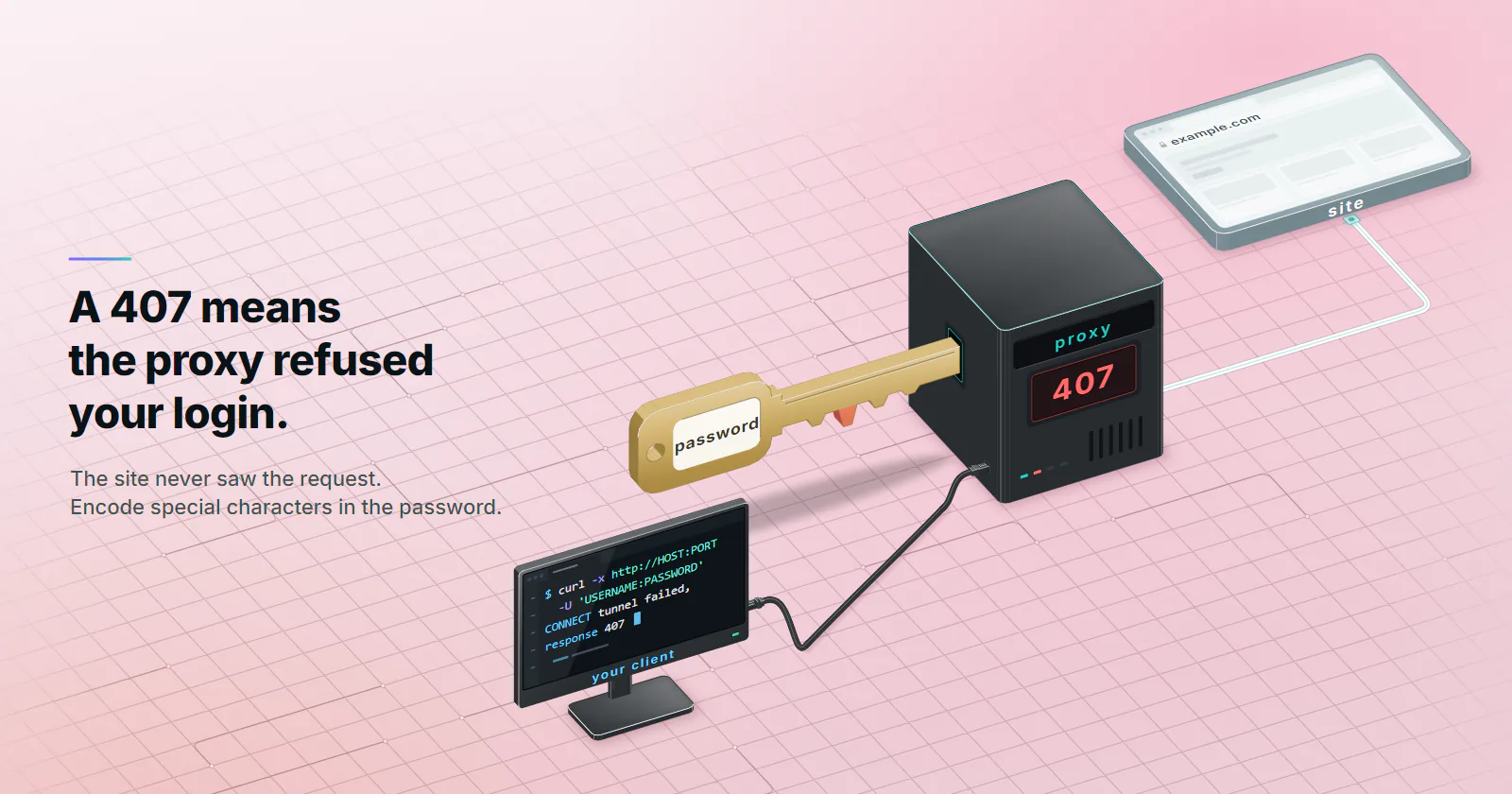
- A 407 comes from the proxy, not the website. The proxy got no credentials or the wrong ones, answered with a Proxy-Authenticate challenge, and never forwarded the request to the site.
- The challenge scheme tells you which problem you have. Basic means a provider or simple proxy that wants a username and password. NTLM or Negotiate means a corporate proxy that wants a Windows or domain login.
- On HTTPS the 407 answers the CONNECT, so there is no response object. Clients raise errors such as "Tunnel connection failed: 407" or "CONNECT tunnel failed, response 407", and credentials must ride on the CONNECT itself.
- Most 407s are placement or encoding. Credentials in a field the client ignores, a requests proxies dict without an https key, or an unencoded @, : or % in the password cause most cases.
A 407 Proxy Authentication Required response means the proxy between the client and the website refused the request because it got no credentials, or the wrong ones. The website never saw the request. The fix is almost always on the client side: credentials missing, in the wrong field, badly encoded, or offered in a scheme the proxy does not accept.
What 407 Proxy Authentication Required means
RFC 9110 (June 2022), section 15.5.8, defines 407 as the proxy’s version of 401: the client has to authenticate to the proxy before the request goes anywhere. The proxy must send a Proxy-Authenticate header that names at least one scheme it accepts (section 11.7.1). The client answers by repeating the request with a Proxy-Authorization header (section 11.7.2).
That second header is hop-by-hop. The first proxy that needs it consumes it, and it is not passed on to the site. So a 407 is always a conversation between the client and the proxy, the middle hop described in what a proxy server is, and never a sign that the website detected or blocked the proxy.
Read the 407 before fixing it
One command splits the problem in two. Run curl in verbose mode through the proxy, first without credentials, then with them:
curl -v -x http://HOST:PORT https://example.com -o /dev/null
curl -v -x http://HOST:PORT -U 'USERNAME:PASSWORD' https://example.com -o /dev/null
Read three things in the output.
The challenge. Find the Proxy-Authenticate line under the 407. The scheme it names tells you which world you are in. Basic means a proxy provider or a simple proxy that wants a username and password. NTLM or Negotiate means a corporate proxy that wants your Windows or domain login, and most tools cannot answer it with a plain username and password. If you see those, skip to the corporate section below.
The body. An empty body with a Basic challenge is normal. The proxy has nothing to add beyond the header.
The second run. If the call with -U succeeds, the credentials are fine and the problem is how the real client sends them. If it still returns 407, the credentials themselves, or the account behind them, are the problem.
Once it passes, confirm the exit IP with an IP echo service through the same proxy, for example curl -x http://HOST:PORT -U 'USERNAME:PASSWORD' https://api.ipify.org. An address that is not your own proves the request went through the proxy and not around it.
Why HTTPS makes 407 look different
For a plain http:// target, the client sends the whole request to the proxy, and the proxy answers with an ordinary 407 response. Code gets a response object with status 407, like any other status.
For an https:// target, the client first sends CONNECT example.com:443 to open a tunnel. The 407 answers that CONNECT. No tunnel opens, no request to the site is sent, so there is no response object to inspect. Each client turns that into an error of its own:
- curl 8.21:
curl: (7) CONNECT tunnel failed, response 407. Older 7.x builds printedReceived HTTP code 407 from proxy after CONNECT. - Python requests: a
ProxyErrorthat ends inTunnel connection failed: 407 Proxy Authentication Required. - Node.js 24 fetch with an environment proxy:
TypeError: fetch failed, whose cause chain ends inProxy response (407) !== 200 when HTTP Tunneling. - Chrome and Chromium:
net::ERR_TUNNEL_CONNECTION_FAILED, or a sign-in prompt in a desktop browser.
Credentials have to ride on the CONNECT itself. A Proxy-Authorization header added to a session’s default headers, or to one request’s headers, often travels only with the inner request, and the inner request is never sent. That explains most “works on http, fails on https” and “curl works, my script does not” reports: curl puts the credentials on the CONNECT, the script put them somewhere else.
Nine causes, in checking order
The order runs from cheapest to check and most common to rarest. Each cause has a symptom that tells it apart.
1. No credentials sent at all. The 407 appears on the very first request, and curl -v or the proxy log shows no Proxy-Authorization. Usual reasons: the credentials sit in a field the client ignores, the tool never reads the HTTPS_PROXY variable, sudo resets the environment so https_proxy disappears, or a NO_PROXY entry does not match and sends a host to a proxy that was set up without credentials.
2. Credentials in the wrong place for that client. curl with -U works, the client does not. Playwright drops credentials written inside the server URL. A requests proxies dict with only an http key leaves HTTPS traffic to whatever the environment says, often a proxy variable without credentials. Chrome’s --proxy-server flag ignores user:pass entirely.
3. Special characters not percent-encoded. In URL form, @ : / # ? % inside a username or password break parsing. The loud version fails before anything is sent: curl 8.21 rejects http://user:p@ss:A%41@HOST:PORT with Unsupported proxy syntax. The silent version is worse. A % followed by two hex digits is decoded, so the password A%41 reaches the proxy as AA, and the proxy answers 407 to a password that looks right on screen. In a local test, curl 8.21 decoded percent sequences in the -U value too, so the rule applies there as well.
| Character | Encoded form |
|---|---|
@ | %40 |
: | %3A |
/ | %2F |
# | %23 |
? | %3F |
% | %25 |
| space | %20 |
Encode both parts once, in code, instead of by hand:
from urllib.parse import quote
proxy = f"http://{quote(USERNAME, safe='')}:{quote(PASSWORD, safe='')}@HOST:PORT"
const proxy = `http://${encodeURIComponent(USERNAME)}:${encodeURIComponent(PASSWORD)}@HOST:PORT`;Proxy lists in host:port:user:pass form have the same weakness: a colon in the password shifts every field after it.
4. Wrong, rotated or regenerated credentials. The curl test with -U fails too. Typical stories: the password was regenerated in a dashboard, the credentials belong to another product or another port, or a copied .env line carries a trailing space or newline.
5. Malformed username parameters. Some providers encode targeting or session options in the username, separated by a delimiter. A typo, an unsupported value or one extra delimiter character turns the whole string into an unknown user, and the proxy answers 407. Copy the generated string whole and change one parameter at a time.
6. IP allowlist mismatch. Where a proxy authenticates by source address, which is common on corporate proxies, a 407 appears when the egress IP changes: a new office NAT, a cloud function with rotating egress, a VPN on the workstation, or IPv6 egress checked against an IPv4 list. The tell is that one machine works and another with an identical config does not. proxymint authenticates by username and password, so this cause does not apply there.
7. Auth scheme mismatch. The challenge says NTLM or Negotiate and the client only speaks Basic. Java has its own version: the JDK’s net.properties file (checked September 2026) ships with jdk.http.auth.tunneling.disabledSchemes=Basic, so the JVM never answers a Basic challenge on an HTTPS tunnel until that property is cleared.
8. Header stripped or consumed. In a chain of two proxies, the first one consumes Proxy-Authorization and the second never sees it. Some middleboxes drop it too. Redirects are the quiet case: since requests 2.31.0, the fix for CVE-2023-32681 (published May 22, 2023, which leaked proxy credentials to redirect targets), requests removes Proxy-Authorization on every redirect and rebuilds it only from the proxy URL. A header set by hand does not come back.
9. Account state. Some providers answer 407 when a plan has lapsed, run out of data or been suspended, because the gateway treats the credentials as no longer valid. The tell: credentials that worked yesterday fail today with no config change. Check the account before rewriting code.
Not a 407 at all: SOCKS5. SOCKS5 has no HTTP status codes. A wrong login fails during the username and password subnegotiation defined in RFC 1929 (March 1996), so clients report a SOCKS authentication failure or a closed connection. Anyone searching for a 407 on a socks5:// proxy is looking at the wrong layer, the split covered in SOCKS5 vs HTTP proxy.
Fix matrix by client
One row per client: the correct form, the mistake that causes most 407s, and what the client prints when the proxy refuses it. Strings for curl and Node.js were reproduced against a local proxy that answers 407 with Proxy-Authenticate: Basic realm="proxy"; the others are the clients’ standard messages.
| Client | Correct form | Common mistake | What it prints on 407 |
|---|---|---|---|
| curl | -x http://HOST:PORT -U 'USERNAME:PASSWORD' | Unencoded @ or : in a URL-form password | CONNECT tunnel failed, response 407 |
| Python requests | proxies with http and https keys, encoded password | Only an http key, or the header set on the session | Tunnel connection failed: 407 Proxy Authentication Required |
| httpx | httpx.Client(proxy=URL) | proxies=, removed in 0.28.0 | ProxyError: 407 Proxy Authentication Required |
| Node.js fetch | undici ProxyAgent, or NODE_USE_ENV_PROXY=1 | Expecting fetch to read HTTPS_PROXY by default | Proxy response (407) !== 200 when HTTP Tunneling |
| Node.js http, axios | https.Agent({ proxyEnv }), axios proxy.auth | Credentials inside axios proxy.host | ERR_PROXY_TUNNEL, or Request failed with status code 407 |
| Playwright | username and password fields | Credentials inside the server URL | 407 on HTTP pages, net::ERR_TUNNEL_CONNECTION_FAILED on HTTPS |
| Puppeteer | --proxy-server plus page.authenticate() | user:pass inside the flag | net::ERR_TUNNEL_CONNECTION_FAILED |
| Selenium with Chrome | Auth handler or a local forwarder | user:pass inside --proxy-server | Sign-in dialog or a tunnel error |
| Java | Authenticator plus cleared disabledSchemes | Default JVM flags | Unable to tunnel through proxy. Proxy returns "HTTP/1.1 407 Proxy Authentication Required" |
| Chrome, Edge, Firefox | Answer the sign-in prompt | Stale saved credential, an extension that sets a proxy | Prompt, then a tunnel error |
| Windows, macOS | OS proxy settings | Expecting every app to reuse the OS setting | Some apps prompt, others fail |
| Android, iPhone | iOS Authentication toggle, app-level proxy on Android | Android Wi-Fi proxy against a credentialed proxy | Browser prompts, apps fail |
| apt | Acquire::http::Proxy in /etc/apt/apt.conf.d/ | sudo dropping http_proxy | 407 Proxy Authentication Required on each Err line |
| pip, npm, git | --proxy or pip.conf, npm config, http.proxy | Unencoded password in the URL | Tunnel connection failed: 407 (pip), a 407 on the registry or remote URL |
curl
curl -x http://HOST:PORT -U 'USERNAME:PASSWORD' https://example.com
curl -x http://HOST:PORT --proxy-anyauth -U 'USERNAME:PASSWORD' https://example.com
curl -x http://HOST:PORT --proxy-ntlm -U 'DOMAIN\USERNAME:PASSWORD' https://example.com
curl -x http://HOST:PORT --proxy-negotiate -U : https://example.com
--proxy-anyauth lets curl pick the strongest scheme the challenge offers. --proxy-negotiate -U : uses an existing Kerberos ticket, so no password is typed.
Python requests and httpx
import requests, httpx
from urllib.parse import quote
url = f"http://{quote(USERNAME, safe='')}:{quote(PASSWORD, safe='')}@HOST:PORT"
requests.get("https://example.com", proxies={"http": url, "https": url}, timeout=30)
with httpx.Client(proxy=url) as client:
    client.get("https://example.com")
requests also reads HTTPS_PROXY from the environment, unless a session sets trust_env = False. httpx dropped the old proxies= argument in 0.28.0 (November 28, 2024); code copied from older answers fails there before it ever reaches the proxy. SOCKS in httpx needs the httpx[socks] extra and a socks5h:// URL, a scheme httpx accepts since 0.28.0.
Node.js
import { fetch, ProxyAgent } from 'undici';
const token = `Basic ${Buffer.from('USERNAME:PASSWORD').toString('base64')}`;
const dispatcher = new ProxyAgent({ uri: 'http://HOST:PORT', token });
const res = await fetch('https://example.com', { dispatcher });
Without undici, recent Node.js reads proxy variables itself once asked to. Per the Node.js docs (checked September 2026), NODE_USE_ENV_PROXY=1 arrived in v24.0.0 and v22.21.0, and the --use-env-proxy flag and the proxyEnv agent option in v24.5.0 and v22.21.0. Credentials go in the variable as an encoded URL. For axios 1.16.1 or later, pass proxy: { protocol: 'http', host: 'HOST', port: PORT, auth: { username, password } } and keep credentials out of host; on older versions set proxy: false and give https-proxy-agent as httpsAgent.
Playwright, Puppeteer and Selenium
await chromium.launch({ proxy: { server: 'http://HOST:PORT', username: 'USERNAME', password: 'PASSWORD' } });

const browser = await puppeteer.launch({ args: ['--proxy-server=http://HOST:PORT'] });
const page = await browser.newPage();
await page.authenticate({ username: 'USERNAME', password: 'PASSWORD' });
Playwright cuts server down to scheme, host and port, so credentials written into it never reach the proxy: plain HTTP pages get a 407 and HTTPS pages fail the tunnel. Puppeteer answers the challenge through page.authenticate(), per page. Selenium cannot put credentials in Chrome’s --proxy-server flag either. Selenium 4 can register an authentication handler over BiDi; where that does not answer the proxy challenge, run a local forwarder on 127.0.0.1 that adds the credentials upstream.
Java
// Run with: java -Djdk.http.auth.tunneling.disabledSchemes= App.java
Authenticator.setDefault(new Authenticator() {
  protected PasswordAuthentication getPasswordAuthentication() {
    return getRequestorType() == RequestorType.PROXY
        ? new PasswordAuthentication("USERNAME", "PASSWORD".toCharArray()) : null;
  }
});
Set the -D flag in the service’s start script too, or the job works on a laptop and gets a 407 in production.
Browsers, desktops and phones
Desktop browsers show a sign-in prompt when a proxy challenges them. A prompt that keeps coming back means a stale saved credential or an extension that set its own proxy. On Windows, the manual proxy screen under Settings, Network and internet, Proxy stores an address and a port, and apps that follow it either prompt or fail; how to use a proxy walks through each system setting. macOS stores a username and password with the proxy under the network’s Proxies settings.
Phones split. iOS has an Authentication toggle in the Wi-Fi proxy screen. Android’s Wi-Fi proxy dialog has a host and a port but no credential fields, so the browser may prompt while native apps fail with a 407 or a generic network error. For app tests on Android, use the app’s own proxy setting or a VPN-based proxy client that stores the credentials.
apt, pip, npm and git
# /etc/apt/apt.conf.d/95proxy
Acquire::http::Proxy "http://USERNAME:PASSWORD@HOST:PORT/";
Acquire::https::Proxy "http://USERNAME:PASSWORD@HOST:PORT/";
pip install --proxy http://USERNAME:PASSWORD@HOST:PORT requests
npm config set proxy http://USERNAME:PASSWORD@HOST:PORT
npm config set https-proxy http://USERNAME:PASSWORD@HOST:PORT
git config --global http.proxy http://USERNAME:PASSWORD@HOST:PORT
apt run under sudo usually loses a http_proxy set in the shell, which is why the config file is the reliable place; sudo -E keeps the environment for a one-off run. npm needs both keys, because registry traffic is HTTPS. All four store the password in plain text, and all four need it percent-encoded.
Corporate proxy: NTLM and Negotiate
The browser works and every command-line tool gets a 407. On Windows, browsers answer NTLM and Negotiate challenges silently with the logged-in user’s domain credentials. curl, pip, npm and most scripts do not.
Three options, in order:
- The tool’s own flag. curl has
--proxy-ntlm,--proxy-negotiateand--proxy-anyauth. Check each tool’s docs for an equivalent before adding moving parts. - A local bridge. A small proxy on 127.0.0.1 performs the handshake and exposes a plain unauthenticated proxy to every other tool. px is maintained (release 0.12.0, July 2026) and uses Windows single sign-on, so it needs no stored password. The SourceForge project stopped at 0.92.3 in 2012; distributions now package a 0.94 line, so check who maintains the version you install.
- Ask IT. A build server with a fixed address can often get an allowlist entry instead of doing the handshake at all.
NTLM authenticates a connection, not a request. A client whose connection pool opens a fresh connection mid-run, or sends a request on a connection that has not finished the handshake, gets intermittent 407s even with correct credentials.
407 only sometimes or under load
An intermittent 407 is still a configuration problem. The usual causes:
- Account connection limits. A provider can answer connections over an account’s limit with 407 instead of 429; its docs say which.
- Credentials rotated mid-run. A long job keeps the old password in memory after someone regenerates it.
- Mixed credential sets. One worker, container image or CI runner carries a stale secret.
- NTLM connection binding, as above.
- Moving egress. A load balancer or NAT hands some workers a different egress IP, checked against an allowlist.
To find it, log the worker ID, a credential set ID (never the password), the egress IP and a timestamp with every 407. A pattern usually shows within one run.
Should code retry a 407?
No. A 407 is deterministic: the same request fails the same way until something changes. Retrying burns time, hides the real error and, on some providers, trips abuse limits. Treat it as a configuration error, separate from the retry logic for 429 and 5xx:
import requests

def fetch(session, url):
    try:
        r = session.get(url, timeout=30)
    except requests.exceptions.ProxyError as e:
        if "407" in str(e):
            raise RuntimeError("proxy rejected credentials: fix config, do not retry") from e
        raise
    if r.status_code == 407:
        raise RuntimeError("proxy rejected credentials: fix config, do not retry")
    return r  # 429 and 5xx go to the normal retry policy
Switch auth method instead of debugging
Username and password fit laptops, CI runners, serverless functions and anything whose egress IP moves. The credentials travel with the request, so the network underneath does not matter.
Source-IP allowlisting, where a provider or IT team offers it, fits fixed servers and clients that have no credential field at all, such as the Android Wi-Fi proxy. It breaks the moment the egress IP changes, which rules it out for most of the setups above.
proxymint authenticates by username and password on rotating residential proxies, static ISP proxies and mobile proxies. On proxymint, start a 407 fix by getting those credentials to the proxy intact: right field, encoded, on the CONNECT. For a client that has no credential field, the practical route is a local forwarder on 127.0.0.1 that adds them upstream.
Your next move on a proxy 407
Start with the curl test, then follow the branch it puts you on:
- The challenge names NTLM or Negotiate: it is a corporate proxy. Use the tool’s NTLM flag or a local bridge such as px, or ask IT for an allowlist entry for a server.
- curl with
-Uworks, the code gets 407 Proxy Authentication Required: it is placement. Put credentials on the CONNECT, fill bothhttpandhttpskeys, and use the client’s own username and password fields instead of the URL. - curl with
-Ufails too: it is the credentials or the account. Re-copy them, percent-encode them, check for rotated passwords and check the plan’s state. - It only happens under load: log worker, credential set and egress IP per 407 until the pattern shows.
If the next step is picking a provider rather than fixing one, the proxy comparison lays out each tier next to the others.
Frequently asked questions
Run curl in verbose mode through the proxy and read the Proxy-Authenticate header to see which scheme the proxy wants. Then check that credentials reach the proxy in the field your client actually uses, that special characters in the password are percent-encoded, and that the credentials and account are still valid. A SOCKS5 login failure is a different error that fails during the SOCKS handshake, not a 407.
A 407 is the status a proxy returns when the client has not authenticated to it. The proxy sends a Proxy-Authenticate header naming the scheme it accepts, and the client repeats the request with a Proxy-Authorization header. That header is hop-by-hop, so the first proxy consumes it and the website never sees the request or the credentials.
A 401 comes from the website and uses the WWW-Authenticate and Authorization headers, so the request reached the site. A 407 comes from a proxy in between and uses the Proxy-Authenticate and Proxy-Authorization headers, so the request never reached the site. A 401 is fixed with the site login or API key, a 407 with the proxy settings in the client.
Yes, whenever the password goes inside a proxy URL. Characters such as @, :, /, #, ? and % break URL parsing, and a % followed by two hex digits is silently decoded into a different character. Encode the username and password with urllib.parse.quote using an empty safe set in Python, or encodeURIComponent in JavaScript.
curl sends the credentials on the CONNECT request that opens the HTTPS tunnel, and the script usually does not. Common reasons are a requests proxies dict with only an http key, a Proxy-Authorization header set on the session instead of in the proxy URL, or an environment variable the script never reads. Put encoded credentials in the proxy URL under both the http and https keys.
For an HTTPS target, requests first sends CONNECT to the proxy to open a tunnel, and the 407 answers that CONNECT. No request reaches the site, so there is no response object with a status code, and requests raises a ProxyError instead. The fix is the same as any 407: send valid, encoded credentials in the proxy URL.
On some providers, yes. Their gateways treat the credentials of a lapsed, suspended or exhausted plan as invalid and answer 407. If credentials that worked yesterday fail today with no change in the code or config, check the account state in the provider dashboard before debugging the client.
Researched and drafted with AI tools, then checked against our publishing rules before it went live: 7 outside links, 8 links to other proxymint pages, no prices and a fact-check pass against our product records. How we write.