ERR_TUNNEL_CONNECTION_FAILED: what it means, how to fix it
ERR_TUNNEL_CONNECTION_FAILED means a proxy would not open the HTTPS tunnel. How to see the status Chrome hides, and the fix for each one, in Chrome and code.
Quick summary · TL;DR
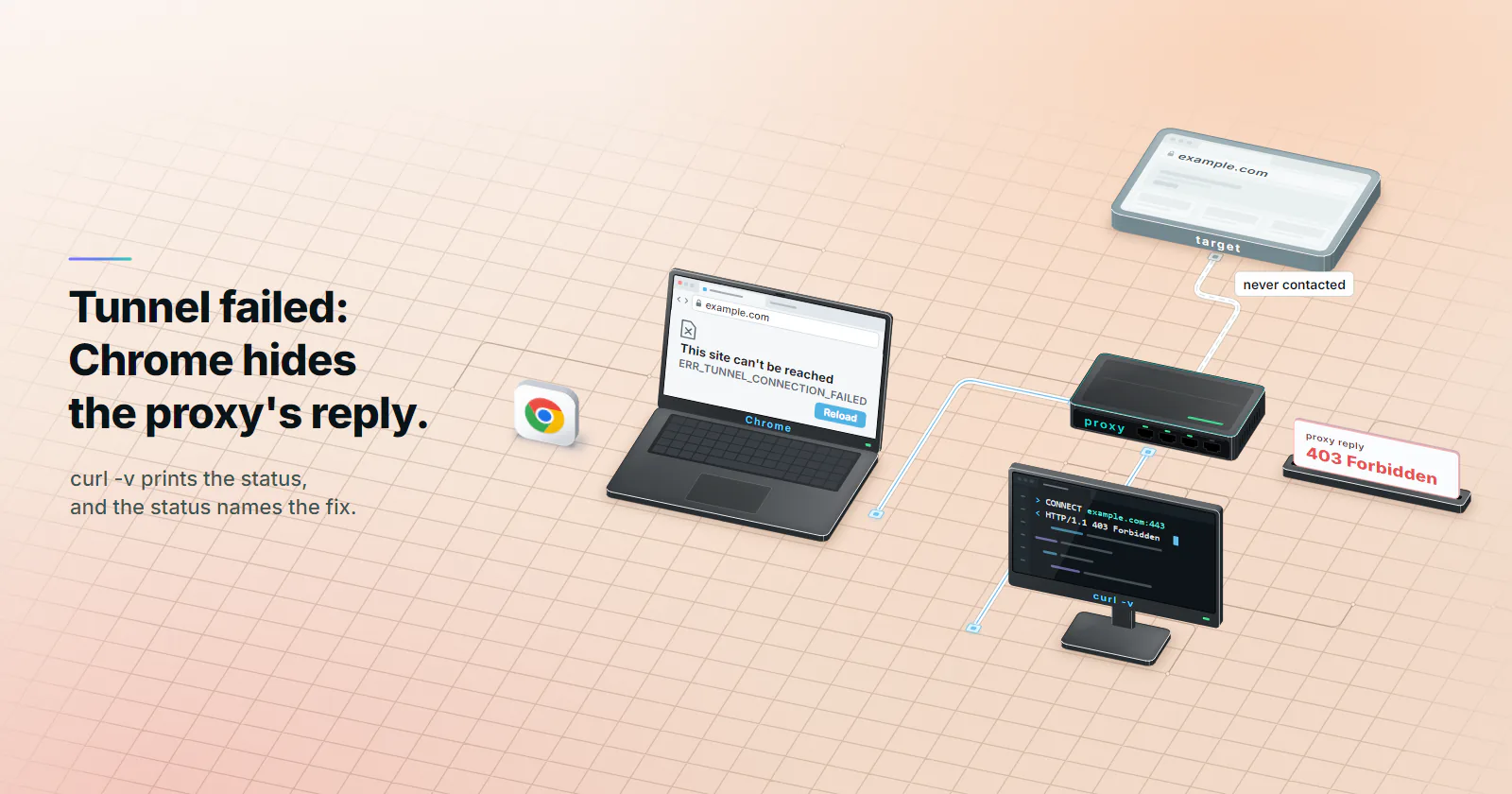
- ERR_TUNNEL_CONNECTION_FAILED is a proxy error, not a website error. Chrome sent an HTTP CONNECT to a proxy to reach an HTTPS site, and the proxy answered with something other than 200, so the site was never contacted.
- Chrome discards the proxy's reason on purpose. Chromium turns every CONNECT reply except 200 and 407 into error -111 and ignores the body, so a 403 policy block and a 502 from a failed exit look the same.
- curl and Python print the status Chrome hides. curl -v through the same proxy shows the CONNECT reply line, and Python's error text reads Tunnel connection failed followed by the code.
- The status points to one fix. 403 is policy, 407 is the login, 405 or 501 is the wrong endpoint, a closed connection is a scheme and port mismatch, and 502, 503 or 504 are failures behind the proxy.
ERR_TUNNEL_CONNECTION_FAILED is Chrome’s error -111. The browser asked a proxy to open a tunnel to an HTTPS site with an HTTP CONNECT request, and the proxy answered with anything other than 200, so the website was never reached. Either the proxy is at fault or the setting that points the browser at it.
That proxy is either one the reader configured on purpose (a provider’s gateway, a Playwright job, a company proxy) or one nobody remembers setting: a Windows or macOS proxy setting, an auto-config script, a browser extension, a VPN client.
Chrome never says which answer the proxy gave, so the usual list of ten fixes is guesswork. Read the proxy’s answer first, then fix the one thing it points to, in the browser or in code.
What ERR_TUNNEL_CONNECTION_FAILED means
A browser cannot hand an HTTPS request to a proxy in plain text, because TLS exists so that nothing in the middle can read it. So it sends one line first: CONNECT example.com:443 HTTP/1.1. The proxy opens a TCP connection to the site and replies HTTP/1.1 200 Connection established, and from then on it only relays encrypted bytes. RFC 9110, section 9.3.6 (June 2022) says a 2xx reply means the tunnel is open and any other reply means it was not formed.
Chromium’s net error list (checked October 5, 2026) defines TUNNEL_CONNECTION_FAILED as -111: “A tunnel connection through the proxy could not be established.” Every Chromium browser shares that network stack, so Chrome, Edge, Brave, Opera and Chrome on Android all show the same ERR_TUNNEL_CONNECTION_FAILED page.
Plain http:// pages do not use CONNECT. The proxy fetches them itself, so a proxy problem there shows up as the proxy’s own error page. When http:// sites load and every https:// site fails, the tunnel step is the suspect.
Why Chrome hides the cause
Chromium receives the proxy’s reason and discards it. In Chromium’s HTTP proxy socket code (checked October 5, 2026), a 200 opens the tunnel, a 407 starts the proxy login flow, and every other status becomes ERR_TUNNEL_CONNECTION_FAILED with the body ignored, “to avoid letting the proxy impersonate the target server”. The same comment admits the cost: proxies send 403, 404 and 501 bodies with useful messages, and Squid, when the comment was written, used a 404 to report that a domain name does not exist. Current Squid answers a failed lookup with 503 instead.
Related Chrome proxy errors
Chromium has separate codes for the neighbouring failures, all from the same net error list. Telling them apart narrows the search before any test.
| Chrome error | Code | What failed |
|---|---|---|
| ERR_PROXY_CONNECTION_FAILED | -130 | Resolving the proxy’s name or opening a socket to it, before any CONNECT |
| ERR_TUNNEL_CONNECTION_FAILED | -111 | The proxy answered CONNECT with something other than 200 or 407 |
| ERR_PROXY_AUTH_UNSUPPORTED | -115 | The proxy asked for a login scheme Chrome does not support |
| ERR_SOCKS_CONNECTION_FAILED | -120 | A SOCKS proxy could not connect to the target host |
| ERR_PROXY_CERTIFICATE_INVALID | -136 | An HTTPS proxy presented an invalid certificate |
| ERR_MANDATORY_PROXY_CONFIGURATION_FAILED | -131 | A required PAC script could not be fetched, parsed or run |
Read the CONNECT status first
Find the proxy Chrome is using, then send it the same CONNECT from a tool that prints the reply. chrome://net-internals/#proxy shows the effective settings: a fixed HOST:PORT, a PAC script URL, or direct. With a PAC script the proxy can differ per site, and the NetLog capture below shows which one a failing page used.
With curl
curl -v -x http://HOST:PORT https://example.com -o /dev/null
# add -U USERNAME:PASSWORD if the proxy needs a login
Read the line that follows > CONNECT example.com:443 HTTP/1.1. It is the proxy’s status, for example < HTTP/1.1 403 Forbidden. curl then prints curl: (56) CONNECT tunnel failed, response 403. Since curl 8.20.0 (released April 29, 2026) the same message exits with code 7 instead of 56, because the proxy’s reply was read fine and only the connection could not be made. Scripts that match on exit code 56 need to accept 7 too.
With Chrome’s own log
When curl succeeds and Chrome still fails, record what Chrome sent. Open chrome://net-export, start logging, load the failing page, stop, and open the file in the NetLog viewer, which processes it locally in the browser. In the Events tab, filter on the hostname and find HTTP_TRANSACTION_READ_TUNNEL_RESPONSE_HEADERS: the proxy’s status line is there, logged before Chrome discards it. Google’s Chrome Enterprise network troubleshooting page (checked October 5, 2026) describes the same capture for admins. A NetLog lists every URL visited during the capture, so share it with care.
With Python
Python carries the status in the exception text. CPython’s http.client (checked October 5, 2026) raises OSError: Tunnel connection failed: 502 Bad Gateway, and requests wraps it in a ProxyError with the same words inside.
CONNECT status to fix
Each reply below comes from the proxy, not the website. A site’s own 403 would arrive later, inside an open tunnel, as a normal page.
| Proxy reply to CONNECT | What it usually means | Fix |
|---|---|---|
| 403 Forbidden | Policy refused this host or port: a company filter category, a port outside the allowed list, or a target the provider’s acceptable-use policy blocks | Use port 443, ask the proxy admin, or stop if the target is blocked by policy |
| 404 Not Found | Some older proxies report a destination name that does not resolve | Check the hostname spelling and whether the domain exists |
| 405 or 501 | The address is not a forward proxy: a web server, reverse proxy or a relay that does not tunnel | Wrong host or port; use the provider’s proxy endpoint |
| 407 Proxy Authentication Required | Missing or wrong proxy login | Supply the username and password in the field the client reads; percent-encode special characters |
| 502 Bad Gateway | The proxy is up but could not connect to the destination | Test the site from another network; retry with backoff |
| 503 Service Unavailable | The proxy is overloaded, has no exit available for the request, or could not resolve the destination name (Squid answers a DNS failure with 503) | Check the hostname; otherwise back off, then retry, and widen a narrow geo selection |
| 504 Gateway Timeout | The destination did not answer the proxy in time | Retry; check whether the site is up |
| Connection closed, no reply | The port speaks another protocol, such as SOCKS or TLS | Match the scheme to the port |
| No reply before timeout | A firewall drops the traffic, or the port is wrong | Check the port and any outbound firewall rule |
Port choice alone can draw a 403. Squid’s shipped rules (checked October 5, 2026) define SSL_ports as port 443 and include http_access deny CONNECT !SSL_ports, so a tunnel to example.com:8443 gets a 403 on a stock install while port 443 works.
A proxy you did not set
When nobody meant to use a proxy, the job is to find what set one. Chrome on Windows and macOS takes its proxy from the operating system, so the browser’s own settings page only links out.
Windows. Open Settings, then Network and internet, then Proxy. Check “Use setup script” and “Use a proxy server”. On older builds, inetcpl.cpl, then Connections, then LAN settings, shows the same values.
macOS. Open System Settings, then Network, select the active connection, then Details, then Proxies. Turn off any proxy the reader does not recognise.
Extensions and policies. In Chrome’s system settings, a proxy line that says an extension controls it names the culprit; disable that extension. chrome://policy lists ProxyMode, ProxyServer or ProxyPacUrl when an organisation manages the browser, and only its IT team can change them.
Auto-config scripts. A PAC script can send some hosts through a proxy and others direct. That is the usual explanation when only some HTTPS sites show ERR_TUNNEL_CONNECTION_FAILED.
Local proxies. VPN clients, antivirus web shields and parental filters often install a proxy on 127.0.0.1. If net-internals shows a loopback address, a program on the machine is the proxy. Update it, switch its web filtering off, or uninstall it.
Android and iPhone. Proxy settings are stored per Wi-Fi network, which is why the error can appear on one network only. On Android, open the network’s advanced settings and set Proxy to None. On iPhone, open Settings, then Wi-Fi, tap the network’s info button, then Configure Proxy, and choose Off.
Generic fixes, ranked by effect
Most ranking fix lists repeat the same steps: clear the cache, flush DNS, reset Winsock, change the DNS server, reset Chrome. Measured against the CONNECT reply, they rank like this.
- Remove the unwanted proxy setting. This fixes the cause whenever no proxy should be in the path.
- Reset Chrome’s settings. The reset turns extensions off, which removes a proxy an extension set.
- Pause the firewall or antivirus web shield. Worth a test when that product runs the local proxy; switch it back on once the cause is clear.
- Reset the Windows network stack. This clears network hooks that a removed VPN or security product left behind.
- Flush or change DNS. It rarely matters, because with CONNECT the proxy resolves the site’s name, not the reader’s machine.
- Clear the cache or update Chrome. Neither changes the proxy’s reply, which arrives before anything is cached or rendered.
On Windows, run the reset in an administrator prompt, then restart:
ipconfig /flushdns
netsh winsock reset
netsh int ip reset
chrome://net-internals/#proxy also has a “Clear bad proxies” button. It matters only when a PAC script lists fallback proxies and Chrome has marked one as bad.
A proxy you did set
For a developer or team that routes traffic through a provider on purpose, the proxy URL and the client settings cause most tunnel failures.
Scheme. Write http://HOST:PORT for an HTTP proxy, including for https:// sites; the HTTPS part travels inside the CONNECT tunnel. An https:// proxy URL asks for TLS to the proxy itself, which a plain HTTP proxy port does not speak, so the connection closes or fails on the certificate.
Port and protocol. An HTTP CONNECT sent to a SOCKS-only port gets the connection closed with no status. The SOCKS5 vs HTTP proxy guide covers which client settings each protocol needs. In Chrome, a SOCKS proxy is set with --proxy-server="socks5://HOST:PORT", and a SOCKS failure shows up as ERR_SOCKS_CONNECTION_FAILED instead.
Credentials. Chrome’s --proxy-server flag carries no username or password. A desktop browser prompts for them; automation has to use its own credential fields, such as Playwright’s username and password proxy options or Puppeteer’s page.authenticate(). A special character in the password that is not percent-encoded in a proxy URL silently sends a different password; proxy string formats shows the encoded forms.
Target policy. A 403 that appears for one site but not others usually means a policy blocks that destination. Rotating through more addresses does not change a policy, and a block on a target is a reason to stop, not to work around it.
Every proxymint tier includes HTTP and SOCKS5 and logs in with a username and password, so the scheme rule above applies unchanged. The proxymint Lab gateway test on residential and mobile packages (September 28, 2026) found that over CONNECT the target name resolved on the proxy side and no Via or Forwarded header reached the site. For broad HTTPS work across many sites, rotating residential proxies put each tunnel on a home connection, and the general setup lives in the guide on how to use a proxy.
Same error in code
Browser automation inherits Chrome’s behaviour; plain HTTP clients show the status.
| Client | What it prints | Status visible |
|---|---|---|
| Chrome, Edge, Brave | ERR_TUNNEL_CONNECTION_FAILED page | No |
| Playwright or Puppeteer on Chromium | net::ERR_TUNNEL_CONNECTION_FAILED thrown by the navigation | No |
| curl before 8.20.0 | curl: (56) CONNECT tunnel failed, response 502 | Yes |
| curl 8.20.0 and later | Same message, exit code 7 | Yes |
| Python requests | ProxyError containing Tunnel connection failed: 502 Bad Gateway | Yes |
For a Chromium job that fails, run the curl command above from the same machine with the same proxy settings. It costs ten seconds and returns the status the browser hid.
Reproduce every case locally
A fake proxy that answers every CONNECT with one chosen status shows exactly what each client prints, without touching a real provider:
# fakeproxy.py: answer every CONNECT with one status
import socket, sys, threading

status, port = sys.argv[1], int(sys.argv[2])
server = socket.create_server(("127.0.0.1", port))

def answer(conn):
    conn.recv(4096)
    conn.sendall(f"HTTP/1.1 {status}\r\nContent-Length: 0\r\n\r\n".encode())
    conn.close()

while True:
    conn, _ = server.accept()
    threading.Thread(target=answer, args=(conn,)).start()
Start it with python3 fakeproxy.py "502 Bad Gateway" 8888, then point curl at http://127.0.0.1:8888, or launch Chrome with --proxy-server=http://127.0.0.1:8888, and load any HTTPS page. Swap the status to see each row of the table.
Retry or fail fast
A tunnel failure in a scraping or monitoring job falls into one of two groups. 403, 405, 407 and 501 are configuration: the same request gets the same answer, so retrying only hides the fault. Fail, log the status and alert. 502, 503, 504 and timeouts can be transient: retry two or three times with growing waits. On a pool that rotates every request, a retry gets a new exit; a sticky session keeps the same exit, so the retry repeats the failure until the session changes.
import re, time, requests

RETRY = {"502", "503", "504"}

def fetch(url, proxies, tries=3):
    for attempt in range(tries):
        try:
            return requests.get(url, proxies=proxies, timeout=30)
        except requests.exceptions.ProxyError as err:
            match = re.search(r"Tunnel connection failed: (\d{3})", str(err))
            code = match.group(1) if match else None
            if code not in RETRY or attempt == tries - 1:
                raise
            time.sleep(2 ** attempt)
Next step on a tunnel error
Start from the proxy’s reply, not the fix list. If no proxy should be in the path, find what set one (system settings, PAC script, extension, VPN, policy) and remove it. If curl shows 403, the policy refused that host or port, so change the port or stop. A 407 means the login, a 405 or 501 means the wrong endpoint, and a closed connection means the scheme does not match the port. If it shows 502, 503 or 504, the proxy is fine and the path behind it is not: retry with backoff, and open a new session on sticky setups. And if Chrome fails while curl succeeds through the same proxy, capture a NetLog and read the tunnel status Chrome recorded before it discarded the reason for ERR_TUNNEL_CONNECTION_FAILED.
Frequently asked questions
It means Chrome tried to reach an HTTPS site through a proxy, sent the proxy an HTTP CONNECT request to open a tunnel, and the proxy did not answer with 200. Chromium logs it as error -111. The website was never contacted, so the cause is the proxy or the setting that points the browser at it.
Open chrome://net-internals/#proxy to see which proxy Chrome uses. If no proxy should be there, remove it from the operating system settings, the extension that set it or the VPN client. If the proxy is intended, run curl -v with the same proxy against the same site and fix what its CONNECT reply says: 403 is policy, 407 is the login, 502 to 504 are failures behind the proxy.
Android stores a proxy per Wi-Fi network, so check the advanced settings of the network the phone is on and set Proxy to None unless a proxy is intended. If the error appears on mobile data too, a VPN app or a security app with web filtering is the likely proxy; switch it off and reload the page.
Yes. Many VPN clients and security products install a local proxy on 127.0.0.1 or change the system proxy settings, and Chrome then sends its CONNECT requests to that program. If net-internals shows a loopback address, update or disable the VPN's web filtering, and run netsh winsock reset on Windows if an uninstalled VPN left its network hooks behind.
It means curl asked the proxy to open a tunnel and the proxy answered with the status printed after the word response, such as 403 or 502. Exit code 56 comes from curl releases before 8.20.0; from 8.20.0, released April 29, 2026, the same failure exits with code 7. Run the command again with -v to see the proxy's full reply.
Rarely on the local machine. Over CONNECT the proxy resolves the website's name, so flushing local DNS does not change its answer. When the proxy's own lookup fails, it answers the CONNECT with 502, 503 or 404, depending on the proxy software. If the local machine cannot resolve the proxy's own hostname, Chrome shows ERR_PROXY_CONNECTION_FAILED instead.
Firefox has its own proxy setting, which can differ from the system proxy that Chrome uses on Windows and macOS. If the page loads in Firefox with no proxy and fails in Chrome, the system proxy, a PAC script or a Chrome extension is the cause. Compare the two in Firefox's network settings and chrome://net-internals/#proxy.
Researched and drafted with AI tools, then checked against our publishing rules before it went live: 8 outside links, 5 links to other proxymint pages, no prices and a fact-check pass against our product records. How we write.