Proxy error codes: which hop sent it and how to fix it
Proxy error codes decoded by hop: which ones the proxy sends, which come from the target, how to read them with curl -v, and which ones are safe to retry.
Quick summary · TL;DR
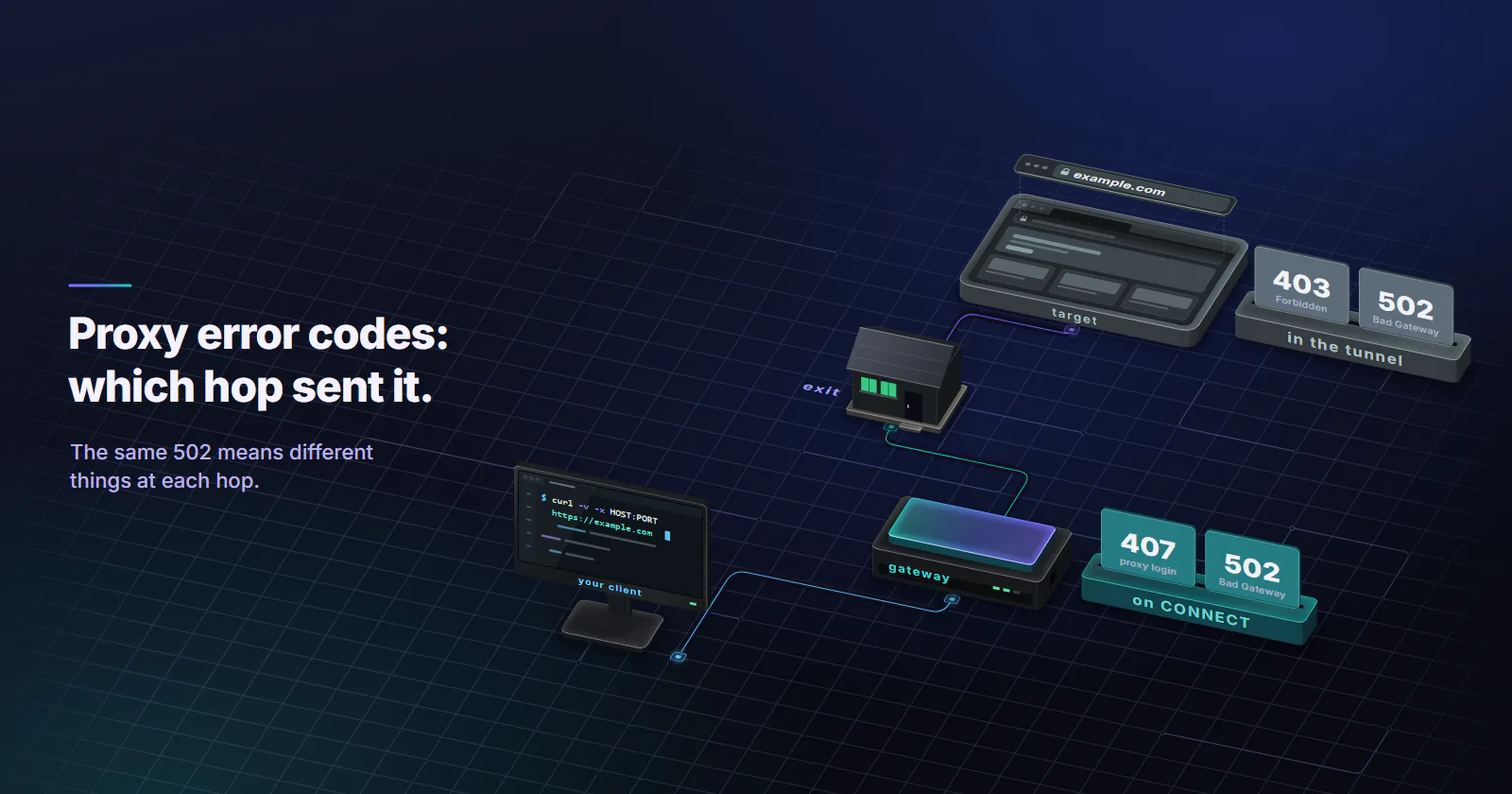
- The hop matters more than the number. A request through a proxy crosses the client, the gateway, the exit and the target, and the same 502 means different things depending on which one sent it.
- curl -v shows the phase. On an https:// target an error that answers the CONNECT came from the proxy side; anything after 200 Connection established came from the target.
- Some failures have no status code. Refused connections, timeouts and SOCKS5 replies surface as client errors such as curl exit codes 5, 7, 28, 56 and 97.
- Retry only what can pass. 429, 503 and gateway-phase 502 or 504 are worth a backoff or a new exit; 400, 407 and refused connections are setup errors.
Proxy error codes are the HTTP status codes and client errors a request returns when something fails between the client and the target site. A request through a proxy crosses four hops: the client, the proxy gateway, the exit IP and the target. Which hop sent the code decides the fix, so attribution comes first.
A 502 from the gateway and a 502 from the target look identical in a log line. The first means the proxy could not reach the site. The second means the site’s own backend is broken, and no proxy setting will change it. Most error-code lists stop at “502 means bad gateway” and leave that split unexplained.
The table below maps proxy error codes to the hop that most likely sent each one. The sections after it show how to prove which hop it was with one curl command, and which errors are worth a retry and which mean the setup is wrong.
What proxy error codes mean
Proxied requests have more places to fail than direct ones. First the client opens a connection to the proxy gateway, authenticates, and asks for the target. Next the gateway hands the request to an exit, the exit connects to the target, and the response travels back the same way.
Status codes. Any hop that speaks HTTP can answer with a status code. RFC 9110 (June 2022) defines three of them as intermediary codes: 407 means the client must authenticate with the proxy, 502 means a server acting as a gateway or proxy got an invalid response from the server behind it, and 504 means that gateway got no timely response. Every other code can come from the proxy or from the target.
Client errors. Some failures never produce a status code. Sometimes the connection to the proxy is refused, a timer runs out, or a TLS handshake breaks. Client libraries report these as their own errors (curl exit codes, Python exceptions), and they matter as much as any 5xx.
Class versus sender. Its first digit says what kind of outcome it was: 1xx is informational, 2xx success, 3xx a redirect, 4xx blames the request, 5xx blames a server. It does not say whose server. A 403 can be the target refusing an IP or a proxy refusing a destination its rules block, and a 503 can be an overloaded gateway or a site in maintenance.
Which hop sent the error
Read the table of proxy error codes below as “usually”. The curl section after it shows how to prove it.
| Code or error | Usually sent by | First check | Fix |
|---|---|---|---|
| 301, 302 redirect | Proxy gateway or target | Is the URL plain http://? | Request the https:// address; let the client follow redirects |
| 400 Bad Request | Proxy or target | Is the proxy URL well formed, with the scheme and port? | Rebuild the proxy string; percent-encode the password |
| 403 Forbidden | Target, sometimes the proxy | Does the same request work from another exit or without a proxy? | Slow down, check the target’s terms, or use a category the target accepts |
| 404 Not Found | Target | Does the URL load in a browser? | Fix the URL; a proxy rarely causes a 404 |
| 407 Proxy Authentication Required | Proxy gateway | Is there a Proxy-Authenticate header in the reply? | Correct username and password, sent on the CONNECT |
| 429 Too Many Requests | Target, sometimes the gateway | Is there a Retry-After header? | Back off, lower concurrency, spread requests across exits |
| 499 Client Closed Request | nginx in front of the target, when a hop hung up first | Which timer fired first, your client’s or the gateway’s? | Raise the client and gateway timeouts |
| 500 Internal Server Error | Target | Does the target fail without a proxy too? | Wait; nothing on the proxy side fixes it |
| 502 Bad Gateway | Proxy gateway or the target’s own edge | Did it arrive as a CONNECT failure or inside the tunnel? | Retry on a new exit; if the target’s edge sent it, wait |
| 503 Service Unavailable | Gateway or target | Retry-After header, and which phase it arrived in | Back off and retry; check the account, widen a narrow location |
| 504 Gateway Timeout | Proxy gateway or the target’s edge | How long did it take? | Raise the client timeout, retry on a new exit |
| 520-524 | Cloudflare in front of the target | Does the body carry a Cloudflare page? | The target’s origin is failing; wait |
| Connection refused | Client config | Is the host and port right? | Fix the proxy address or port |
| Timeout, reset | Network or proxy | Which phase stalled? | Retry; check local firewall and DNS |
A 407 is always the proxy, and the 407 section below lists the usual causes. A 403 is usually the target judging the exit IP, which is a detection question; how websites detect proxies covers the signals.
Read the error with curl verbose
One command separates a gateway error from a target error. Run the failing request with -v and look at what happens before the page.
curl -v -x http://USERNAME:PASSWORD@HOST:PORT https://example.com/ -o /dev/nullFor an https:// target the client first sends CONNECT example.com:443 to the proxy. That CONNECT gets its answer before any page exists. If the proxy cannot authenticate the client, reach the target or find an exit, its error is the answer to the CONNECT, and curl stops there with a message along the lines of CONNECT tunnel failed, response 502. No page, no target headers. That error came from the proxy side.
If the CONNECT returns 200 Connection established, the tunnel is up, the TLS handshake runs end to end with the target, and every status code after that came from the target. A 502 or 403 inside the tunnel belongs to the site, and the proxy cannot see or change it.
Proxy-Status. RFC 9209 (June 2022) gives intermediaries a standard header for saying what went wrong. Gateways that support it can answer 504 Gateway Timeout with Proxy-Status: gateway; error=connection_timeout, naming both the hop and the cause. Its registry includes types such as dns_timeout, dns_error, destination_unavailable, connection_refused, connection_timeout, connection_limit_reached, tls_certificate_error and http_response_timeout. Not every proxy sends it. When the header is there, it names the failing hop in one line.
Plain http:// targets. Requests to an http:// URL go to the proxy as a normal request with no CONNECT, so gateway and target errors both come back as ordinary responses. Gateways also apply their own rules here. In proxymint Lab #1, measured on 2026-09-28, the proxymint gateway answered every plain http:// request with a 301 to the https:// address. Any health check that treats anything but 200 as a failure will misread that redirect, so test targets over https://.
Proxy 4xx client errors
The 4xx proxy error codes blame the request. The five below are the ones a proxy setup most often causes or exposes.
400 Bad Request
The receiver could not parse the request. Through a proxy the usual causes are a malformed proxy URL (missing scheme, a stray space, a port outside the range), a password with @, : or # that was not percent-encoded, or a client that sends an absolute URL to a server that expects a path. Print the exact proxy string the code builds and compare it with the one the dashboard shows.
403 through a proxy
Inside the tunnel, a 403 is the target refusing the request, and the proxy detected error guide walks through the messages sites show and an eight-check triage. Usual reasons are the exit IP’s network type, its reputation, the request rate, or headers and TLS fingerprints that do not match the browser the client claims to be. On the CONNECT itself a 403 is rarer and means the proxy’s own rules refuse the destination, a port, or a category of site. Either way, the same request at the same rate will get the same answer. Better moves are to slow down, read the target’s terms and use its official API where one exists, or move the job to a proxy category whose IP type the target accepts. Rotating exits faster against a 403 only adds load.
404 Not Found
Proxies almost never invent a 404. Check the URL, the path encoding, and whether the page is geo-restricted and returns 404 to visitors from other countries. Some sites do that instead of a 403.
407 Proxy Authentication Required
No valid credentials reached the gateway. Wrong or rotated passwords, special characters that were not encoded, credentials set on the request instead of the CONNECT, and a port that belongs to another product cover most cases. Account state can matter too, so check that the package is active in the dashboard before rewriting code.
429 Too Many Requests
RFC 6585 (April 2012) defines 429 as “too many requests in a given amount of time” and lets the server add a Retry-After header. Respect it. From the target, 429 means the rate per IP or per session is above what it tolerates, and the fix is fewer concurrent requests, longer gaps, or spreading load across more exits within what the target’s terms allow.
Proxy 5xx server errors
The 5xx proxy error codes blame a server, and the phase they arrive in says whose.
502 Bad Gateway
A 502 means a gateway got an invalid response, or none it could use, from the next hop: a refused or dropped connection, a failed DNS lookup, a broken reply. As a CONNECT reply it is the proxy, worth one retry on a new exit; inside the tunnel it is the site’s own gateway, and the 502 Bad Gateway guide covers the tells, causes and retry rules for each.
What causes a proxy error 503
503 means the server is temporarily unable to handle the request. From a target it usually means maintenance or overload, often with Retry-After. From a gateway it can mean no exit was available for the requested location at that moment, or a connection limit was hit (destination_unavailable and connection_limit_reached in RFC 9209). Back off and retry; if one narrow location keeps returning 503, widen it to the region or country.
504 Gateway Timeout
A 504 means a gateway got no answer in time, so the exit or the target was too slow. The proxy timeout guide shows how to time each phase with curl and size connect and read timeouts before raising the retry count.
499 Client Closed Request
499 is not in RFC 9110. nginx logs it when whoever was connected to it closed the connection before the response was ready. A client that timed out never receives that 499, because it already hung up. Seen through a proxy, a 499 means an intermediate hop, such as the proxy gateway, gave up on an nginx-fronted target before it answered. Either way the fix is the same: raise the client and gateway timeouts above the target’s response time.
500 and the Cloudflare 52x family
Code 500 is the target’s application failing; no proxy change fixes it. Codes 520 to 524 are not in RFC 9110. Cloudflare returns them when it cannot get a good response from the site’s origin, with 522 for a connection timeout and 524 for a response timeout, per its 5xx error documentation. Through a proxy they mean the tunnel worked and the site behind Cloudflare is down or slow.
Connection errors without a status code
Many proxy connection errors never reach HTTP. The client library raises its own error, and its code points at the hop that failed. The phase a request failed in tells you more than the number it failed with. curl’s libcurl error reference (checked 2026-10-05) names them.
| curl exit code | Name | What it says about the hop |
|---|---|---|
| 5 | Could not resolve proxy | The proxy hostname did not resolve on your machine |
| 7 | Could not connect | Nothing accepted the connection, or (curl 8.20.0 and later) the proxy refused the CONNECT; read the message |
| 28 | Operation timed out | A phase exceeded the time limit; -w timings show which |
| 35 | SSL connect error | TLS failed, often an https:// proxy URL against a plain port |
| 56 | Failure receiving network data | The connection broke mid-transfer, or a refused CONNECT before curl 8.20.0 |
| 97 | Proxy handshake error | The SOCKS or proxy handshake failed before any request |
Python’s requests library reports the same split with exceptions: ProxyError when the proxy is unreachable or refused the tunnel (the message carries the CONNECT status, for example Tunnel connection failed: 407), and ReadTimeout when the proxy or the target stalls after the connection opened.
How to fix a proxy connection error. Work outward from the client. Confirm the proxy host resolves and the port is open, then that the scheme matches the port (http:// for an HTTP proxy port, socks5h:// for SOCKS5, which keeps DNS lookups on the proxy side), then credentials, then the target. The how to use a proxy guide shows each form per client.
Browser proxy error messages
Browsers translate the same failures into their own words. Chrome and Edge show ERR_PROXY_CONNECTION_FAILED when nothing answers at the proxy address (the curl 7 case), ERR_TUNNEL_CONNECTION_FAILED when the proxy rejected the CONNECT (any gateway-phase 4xx or 5xx except 407, which opens the proxy sign-in prompt), and ERR_PROXY_AUTH_UNSUPPORTED when the proxy asks for an authentication scheme the browser will not use. Firefox reports “The proxy server is refusing connections” for a refused or wrong address. A proxy left in the Windows or macOS system settings after it stopped working produces the same messages in every browser, so check the system proxy settings first when nothing loads at all.
SOCKS5 reply codes
SOCKS5 has no HTTP status codes. After authentication the proxy answers a CONNECT request with one reply byte, defined in RFC 1928 (March 1996). Clients often hide it behind a generic message, so the table below maps each byte.
| Reply | Meaning | Closest HTTP-proxy equivalent |
|---|---|---|
| 0x01 | General SOCKS server failure | 502 |
| 0x02 | Connection not allowed by ruleset | 403 on CONNECT |
| 0x03 | Network unreachable | 502 |
| 0x04 | Host unreachable | 502 or 504 |
| 0x05 | Connection refused | 502 (connection_refused) |
| 0x06 | TTL expired | 504 |
| 0x07 | Command not supported | 405 |
| 0x08 | Address type not supported | 400 |
Wrong SOCKS5 passwords never show up as 407. Username and password exchange happens earlier, in the method negotiation, and a failure there closes the connection. curl reports it as a proxy handshake error.
Retry or stop per code
Retry logic that treats all proxy error codes alike burns traffic on errors that will never pass and gives up too early on ones that would. Split them.
Stop and fix the setup: 400, 407, 404, a refused connection (curl 7 with “Failed to connect”), curl 5, and a SOCKS5 auth failure. These are deterministic. Each one fails the same way until a setting changes, so fail fast and log the proxy string and the exact error.
Back off, then retry: 429 and 503, honouring Retry-After when present, with exponential backoff when it is not.
Retry once on a new exit: 502, 504, timeouts and connection resets that arrive in the CONNECT phase. With per-request rotation the next request already gets a new exit; with a sticky session, opening a new session moves it.
Read it as the target’s answer: a 403 or a challenge page from the target. Retrying the same request at the same rate rarely changes the answer and adds load to a site that already said no.
When the proxy category is the cause
Some error patterns come from the target classifying the exit, and they repeat until the IP type fits the job.
Steady 403s or challenge pages on a target that scores network type usually mean it classifies the exit’s network as hosting. Price and stock monitoring on retail sites, local search tracking and ad verification on home networks are what rotating residential proxies are built for: real home connections, country, region and city targeting, and rotation on every request or on a 5 to 60 minute timer. See types of proxies for which category each target class expects.
Errors that appear only after an IP change, such as a logged-in session that drops to a 401 or a cart that empties, point to session continuity. Sticky residential sessions hold an exit while the device stays online, and static ISP proxies keep one address for the whole billing term, which suits dashboards and accounts that expect a consistent login location.
What to do with the next error
If the error is a 407, a 400, a refused connection, curl exit 5, or curl 7 with “Failed to connect”, the setup is wrong: fix the proxy string, scheme, port or credentials and do not retry. If the CONNECT returned 502, 503 or 504, or the request timed out before the tunnel came up, retry once on a new exit and check that the location is not too narrow. If the tunnel came up and the target answered 5xx, the site has the problem, so wait. And if the target answers 403 or 429 again and again, slow down, check its terms and API, and match the proxy category to the target. Start every investigation with curl -v, since knowing which hop sent a proxy error code settles most of the fix.
Frequently asked questions
Proxy error codes are the HTTP status codes and client errors returned when a request through a proxy fails. Some come from the proxy itself, such as 407, and some from the target site, such as most 403 and 500 responses. Connection failures like refused connections and timeouts show up as client library errors instead of status codes.
Only 407 always comes from the proxy. On an https:// target, any status that answers the CONNECT request came from the proxy side before the website saw anything, and any status that arrives after 200 Connection established came from the website or its CDN. curl -v shows which of the two phases the error arrived in, and a Proxy-Status header, when present, names the hop.
429 Too Many Requests means the request rate was above what the server tolerates. Through a proxy it usually comes from the target, which counts requests per IP or per session, and sometimes from the gateway's own limits. Honour the Retry-After header when it is sent, lower concurrency, and spread requests across exits within what the target's terms allow.
Usually the target refused the request after judging the exit IP, the request rate or the client fingerprint. Less often the proxy itself refuses the destination under its own rules, which shows up as a 403 on the CONNECT. The right response is to slow down, check the target terms and official API, or use a proxy category whose network type the target accepts.
A 503 Service Unavailable means a server is temporarily unable to handle the request. From a target it usually means maintenance or overload; from a proxy gateway it can mean no exit was available for the requested location or a connection limit was reached. Back off, honour any Retry-After header, and widen a very narrow location if it repeats.
Work outward from the client: check that the proxy host resolves and the port is open, that the scheme matches the port, that the credentials are correct and encoded, and only then look at the target. Running the request with curl -v shows which of those steps failed. Use http:// or socks5h:// as the proxy scheme.
Retry 429 and 503 with backoff, and retry 502, 504 and timeouts once on a new exit when they come from the proxy side. Do not retry 400, 407, 404 or refused connections, because they fail the same way until a setting changes. Cap retries per request so a blocked target does not turn into a traffic loop.
Researched and drafted with AI tools, then checked against our publishing rules before it went live: 6 outside links, 7 links to other proxymint pages, no prices and a fact-check pass against our product records. How we write.