
Mobile proxy hardware: modem, dongle, router or phone
A modem holds the carrier link, a router shares it. How dongles, 5G CPEs and phones split those jobs in a mobile proxy, and what the target can actually see.
Quick summary · TL;DR
- The modem holds the carrier link and the router only shares it. Every mobile proxy has a cellular modem somewhere; a router in front decides who shares the address locally and never which public IP the carrier hands back.
- A 5G dongle can be either one. With stick firmware or an M.2 module it is a bare modem your host dials; with HiLink-style firmware it is a router on a stick that answers at 192.168.8.1, which is the version that confuses Linux tools.
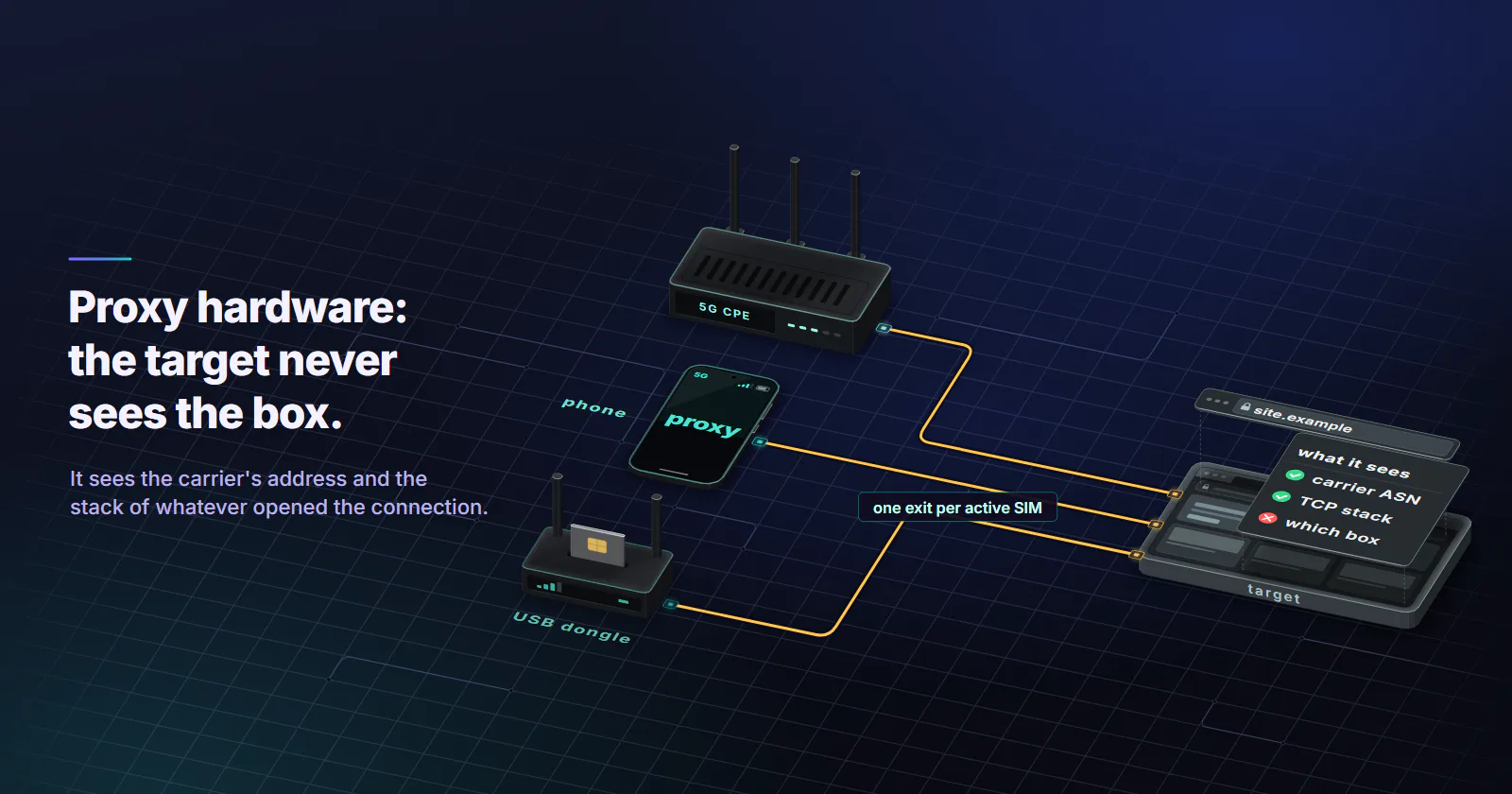
- The target cannot see your box. It sees the carrier's address and the TCP stack of whatever machine opened the connection, so a Linux mini PC behind a dongle looks like Linux no matter how good the router is.
- Choose the hardware by how much looking after you can give it. A dongle gets one exit running today, and a CPE in passthrough is the one you forget about in an office. A phone looks the most real and is the most work to keep online.
Mobile proxy hardware comes in four shapes: a USB dongle, a 5G CPE or mobile router, a phone, and a bare modem module inside a host. In every one of them a cellular modem holds the carrier link. What changes is whether a router sits in the same box, where the proxy software runs, and how you ask the carrier for a new IP.
Vendors blur the terms fast. A “5G proxy box” is usually a modem, a router and a Wi-Fi radio in one case. A “dongle” can be a modem or a router depending on its firmware. And the common answer that a router is there “to route the proxy traffic properly” is true and mostly beside the point, because the router decides nothing about the address a website sees.
For a proxy, the useful question is simpler than the spec sheets make it look. Find the part that holds the carrier session and the machine that runs the proxy, and you know most of what the target can observe, which is less than the box marketing suggests.
Mobile proxy hardware in one table
A modem module in a host, the fourth shape, behaves like a dongle in stick mode, so the table keeps three columns.
Every piece of mobile proxy hardware in that table gives one exit per active SIM. What the box decides is how much work that exit costs you, not what kind of exit it is.
Modem vs router, the real split
The modem. The radio and the baseband. It registers on the carrier, holds the data session and receives an address from the network. On LTE that address comes with the default bearer at registration time, as ModemManager’s notes on LTE connectivity (2024 edition) describe, so a modem that is attached already has its carrier address before anything behind it asks.
The router. Everything that shares that link: DHCP for the local network, NAT, a firewall, Wi-Fi, Ethernet ports. A router has no say over which public IP comes back from the carrier.
Why the split matters for a proxy. The public address is picked by the carrier’s NAT, the one that puts many subscribers behind one IPv4, which is why a mobile exit is costly to ban in the first place. Your local router only decides who shares that address on your side, how many translation layers sit in front of the modem, and where your proxy software can bind. If you are asking whether you need a router for a 4G mobile proxy: you need something to run the proxy, and a router is optional.
How to tell which one you have. Plug the device in and look at what your machine gets. A 192.168.x.x address with a gateway that serves a web page means a router sits in the path, inside the stick or the box. An interface that stays empty until you connect, plus a modem listed by mmcli -L on Linux or a Cellular entry in Windows network settings, means a bare modem. Phones are the odd one: tethering always puts the phone’s router in the path, while a proxy app running on the phone does not, and that is the five-minute check that settles most of the modem vs router confusion before you buy anything.
USB dongles: modem or router on a stick
A USB dongle is the cheapest way to one carrier exit and the most finicky way to twenty. It comes in two kinds that look identical on the shelf.
Bare modem. Stick firmware, or an M.2 module in a USB enclosure, presents itself to the host as a modem: AT command ports and a network interface driven over QMI or MBIM. Your host dials, routes and rotates it.
Router on a stick. HiLink-style firmware puts a small router inside the dongle. Your host sees an Ethernet adapter with a gateway at 192.168.8.1, the dongle NATs your traffic, and Linux modem tools stop seeing a modem at all. For the full breakdown, including why four of these on one host fight over one route, read HiLink vs stick mode.
First-plug surprise. Some dongles boot as a USB disk carrying Windows drivers and only become a modem after a mode switch, which ModemManager’s own device notes list as a normal USB modem case. If yours mounts like a CD, usb_modeswitch is the fix, not a return.
Bus speed counts too. Quectel lists its RM520N 5G modules, M.2 cards with USB and PCIe drivers, at up to 3.4 Gbps downlink on NSA (product page, checked 2 November 2026). Those are radio maximums. Put that module on a USB 2.0 port and the ceiling is the 480 Mbit/s that USB 2.0 (USB-IF, April 2000) signals at, shared by everything on that controller. Worth checking before you blame the carrier.
5G CPEs and mobile routers: a gateway in a box
What the box is. A 5G CPE, the fixed router a carrier or vendor sells for home and office use, packs a modem, a router, Wi-Fi and Ethernet into one mains-powered case, usually with better antennas than a stick or a phone. Better signal means fewer session drops, which on a proxy exit means fewer surprise IP changes.
Router mode. The default. The CPE holds the carrier session, runs DHCP and NATs everything behind it, exactly like a HiLink stick one size up.
Passthrough. IP passthrough, which some vendors call bridge mode, hands the carrier-assigned address to one device behind the CPE and stops translating, so a proxy box behind it owns the session address. Easy to miss: on most mobile networks that address is itself an internal carrier address, so passthrough removes the router’s NAT and keeps the carrier’s.
MiFi. A pocket hotspot is the same modem-plus-router idea on a battery. Good for travel, a poor fit for an exit that has to stay up for weeks.
Phones as proxy exits
A phone is a modem with a full computer attached, so it can be the exit itself. Run a proxy app on it and connections to the target open from the phone, with Android’s network stack. Tether it to a host instead and the phone becomes modem and router for that host, on many Android phones over RNDIS for USB tethering, the protocol the Linux USB maintainer proposed disabling as impossible to secure (LWN, 23 November 2022).
Phones bring the most real-looking exit and the most upkeep. Its battery sits on charge around the clock, which lithium cells handle badly in a warm room. The OS kills background apps it decides are idle, and updates restart the device on their own schedule. Rotation is awkward too: ordinary Android apps lost the ability to toggle airplane mode back in Android 4.2, so a new IP on a phone means root access, an automation tool driving the settings screen, or a person tapping the toggle.
What the target can see, and what it cannot
What it sees. The public IP and the carrier ASN that announces it, which address databases classify as cellular. The TCP and IP behaviour of the machine that opened the connection: the Linux host behind a dongle, the proxy box behind a CPE in passthrough, or the phone running the proxy app. And everything your client sends, from TLS to headers, which the mobile proxy detection checks break down layer by layer.
What it cannot see. Whether the modem sits in a stick, a CPE or a phone. How many NAT layers you stacked locally. Which radio generation carried the packets, which is why 4G vs 5G proxies changes throughput and not trust.
That second point is the one that bites. A Linux mini PC behind a dongle presents Linux TCP behaviour, so a client that claims to be Windows Chrome through it is a mismatch, and a better router in front does nothing about it. Match the client to the machine that terminates the proxy, whatever hardware you choose.
Mobile proxy hardware by job
One exit on your desk for app QA. A dongle in stick mode on a Linux host, or a phone if you need the handset’s own stack.
One stable exit for an office or a lab. A CPE in passthrough with a proxy box behind it. Those antennas pay for themselves in fewer drops.
Many exits on one host. Modules or sticks in stick mode, powered hubs and a lot of monitoring; running a mobile proxy farm lists what breaks first and why modems reset under load.
Exits in markets you cannot reach, or no hardware to maintain. That is the case for mobile proxies from a pool: carrier exits picked by country, region and city from devices online when you order, with rotation set per order.
Pick mobile proxy hardware for the work it saves you, because the target will only ever see the carrier and your stack.
Frequently asked questions
It depends on its firmware. A dongle with stick firmware, or an M.2 module in a USB enclosure, is a bare modem that the host dials and controls. A dongle with HiLink-style firmware contains a small router: it dials the carrier itself, runs DHCP and NATs the host's traffic, usually from 192.168.8.1.
A modem connects to the provider's network, here the carrier's radio network, and holds the data session and its address. A router shares that connection with local devices through DHCP, NAT, a firewall and Wi-Fi. Many mobile devices put both in one case, which is why the two terms get mixed up.
Mobile proxies exit through a cellular modem on a carrier network, housed in a USB dongle, a 5G CPE or mobile router, a phone, or an M.2 modem module inside a host. The proxy software runs on the host behind the modem, on the router itself, or on the phone. Every option gives one exit per active SIM.
Both. A MiFi or pocket hotspot combines a cellular modem with a small router and Wi-Fi on a battery. It suits travel and short sessions, but the battery makes it a poor choice for an exit that has to stay online for weeks.
Yes. A proxy app on an Android phone turns the phone into the exit, so connections reach the target from the phone's own network stack. The practical limits are the battery on constant charge, the OS closing background apps, and rotation, because ordinary Android apps cannot toggle airplane mode since Android 4.2.
Not directly. A website sees the carrier's public IP and ASN plus the TCP behaviour of the machine that opened the connection, and it cannot tell a dongle from a CPE or a phone. What the hardware changes is which machine terminates the connection, so the client's claimed operating system should match that machine.
No. A 4G modem attached to a host that runs the proxy software is enough, and many single-exit setups are just a dongle in stick mode on a Linux machine. A router or CPE helps when you want better antennas or one box serving several local devices, and passthrough mode lets a proxy box behind it own the session.
Researched and drafted with AI tools, then checked against our publishing rules before it went live: 4 outside links, 5 links to other proxymint pages, no prices and a fact-check pass against our product records. How we write.