How many proxies do I need? A sizing formula by job
How many proxies you need depends on the job: requests per hour, concurrent sessions, accounts or GB. Formulas, a pilot test and a worked example for each job.
Quick summary · TL;DR
- The count depends on the billing model. Static ISP and datacenter IPv4 sell IPs, so the number is literal; rotating residential and mobile sell GB, so the pool supplies the IPs and the job sizes traffic and sessions.
- For collection, size by concurrency, not by a per-IP rate. Rented IPs equal requests in flight divided by the connections one IP carries, at least one per country, plus a 10-30% reserve.
- The target sets the pace for the whole job. Its terms, API limits and robots.txt decide it; a 429, block page or challenge in the pilot means slow down or stop, not add IPs.
- Accounts need one static IP per login location, not per account. Teams using the platform's own team or partner access from their own office often need none.
How many proxies you need depends on the unit you buy. For per-IP proxies, divide the requests the job holds in flight by the connections one IP carries, keep at least one IP per country and add a 10-30% reserve. Account work needs one static IP per login location. On rotating residential or mobile pools, size GB of traffic and concurrent sessions, not IPs.
Most answers to “how many proxies do I need” give one ratio and stop. One proxy per task, one per account, one per 100 requests a day. Each is right for one billing model and wrong for the others, and the per-request ratios treat more IPs as a way to send faster, which a site’s rate limit does not allow.
Below, each of the three questions gets its own formula, with a pilot method for the inputs nobody can look up: the pace the target allows and the connections one IP carries.
How many proxies do I need, by job
Start with what is being bought. The same word, “proxy”, covers two products that are counted differently.
Rented IPs. Static ISP and dedicated datacenter IPv4 sell a fixed set of addresses per month. Here the question has a literal answer: the order is for 10 IPs or 50 ports, and each one keeps its address for the term.
Borrowed IPs. Rotating residential and mobile sell traffic by the GB. The pool supplies the exit IPs, and the reader chooses how often they change: a new IP on every request, a timer from 5 to 60 minutes, or sticky while the device stays online. Buying “more IPs” is not an option, and not needed. What gets sized is GB and how many sessions run at once.
The concurrency formula
For rented IPs doing collection work, the count comes from how many requests are in flight at once, not from how fast the job wants to go. The pace itself is set by the target, for the whole job (next section).
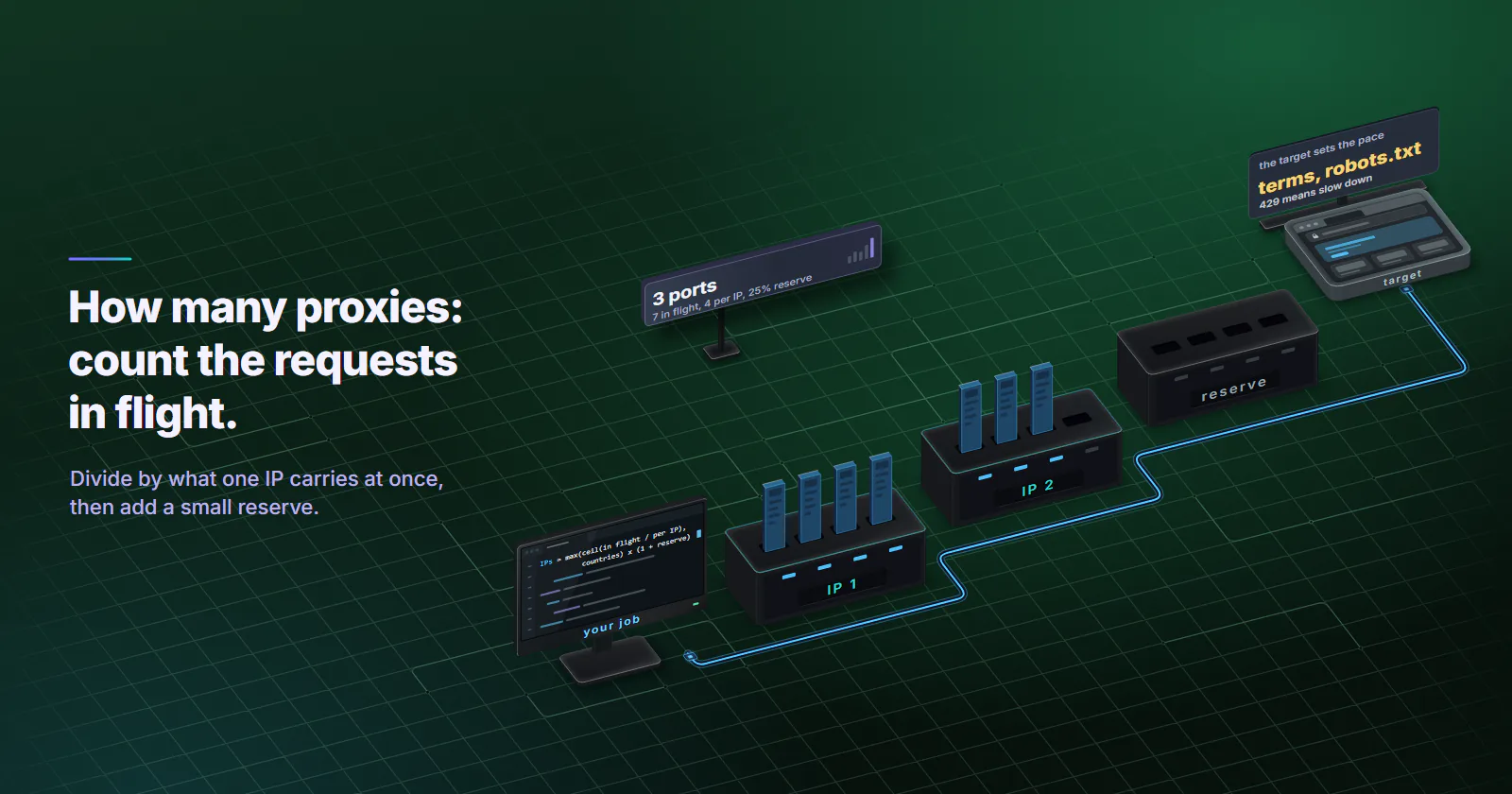
IPs = max(ceil(requests in flight / connections per IP), countries) x (1 + reserve)Peak, not average. A job that sends 100,000 requests a day but does most of them in a four-hour window needs to be sized for that window.
Worked example with totals
A catalog check runs 12,000 requests an hour at peak, a pace the site’s terms permit for the job. Requests in flight at once equal requests per second times seconds per request. That is Little’s law, and it needs no vendor data. At 12,000 requests an hour (3.3 a second) and 2 seconds per response, about 7 requests are in flight on average. Shorter response times cut that number, which is why proxy performance feeds straight into the count.
A pilot (next section) shows one IP holding 4 parallel connections with steady response times. That figure is an example input, not a fact about any setup. 7 / 4 rounds up to 2 IPs; with a 25% reserve, 3 ports. On datacenter proxies those ports are one order, billed per port per month, and the whole order takes the per-port rate for its size. The guide to cheap datacenter proxies covers a test to run before buying ports in bulk.
Concurrency and sticky sessions
A headless browser that holds each page for 15 seconds turns the same 12,000 requests an hour into about 50 in flight. At 4 connections per IP that is 13 IPs before reserve, 17 with it. The pace toward the target is unchanged; only the time each request is held grows.
Location sets a floor. A rented IP sits in one country, so size each country on its own traffic and add the results. On proxymint’s per-GB tiers the location is also set on the order, so a job that needs 12 cities is 12 packages, each sized on that city’s share of the pages.
Sticky sessions change the unit. Each sticky session holds one exit IP for as long as it lasts, so the number of exits in use equals the number of sessions running at the same time. A job that keeps 18 signed-in browser sessions open needs 18 identities at once, whatever its hourly volume. How the two modes behave is covered in rotating vs sticky proxies.
Find the pace the target allows
There is no universal safe number of requests per IP, and planning around one treats a site’s limit as something to divide across addresses. A site’s rate limit applies to the job. The number worth using is the pace the target allows for the whole job, checked on public pages with the actual client.
The pilot:
- Check the target’s terms and robots.txt first. RFC 9309 (September 2022) standardises how crawlers read robots.txt rules. Pages the site disallows are out of scope, whatever the proxy count. Where the site publishes an API or rate limits, those set the pace.
- Pick one IP and one realistic request (the same headers, the same page type the job will hit).
- Send at the pace the job needs, never faster, and log status codes, response size, response time and any challenge page.
- Stop at the first 429, block page or challenge. RFC 6585 (April 2012) defines 429 Too Many Requests for a client that sent too many requests in a given time, with an optional Retry-After header saying how long to wait. The job’s pace is above what the site allows: slow the whole job down, or use the site’s official route.
- At a clean pace, repeat with two, then four parallel connections on the same IP and watch response times. The highest count where they hold steady is the connections per IP for the formula.
Repeat the pilot per target. A documentation site and a marketplace behind an anti-bot vendor differ widely, and the second often scores hosting ranges. That is a tier decision made before buying, covered in the guide to the best proxies for web scraping.
Proxies per account
The starting point for account work is often zero proxies. Ad platforms, marketplaces and social networks offer their own routes for teams: business managers, partner access, team seats. An agency managing a client’s account through that access logs in as itself, from its own office, and the platform expects exactly that.
A proxy earns its place when an account the team legitimately runs is tied to a login location the team is not in. A client’s store in Germany, managed from Lisbon, is the usual case. The rule then is one static IP per login location, kept for the life of the account. A fresh IP per login or a rotating pool makes the login location jump between sessions, which is what the setup is meant to avoid.
So the count is locations, not accounts. Ten accounts managed from one office through platform access need none. Ten client accounts in ten countries need ten static ISP proxies, chosen by country at order time and billed per IP per month.
Spares work differently here. Moving an account to a spare IP is the change the setup exists to avoid, so reserve IPs only cover new clients: eleven IPs, one held for the next client.
Mobile, for app-first accounts. An account that only lives in a phone app, on a platform that checks for a carrier origin, is the one case for mobile proxies. They are per GB with sticky sessions, so the count is sessions at once, as with rotating residential.
Rotating pools: size GB, not IPs
On a per-GB tier the pool lends the IPs, so the number to get right is traffic. The formula:
GB = pages x bytes per page x (1 + headroom)Bytes per page depend almost entirely on how the page is fetched. The HTTP Archive Web Almanac 2025 page weight chapter (published January 15, 2026) puts the median HTML transfer size at 22 KB for home pages and the median full mobile page at 2,164 KB.
A worked case. A price monitor checks 1,500 product pages four times a day for 30 days: 180,000 fetches a month.
- HTML only. 180,000 x 22 KB is about 4 GB. With 25% headroom for retries, 5 GB.
- Full browser render. 180,000 x 2,164 KB is about 390 GB. With the same headroom, about 490 GB.
The IP count is the same in both, because the pool supplies it. The traffic, and so a per-GB bill, differs by a factor of about 100. Rotating residential proxies are usage-based per GB, with a rate that falls as the package grows, and the pricing page shows what each package size costs. Fetching the HTML or the JSON behind a page, asking for compression, and blocking images and media in a headless browser move the number far more than any pool setting.
Medians are a starting point, not a measurement of a target. Fetch 20 representative pages through the job’s real client, sum the bytes on the wire, and use that figure instead.
Reserve and spare capacity
A reserve covers what the formula leaves out: retries, a port that drops, a slow region, a spike in the schedule. A planning margin of 10-30% is a common range. Low end for lenient targets and steady schedules, high end for strict targets and bursty jobs.
Where the reserve lives depends on the model:
- Rented IPs for collection: extra ports for failover, so a port that drops does not stall the job.
- Rented IPs for accounts: spares only for growth, never for rotating an account.
- Per-GB pools: headroom in GB for retries, plus a check of the balance before each scheduled run, because a package stops when its GB run out.
Going slower is a valid reserve. Fewer requests in flight need fewer IPs, if the deadline allows it. Many jobs that “need 200 proxies” need 50 and a longer window.
Signs the pool is wrong
Three patterns, and what each one means:
- 429s appear. The job runs faster than the target allows. Slow the whole job down; more ports do not change the limit.
- Blocks from the first request. The count is not the problem: the target either scores the network type, a fit decided before buying, or does not want automated access. Stop and check its terms.
- IPs sit idle most of the day. The pool is sized for a peak that never comes, or for average volume spread too thin. Cut ports at the next billing term.
Log per IP: requests, status codes, block pages and bytes. Without that log, every one of these looks like “the proxies stopped working”.
Pick the number by job
The short version of how many proxies do I need, by the job in front of the reader:
- Collecting public pages at a pace the target allows: requests in flight divided by connections per IP, at least one per country, plus 10-30%. Datacenter where the target accepts hosting ranges.
- Keeping accounts the team runs in another location: platform team access first. Then one static ISP IP per login location, not per account, and no rotation.
- Collection on targets that score hosting ranges: rotating residential, sized in GB from a 20-page sample, with the rotation set to every request for collection or sticky for signed-in flows.
- App-first accounts that check for a carrier origin: mobile, sized by sessions at once and GB.
If the job does not fit one of these, the count is not the problem yet. Run the pilot first, then size the pool on what it shows.
Frequently asked questions
Start from the pace the target allows for the whole job, not from a per-IP rate. On rented IPs, divide the requests in flight at once by the connections one IP carries, take at least one IP per country, and add a 10-30% reserve: about 7 requests in flight at 4 connections per IP is 2 IPs, 3 with reserve. On a rotating residential pool the IPs come from the pool, so the job is sized in GB and concurrent sessions instead.
One static IP per login location, kept for the life of the account, not a new IP per login. Teams that manage accounts through the platform's own team, partner or business manager access from their own office often need no proxy at all. Ten client accounts in ten countries need ten static IPs.
There is no safe number per IP to plan around, because a site's limit applies to the client and the job, not to each address, and spreading the same pace across more IPs does not make it acceptable. Use the target's published API limits or terms where they exist, keep the whole job at the pace it allows, and treat a 429 Too Many Requests, block page or challenge as a signal to slow down or stop.
Not necessarily. With rotating proxies set to a new IP on every request, many threads share the pool and the limit is traffic and concurrency. With sticky sessions or signed-in browser sessions, each session running at once holds one exit IP, so concurrent sessions set the count.
A planning margin of 10-30% extra is a common range for throughput jobs: the low end for lenient targets and steady schedules, the high end for strict targets and bursty jobs. For account work, spares only cover new accounts, because moving an account to another IP is what the setup is meant to avoid. On per-GB pools the reserve is GB headroom for retries.
No. A rotating residential package is bought by the GB and the pool supplies the exit IPs, changing them on every request, on a 5 to 60 minute timer, or keeping them sticky while the device stays online. What needs sizing is the GB the job moves and how many sessions run at the same time.
Yes, if the deadline allows it. Fewer requests in flight need fewer IPs, and a slower pace is easier on the target too. Many jobs sized for a short window fit a much smaller pool when the same requests are spread over a longer one.
Researched and drafted with AI tools, then checked against our publishing rules before it went live: 3 outside links, 8 links to other proxymint pages, no prices and a fact-check pass against our product records. How we write.