
429 Too Many Requests when scraping: read it, back off, pace
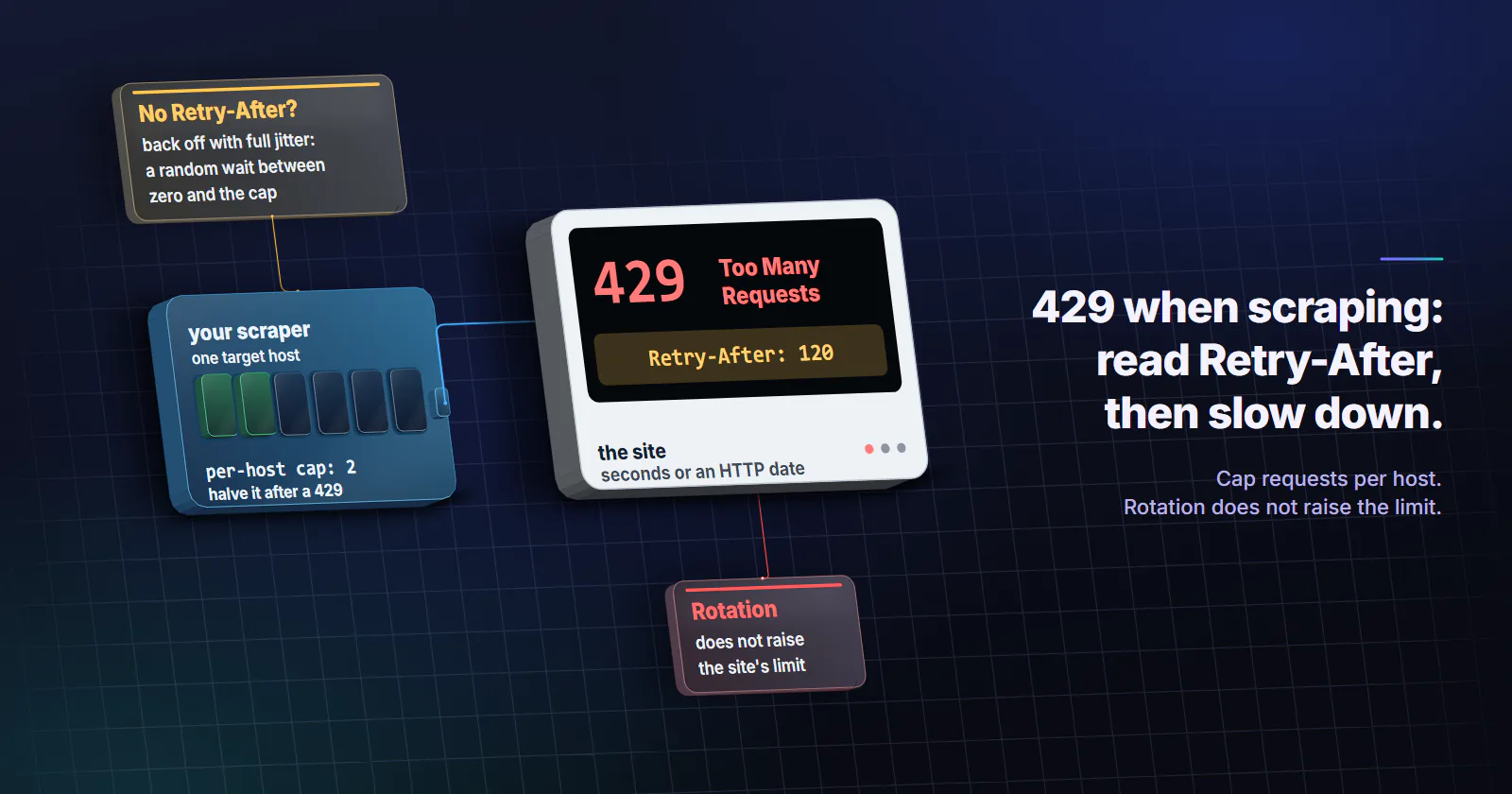
A 429 is the site asking a scraper to slow down. Read Retry-After, back off with jitter, cap concurrency per host, and see where proxies help and where not.
Quick summary · TL;DR
- A 429 is a pacing signal from the site. RFC 6585 defines it as too many requests from one client in a time window, and the server picks the key: IP, account, token, cookie or path.
- Retry-After tells the scraper when to come back. It is either a number of seconds or an HTTP date, and a parser has to handle both forms.
- Most scraping 429s come from bursts and instant retries. Workers that start together or retry without jitter trip the limit even when the average rate is low.
- Rotation does not raise a site's limit. A proxy changes the source IP only; pace per target host whatever the exit, and stop when the site keeps refusing.
A 429 Too Many Requests response while scraping means the site counted too many requests from one client inside a time window and is asking it to slow down. The fix is to read the Retry-After header, wait as long as it asks, back off with jitter when it says nothing, and cap concurrency per host so the job fits inside the limit.
Most 429 Too Many Requests scraping errors come from bursts, not from the average rate. Twenty workers start in the same second, a retry loop fires the instant a request fails, or a search endpoint carries a tighter cap than the product pages. Every fix below works with any HTTP client and any network path, and each one keeps the job inside the limit.
And when a site keeps answering 429 after the job has slowed down, or switches to a block, that is the site saying stop.
429 Too Many Requests when scraping
RFC 6585 (April 2012), section 4, defines 429 as the response for a client that “has sent too many requests in a given amount of time”. The response may carry a Retry-After header that says how long to wait. The RFC leaves the rest to the server: it does not say how the server identifies the client or how it counts requests.
That gap decides the fix. A server can key its counter on any of these:
- the source IP address, the usual key for anonymous traffic;
- an API key, account or session cookie, for logged-in and API traffic;
- a mix, such as IP plus User-Agent;
- a path, so
/searchgets a tighter cap than/product/.
The response does not say which key tripped. The safe reading is narrow: this client, on this path, sent more than the server accepts in its window. The server still answered. Blocks are different: a 403, a challenge page or an empty result set means the site decided not to serve the client at all.
Read the 429 before retrying
Log four things on every 429 before any retry: the URL path, the time, the Retry-After value and any rate limit headers. That record later shows whether the limit runs per path, per minute or per day, and it is the base of every 429 Too Many Requests scraping fix that follows.
Retry-After. RFC 9110 (June 2022), section 10.2.3, allows two forms: a number of seconds (Retry-After: 120) or an HTTP date (Retry-After: Sun, 11 Oct 2026 08:00:00 GMT). Parsers that handle only the number fall back to their own guess when a server sends the date, and can retry too early.
Vendor headers. Many APIs publish the counter itself. GitHub’s REST API rate limit docs (checked 2026-10-11) send x-ratelimit-remaining and x-ratelimit-reset in UTC epoch seconds, and tell clients not to retry before the reset time once the remainder hits 0. For secondary limits the order is: wait retry-after seconds if present, else until the reset time, else at least one minute, then back off exponentially and give up after a set number of attempts.
The RateLimit draft. The IETF HTTPAPI working group is standardising two fields: RateLimit-Policy for the quota and RateLimit for what is left. The current text is draft-ietf-httpapi-ratelimit-headers-11 (May 2026). It is still a draft and few sites send it, but a scraper that logs both fields gets the quota for free wherever they appear.
429 vs 403, 503, soft blocks
Rate limits and blocks need opposite responses. Waiting fixes a rate limit. Waiting does nothing for a block, and retrying a block in a loop only adds requests the site has already refused.
| Response | What the server is saying | Does waiting help | What the scraper does |
|---|---|---|---|
| 429 with Retry-After | Too many requests; come back after this time | Yes | Wait the full value, then retry once at a lower rate |
| 429 without Retry-After | Too many requests; no time given | Usually | Back off with jitter, cut concurrency for that host |
| 503 with Retry-After | Server overloaded or in maintenance | Yes | Same as 429; the limit is the server’s capacity |
| 403 Forbidden | Not serving this client or this path | No | Stop; check the terms, the path and whether the data is public |
| 200 with a challenge page | Prove the client is a browser before going on | No | Stop the job on that host; a challenge is a block |
| 200 with empty or cut results | Serving less than a normal visitor gets | Rarely | Compare with a manual visit; treat as a block if it persists |
One trap sits in the 403 row. Some APIs send 403 for a rate limit: GitHub’s docs say both primary and secondary limits answer with 403 or 429. Read the headers and the error message before treating a 403 as a block.
Two neighbouring failures are not about the site’s limit at all. A 407 comes from the proxy, not the target, and means its login failed (see 407 proxy authentication required). A challenge page or captcha is a block decision, covered in why proxies trigger captchas.
Why scrapers hit 429
Bursts. Limiters count requests in short windows, so a burst trips them even when the hourly average sits far below the limit. Twenty workers started at once send twenty requests in the first second.
Retries that multiply load. Retrying a 429 at once sends more requests exactly when the server asked for fewer. Ten workers that back off by the same fixed delay come back at the same instant and trip the limit again. Marc Brooker’s Exponential Backoff and Jitter (AWS Architecture Blog, 2015, updated May 2023) shows plain backoff clustering retries and jitter spreading them out.
Tighter caps on expensive paths. Search, filter, sort and deep pagination cost the server more than a cached product page, so sites rate them separately. A crawl that gets 429s only on /search?page= has found that cap, and the right move is a separate, slower budget for that path.
A shared egress IP. Cloud functions and containers behind a NAT gateway, an office network, or a phone on carrier-grade NAT put many clients behind one public address. Sites that count by IP count all of them together, so a polite job inherits other people’s traffic. CGNAT explained covers the carrier case.
Edge rules with long timeouts. Cloudflare’s rate limiting rules (checked 2026-10-11) answer 429 by default once a rule’s threshold is passed, then keep refusing for a mitigation timeout the site owner picks, up to one day. Retrying inside that window only collects more 429s.
Retry 429 requests with backoff and jitter
The retry order that respects the site: honour Retry-After first; without it, use capped exponential backoff with full jitter (a random wait between zero and the current cap); stop after a few attempts; and when the server asks for a wait longer than the job can afford, pause that host instead of tying up a worker.
import random
import threading
import time
from datetime import datetime, timezone
from email.utils import parsedate_to_datetime
from urllib.parse import urlsplit

import requests

MAX_ATTEMPTS = 5       # then give up and log the URL
BASE, CAP = 1.0, 60.0  # backoff in seconds when there is no Retry-After
MAX_WAIT = 300         # a longer Retry-After parks the host, not a worker
PER_HOST = 2           # concurrent requests per host
slots = {}
paused_until = {}      # host -> monotonic time when requests may resume
slots_lock = threading.Lock()

def retry_after_seconds(value):
    """Retry-After is delay-seconds or an HTTP date (RFC 9110, 10.2.3)."""
    if not value:
        return None
    value = value.strip()
    if value.isdigit():
        return int(value)
    try:
        when = parsedate_to_datetime(value)
    except (TypeError, ValueError):
        return None
    return max(0.0, (when - datetime.now(timezone.utc)).total_seconds())

def fetch(session, url):
    host = urlsplit(url).hostname
    with slots_lock:
        slot = slots.setdefault(host, threading.Semaphore(PER_HOST))
        resume = paused_until.get(host, 0)
    if time.monotonic() < resume:
        raise RuntimeError(f"{host} is paused: skip it, try another host")
    for attempt in range(MAX_ATTEMPTS):
        with slot:
            resp = session.get(url, timeout=30)
        if resp.status_code not in (429, 503):
            return resp
        wait = retry_after_seconds(resp.headers.get("Retry-After"))
        if wait is None:
            wait = random.uniform(0, min(CAP, BASE * 2 ** attempt))  # full jitter
        if wait > MAX_WAIT:
            with slots_lock:  # every worker skips this host until the wait is over
                paused_until[host] = time.monotonic() + wait
            raise RuntimeError(f"{host} asked for {wait:.0f}s: host paused, worker freed")
        if attempt == MAX_ATTEMPTS - 1:
            break  # no sleep after the last attempt
        time.sleep(wait)
    raise RuntimeError(f"{url}: still {resp.status_code} after {MAX_ATTEMPTS} attempts")
This code was run on 2026-10-11 against a local test server that answered 429 twice and then 200 (Python 3.11, requests 2.34.2). With Retry-After: 2 the call returned after about 4 seconds. With an HTTP date 2 seconds ahead it returned after 3 to 4 seconds, because a date has one-second resolution. With no header it returned after 2 to 3 seconds of jittered waits, and a Retry-After: 3600 raised at once instead of sleeping for an hour, and the next call to that host raised without sending a request. The sleep happens outside the semaphore, so a waiting request does not hold a slot.
Library retries do part of it
requests retries nothing by default. Mount an adapter with a urllib3 Retry and it honours Retry-After on 413, 429 and 503 out of the box:
import requests
from requests.adapters import HTTPAdapter
from urllib3.util.retry import Retry

retry = Retry(total=5, status_forcelist=[429, 503], allowed_methods=["GET", "HEAD"],
              backoff_factor=1, backoff_jitter=1, backoff_max=60)
session = requests.Session()
session.mount("https://", HTTPAdapter(max_retries=retry))
The catch is the cap. urllib3 (2.8.0, checked 2026-10-11) sleeps for whatever Retry-After says up to retry_after_max, 21,600 seconds by default, so a single response can park a worker for six hours. Set retry_after_max to what the job can afford, or use the hand-written version above.
curl does the same from the shell. --retry treats 408, 429, 500, 502, 503 and 504 as transient, honours Retry-After since curl 7.66.0, and otherwise waits one second and doubles the wait each time:
curl --retry 5 --retry-max-time 300 -o page.html "https://example.com/page"curl 8.5.0 against the same local server waited the 2 seconds Retry-After asked for before each retry.
Retry only GET and HEAD, and only on statuses that can change with time: 408, 429, 500, 502, 503 and 504. A 400, 401, 403 or 404 answers the same way next time, so retrying it only adds load. The exception is an API that documents rate limits on 403, such as GitHub: there, a 403 with exhausted rate limit headers is a 429 in disguise and waits for the stated reset. Never repeat a POST that submits a form or places something blind after a 429.
Cap concurrency per host
Retries handle the 429 that already happened. Concurrency caps prevent the next one. Cap per target host, not per worker pool and not per exit IP, because the site counts what reaches it, whatever path the requests took.
Three controls cover most jobs:
- A semaphore per host, like
PER_HOSTabove. Start at one or two concurrent requests and raise it only while the 429 log stays empty. - A request budget per host per minute. Spread the start of each worker with a random delay so the first second is not a burst.
- Slow start after a 429. Halve concurrency for that host, then add one slot back after each clean window. TCP uses the same pattern for congestion, and it finds a workable rate without knowing the site’s number.
Send fewer requests. The cheapest request is the one never sent. Read the sitemap’s lastmod and skip pages that have not changed since the last run, strip tracking parameters so one page is not fetched under five URLs, and skip images, fonts and scripts the parser never reads.
Name the scraper. A User-Agent such as examplebot/1.0 (+https://example.com/bot) tells a site owner who is calling and how to reach them. An owner who can email the operator has an option besides a block.
Scrapy has the pacing part built in. Its AutoThrottle extension (docs checked 2026-10-11) adjusts the delay from response latency toward a target number of concurrent requests per site, never below DOWNLOAD_DELAY and never above AUTOTHROTTLE_MAX_DELAY, and the docs note that non-200 responses cannot shorten the delay:
# settings.py
AUTOTHROTTLE_ENABLED = True
AUTOTHROTTLE_TARGET_CONCURRENCY = 1.0
AUTOTHROTTLE_MAX_DELAY = 60
CONCURRENT_REQUESTS_PER_DOMAIN = 2
DOWNLOAD_DELAY = 1
CONCURRENT_REQUESTS_PER_DOMAIN stays the hard ceiling: the target concurrency is a suggestion the crawler moves toward. And if the site’s robots.txt names a Crawl-delay, honour it. RFC 9309 (September 2022) does not define that field, but a site that sets it is stating its pace.
Official API and site terms first
Rate limits often point to a better route the site already offers. Many sites publish an API, a data export or a feed with a documented quota, and an API key can raise the limit by a wide margin: GitHub allows 60 requests an hour without authentication and 5,000 with a token.
Read the site’s terms before tuning a scraper against its limit. Collect public pages only, nothing behind a login the site has not granted for that use. If the site answers 429 even at a slow, steady pace, or switches to a block, stop the job on that host and ask the site for access. A proxy acceptable use policy sets the same line from the provider side.
Proxies and rate limits
Proxies change one thing the site sees: the source IP. They do not change limits keyed on an account, an API key or a cookie, a tighter cap on one path, or the rate the site has stated. Rotation never raises a site’s limit. Using many IPs to send more than a site accepts goes around the limit the 429 announced instead of respecting it, so the pacing above stays per target host, whatever the exit.
Proxies do solve real problems in a job that is already paced:
- A counter of its own. Jobs behind a cloud NAT, a CI runner or an office gateway share the site’s per-IP counter with strangers. Moving the job to a proxy exit takes it off that shared counter, so the 429s in the log above are its own. Datacenter vs residential proxies covers which origin a target accepts.
- The right country or city. Prices, stock and search results change by location, and a scraper checking one market needs an exit there.
- One IP for a session. Logged-in and multi-step flows break when the IP changes mid-session. Sticky sessions keep it; rotating vs sticky proxies covers what breaks under each mode.
proxymint’s rotating residential proxies set rotation per order: a new IP on every request, a timer from 5 to 60 minutes, or sticky while the device stays online, with country, region and city targeting, HTTP and SOCKS5, and username and password login. For a target that accepts hosting networks, datacenter exits handle volume; for a stable identity over days, a static ISP address holds.
Which fix fits your 429
Each line below maps a pattern in the 429 Too Many Requests scraping log to one fix.
- The 429 carries Retry-After: wait the full value and retry once at a lower rate. If the wait is longer than the job can afford, pause that host and move on.
- 429s come in bursts at the start of a run: cap concurrency per host and stagger worker starts.
- 429s hit one path only: give that path its own, slower budget.
- 429s arrive at a slow, steady pace from a cloud or office IP: suspect a shared egress address, and run the job from an exit of its own.
- 429s continue at a slow pace from the job’s own exit, or the site starts blocking: stop, use the site’s API, or ask for access.
Frequently asked questions
Slow the job down until it fits the site's limit. Wait the full Retry-After value when the response carries one, otherwise back off exponentially with random jitter, and cap concurrent requests per host at one or two. If the site still answers 429 at a slow, steady pace, use its API or ask for access.
As long as the server's window or timeout, which the Retry-After header states when present. Windows range from seconds to a full day: Cloudflare rate limiting rules, for example, let a site keep refusing for up to 86,400 seconds. Retrying inside the window only collects more 429s.
No. A 429 means the server is rate limiting the client and still answering it, and the limit may be keyed on an account, token or cookie rather than the IP. Some sites escalate to a block when a client keeps sending requests while limited, so ignoring 429s can turn a pause into a ban.
Not as a fix. A new IP leaves limits keyed on an account, token, cookie or path unchanged, and spreading one job across many IPs to exceed a site's stated limit goes around the limit rather than respecting it. A different exit helps in one honest case: when a shared NAT, office or VPN address puts other people's traffic on the same counter.
Retry-After is a response header that tells the client how long to wait before sending another request. RFC 9110 allows a number of seconds or an HTTP date, and RFC 6585 lets a server include it on a 429. A scraper should treat it as the earliest safe moment to retry.
Yes, a limited number of times and only for GET and HEAD requests. Wait the Retry-After value or a jittered exponential backoff between attempts, give up after about five tries, and log the URL. Never retry a 403 or a challenge page in a loop, because those are blocks.
A 429 says this client sent too many requests, so the limit applies to the client. A 503 says the server is overloaded or down for maintenance, so it applies to everyone. Both may carry Retry-After, and a scraper handles both the same way: wait, then retry at a lower rate.
Researched and drafted with AI tools, then checked against our publishing rules before it went live: 10 outside links, 7 links to other proxymint pages, no prices and a fact-check pass against our product records. How we write.