
Cypress proxy setup: HTTP_PROXY, auth, NO_PROXY and geo-QA
Set a Cypress proxy with HTTP_PROXY, pass credentials, keep localhost off it with NO_PROXY, fix 407 and SOCKS errors, and run geo-QA one exit per run.
Quick summary · TL;DR
- Just export HTTP_PROXY in the shell that starts Cypress. It's an operating system variable, so putting a proxy under Cypress env config does nothing, and HTTPS quietly falls back to the same value unless you set HTTPS_PROXY.
- In Electron, Firefox and WebKit the browser never talks to the proxy. Cypress points it at its own local proxy and forwards upstream from Node. Since Cypress 16, Chrome, Chromium and Edge get HTTP_PROXY handed to them directly, and that changes how passwords work.
- On the Node path, credentials go inside the URL, percent-encoded. Cypress sends them as Basic auth; a raw #, / or ? can break parsing. Native-browser 407 handling in Cypress 16 is untested here, so do not assume the same auth behaviour.
- SOCKS and PAC files don't work. You get 'Unsupported proxy protocol: socks5:' in the log, and the fix is an HTTP endpoint or a local HTTP bridge in front of the SOCKS proxy.
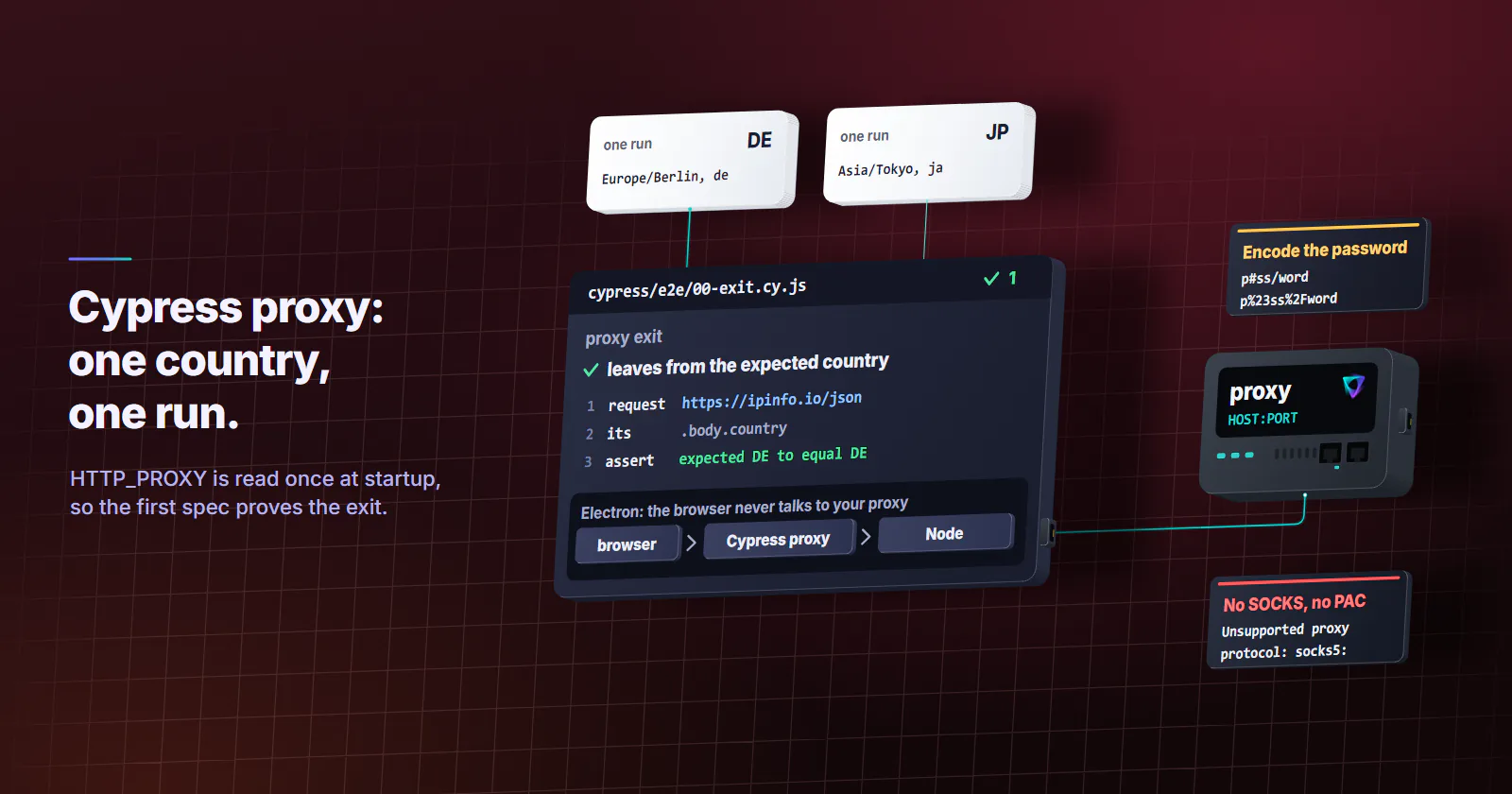
- For geo-QA, think in runs, not tests. The proxy is read once at startup, so each country gets its own run with a sticky exit and a first spec that asserts where the traffic really leaves from.
To set a Cypress proxy, export HTTP_PROXY in the shell that starts Cypress, for example HTTP_PROXY=http://USER:PASS@HOST:PORT npx cypress run. Cypress uses it for HTTP and HTTPS unless HTTPS_PROXY says otherwise, and bypasses localhost by default (the Node path allows a <-loopback> override). These are operating system variables, so a proxy key under Cypress env config does nothing.
# macOS and Linux
export HTTP_PROXY=http://USER:PASS@HOST:PORT
export NO_PROXY=internal.example.com
npx cypress run
# Windows PowerShell
$env:HTTP_PROXY = "http://USER:PASS@HOST:PORT"
$env:NO_PROXY = "internal.example.com"
npx cypress runThat covers most cases. The rest of this guide is for when it doesn’t: the spec that still can’t reach the page, the install that dies on a corporate network, the 407 in the log, or the moment you want the whole run to look like it comes from Berlin instead of your CI region.
How a Cypress proxy routes traffic
Most of the odd behaviour comes from one detail the official page never spells out. On the classic network path, the browser Cypress launches doesn’t talk to your proxy at all. Cypress starts its own local proxy, points the browser at that local port (for Chrome, --proxy-server plus --proxy-bypass-list=<-loopback>), and then its Node process forwards every request upstream through whatever HTTP_PROXY holds. You can see the wiring in Cypress’s network agent source on GitHub (read October 2026).
So the chain is browser, then the Cypress proxy, then your upstream proxy, then the site. That’s still how Electron (the default for cypress run), Firefox and WebKit work in Cypress 16, and how every browser works with forceHttp1: true. Three things follow from it, and each one saves you a debugging session.
One upstream for everything. cy.visit, cy.request and cy.intercept all ride the same path, because all three pass through the Cypress server. If cy.request reaches the site and cy.visit doesn’t, the proxy is rarely the culprit, unless you’re on Chrome or Edge with Cypress 16 (next section).
Don’t add --proxy-server yourself. People try it in before:browser:launch with launchOptions.args.push('--proxy-server=...'). That points Chrome away from the Cypress proxy, and you lose interception, the runner’s own traffic, or both. Set the environment variable and leave the launch flags alone.
Credentials never reach the browser. The Node side adds the auth header, which is why Cypress takes credentials inside the URL when Playwright drops them (the Playwright proxy guide shows that trap).
Chrome and Edge on Cypress 16
Cypress 16.0.0 moved Chrome, Chromium and Edge to the native browser network, so their page traffic no longer passes through the Cypress proxy (see the native network interception guide, read October 2026). On that path Cypress hands your HTTP_PROXY to the browser itself as --proxy-server, with NO_PROXY as the bypass list, while cy.request still goes out from Node. The source review for this guide found no handler that supplies credentials in response to a native-path proxy 407. That is a source-level observation, not an end-to-end test: authenticated proxy behaviour on Cypress 16 Chrome, Chromium and Edge has not been verified here.
If authentication fails only in those browsers, compare the browser’s page request with cy.request before blaming the credentials. Candidates to test are forceHttp1: true (the deprecated Node path), Firefox, Electron (deprecated as a test browser in 16), or a local forwarder that adds upstream credentials. None was tested end to end against a 407 for this guide, so treat them as diagnostic options, not guaranteed fixes. Validate both browser page traffic and cy.request with your exact Cypress version, browser and proxy before relying on the setup in CI.
Setting HTTP_PROXY, HTTPS_PROXY and NO_PROXY
The Cypress proxy configuration docs (read October 2026) list the sources, and the source code fills in the edges. Worth knowing before you start setting variables in three places at once.
Precedence and casing
HTTP_PROXY covers both HTTP and HTTPS: if you set only HTTP_PROXY, HTTPS falls back to it, because Cypress copies it into HTTPS_PROXY at startup, so you need the second variable only when HTTPS must go somewhere else. When both http_proxy and HTTP_PROXY exist, the lowercase one wins, which is the classic reason a CI runner ignores the value you thought you set. Docker is the other one: a variable exported on the host never reaches a container, so pass it in with docker run -e HTTP_PROXY -e NO_PROXY ... or the job’s env block.
A falsy HTTP_PROXY (false, 0 or an empty string) switches the HTTP proxy off and stops Cypress from falling back to npm’s proxy or the Windows registry. It doesn’t clear the HTTPS side, though. A leftover HTTPS_PROXY, or npm’s https-proxy in .npmrc, still carries every HTTPS request, so on a laptop that sits behind a corporate proxy by default you clear both.
NO_PROXY and localhost
NO_PROXY is a comma-separated list of hosts that skip the proxy. Cypress always appends 127.0.0.1, ::1 and localhost to it, so your dev server stays direct even when you set your own list. If you really need loopback traffic to go through the proxy (rare, usually a proxy that does something to localhost on purpose), add the special value <-loopback>. It only works for Node-side traffic: on the Cypress 16 native path Cypress drops it from Chrome’s bypass list, so the browser can still reach the Cypress server.
Cypress doesn’t copy npm’s noproxy setting, which is easy to miss. If your .npmrc has it, set NO_PROXY as well.
Install time vs run time
Installing and running read proxy settings differently, which is how you end up with “it installs but won’t run” or the reverse.
If the download itself is the problem, Cypress’s advanced installation docs (read October 2026) give you two exits: CYPRESS_DOWNLOAD_MIRROR points the download at an internal copy of the download server, and CYPRESS_INSTALL_BINARY=0 skips the binary so you can install it some other way. On a network that intercepts TLS, put cafile=/path/to/ca.crt in .npmrc, because NODE_EXTRA_CA_CERTS alone does nothing during install.
Cypress proxy authentication and SOCKS
The docs say nothing about passwords, so here is what the code does.
Credentials in the proxy URL
Put them in the URL: http://USER:PASS@HOST:PORT. On the Node network path, Cypress parses that URL and sends Proxy-Authorization: Basic *** on the CONNECT request for HTTPS sites and on each plain HTTP request. There’s no separate username field, unlike Playwright or Puppeteer. This does not establish authenticated proxy support for Cypress 16’s native browser path; see the untested limits above.
The trap is special characters, and it isn’t the ones people expect. Cypress reads the URL with Node’s legacy url.parse, which copes with a raw @ or : in the password. A #, / or ? is what bites: the parser treats it as the end of the host, Cypress sends no credentials at all, and the log usually shows A connection to the upstream proxy could not be established with a host that is really the start of your username. A stray % is worse, since the decoder throws. So encode everything that isn’t a letter or digit, and if a 407 Proxy Authentication Required keeps coming back with a password you know is right, check the encoding before you blame the account.
# password p#ss/word becomes p%23ss%2Fword
export HTTP_PROXY="http://USER:p%23ss%2Fword@HOST:PORT"
# let Node do the encoding for you
node -p 'encodeURIComponent(process.argv[1])' 'p#ss/word'
Basic is the only scheme in that code path. A corporate proxy that insists on NTLM or Kerberos won’t accept it, and the usual way out is a local forwarder such as Px (NTLM and Kerberos) or Cntlm (NTLM only) that does the handshake and gives Cypress a plain HTTP proxy on localhost. Don’t confuse that with the cypress-ntlm-auth plugin, which shows up in the same searches: it logs you in to sites that use Windows authentication, not to the proxy in front of them.
SOCKS5 and PAC files
Cypress supports HTTP and HTTPS proxies only. Point HTTP_PROXY at a socks5:// address and requests fail with Unsupported proxy protocol: socks5:. A PAC file isn’t read either, so ask whoever runs the network which HTTP proxy the PAC file resolves to and use that.
If all you have is SOCKS, run a small local HTTP-to-SOCKS bridge and give Cypress the bridge’s http://127.0.0.1:PORT. Because loopback skips the proxy by default, that’s one of the cases where you list the bridge as the proxy itself, not in NO_PROXY. With a commercial provider it’s simpler: use its HTTP endpoint, since the protocol difference doesn’t matter much for browser traffic (the SOCKS5 vs HTTP proxy guide covers when it does).
Verify and debug the proxy
First check which proxy Cypress actually picked up. Run npx cypress open, go to the Settings tab and expand Proxy Settings. Older guides tell you to run cypress info instead, and that no longer works: the Cypress 16.0.0 changelog (released September 1, 2026) says cypress info stopped printing HTTP_PROXY, HTTPS_PROXY and NO_PROXY so its output is safe to paste into bug reports. The proxy configuration page still mentions the old behaviour, so don’t be surprised when the lines aren’t there.
In headless CI, turn on the two debug namespaces that matter:
DEBUG=cypress:server:util:proxy,cypress:network:agent npx cypress runThe first one prints the variables Cypress found and how it normalized them. The second logs every request Node sends through the proxy and its upstream, which on Cypress 16 means cy.request only when the browser is Chrome or Edge. Both print the full proxy URL, password included, which is exactly why cypress info stopped showing it. Turn them on for one debugging run, not in a job whose logs you keep, and rotate the password if one slipped into a stored log. Then match the error string in the log:
| Error in the log | What it usually means |
|---|---|
Error establishing proxy connection. Response from server was: HTTP/1.1 407 | Wrong or unencoded credentials |
A connection to the upstream proxy could not be established | Wrong host or port, or a firewall between the runner and the proxy |
Unsupported proxy protocol: socks5: | A SOCKS URL in HTTP_PROXY |
ERR_EMPTY_RESPONSE: The upstream proxy closed the socket... | The proxy accepted the connection, then dropped it |
Cypress could not verify that this server is running | Usually baseUrl went through the proxy; check NO_PROXY |
That last row has a version fix behind it. Cypress 15.17.0 (June 9, 2026) fixed a case where local hosts excluded by NO_PROXY were still checked through the proxy, so if you’re on an older version and your baseUrl is local, upgrading may be the whole fix.
Geo-QA through a Cypress proxy
The second reason people search “cypress proxy” has nothing to do with a corporate network. You want the app to see a visitor from Germany or Japan: the right currency, the cookie banner for that market, the redirect to the local storefront. A proxy changes the IP the site sees, and with Cypress that choice is made once per run.
One country per run
Cypress reads the proxy variables at startup and never again. There’s no per-test or per-spec proxy, and chaining a corporate proxy to a second geo proxy isn’t something Cypress does either. So a multi-market suite becomes a CI matrix: one job per country, each with its own HTTP_PROXY, and the same specs. In GitHub Actions it looks like this, with the proxy URL for each market stored as a secret:
jobs:
  geo:
    runs-on: ubuntu-latest
    strategy:
      fail-fast: false
      matrix:
        include:
          - { country: DE, tz: Europe/Berlin, lang: de }
          - { country: JP, tz: Asia/Tokyo, lang: ja }
    steps:
      - uses: actions/checkout@v4
      - run: npm ci
      - run: npx cypress run --expose EXPECTED_COUNTRY=${{ matrix.country }}
        env:
          HTTP_PROXY: ${{ secrets[format('PROXY_{0}', matrix.country)] }}
          TZ: ${{ matrix.tz }}
          ELECTRON_EXTRA_LAUNCH_ARGS: --lang=${{ matrix.lang }}
That job uses Electron, the default browser, whose Node path supplies URL credentials according to the source review; the matrix is an example, not an end-to-end authenticated-proxy test. Before switching to Chrome, Chromium or Edge on Cypress 16, validate the native-path authentication limits and candidate workarounds above. For Chrome, move --lang from ELECTRON_EXTRA_LAUNCH_ARGS into launchOptions.args in before:browser:launch. Keep the proxy on the run step only. Put it at job level and npm ci pulls the Cypress binary through the geo exit too, which is a lot of bytes on a per-GB tier for nothing.
Rotation matters more than people expect here. A run takes minutes and opens connections the whole way through. If the exit changes on every request, one spec can log in from one IP and load the cart from another, and session cookies tied to an address break in ways that look like app bugs. On rotating residential tiers, set the order to sticky or to a timer longer than the run. With proxymint that choice lives on the order (new IP every request, a 5 to 60 minute timer, or sticky while the device stays online) and can be changed later with the same credentials. The rotating vs sticky proxies guide has the longer version.
Assert the exit first
Make the first spec check the Node-side exit. On the classic path, cy.request and browser traffic use the same upstream, but on Cypress 16’s native browser path they take different network paths. A passing cy.request alone does not prove browser authentication or its exit country. Also check the exit from a browser-loaded page, and verify both paths against the intended country; even one proxy endpoint can rotate between connections unless its session is sticky.
// cypress/e2e/00-exit.cy.js
describe('proxy exit', () => {
  it('leaves from the expected country', () => {
    cy.request('https://ipinfo.io/json')
      .its('body.country')
      .should('eq', Cypress.expose('EXPECTED_COUNTRY'))
  })
})HTTP_PROXY="http://USER:PASS@HOST:PORT" \
npx cypress run --expose EXPECTED_COUNTRY=DEIf you’re on Cypress 16, note Cypress.expose(): Cypress.env() was removed in 16.0.0, and older geo-testing snippets that read the country with it will throw.
Timezone and language don’t follow the IP
The proxy moves the IP and nothing else. The browser still reports the runner’s clock and language, so a German exit with a US-English browser on UTC is exactly what a QA engineer in Germany would never see. Set them for the run and assert them, because these settings fail quietly. On Linux and macOS runners the browser picks up TZ from the environment:
TZ=Europe/Berlin ELECTRON_EXTRA_LAUNCH_ARGS=--lang=de \
HTTP_PROXY="http://USER:PASS@HOST:PORT" npx cypress run --expose EXPECTED_COUNTRY=DEcy.window().then((win) => {
expect(win.Intl.DateTimeFormat().resolvedOptions().timeZone).to.eq('Europe/Berlin')
expect(win.navigator.language).to.match(/^de/)
})ELECTRON_EXTRA_LAUNCH_ARGS applies to the default Electron browser only, and the browser launch API docs (read October 2026) use --lang in their own example. For server-rendered language, cy.visit(url, { headers: { 'Accept-Language': 'de-DE' } }) is the dependable route. Nor does the browser’s location API follow the IP, so a store finder that calls navigator.geolocation needs its position stubbed in onBeforeLoad, the same way you’d test it without a proxy.
Which proxy type fits
Behind a corporate proxy you don’t buy anything; you use the one your network gives you. For geo-QA the target decides. Consumer pages that serve home users differently from hosting networks want rotating residential proxies on a sticky setting, with country and city targeting, since that’s the origin real visitors have (the residential proxy explainer goes into why). Your own staging, load checks or a target that doesn’t care about network type are a job for datacenter IPs, which are built for volume. Mobile exits fit app-first flows that check for a carrier origin, which a desktop Cypress suite rarely is.
Which Cypress proxy setup fits
If Cypress can’t load anything but localhost on a work network, set HTTP_PROXY to the corporate proxy, keep NO_PROXY for internal hosts, and fix install separately with cafile or the download mirror. If the log shows a 407, encode the password and look at the debug output before touching anything else. With only SOCKS on hand, put an HTTP bridge in front of it. And if the goal is to test the site from another country, give each market its own run, a sticky exit, an assertion that proves the country, and a timezone and language that match it.
Frequently asked questions
Set the HTTP_PROXY environment variable in the terminal or CI job that starts Cypress, for example export HTTP_PROXY=http://HOST:PORT before npx cypress run. Cypress uses it for HTTP and HTTPS traffic unless HTTPS_PROXY is also set. Cypress env config and the --env flag are a different mechanism and do not configure a proxy.
On the Node network path, credentials in a URL such as http://USER:PASS@HOST:PORT become a Basic Proxy-Authorization header for HTTPS tunnels and plain HTTP requests. Percent-encode special characters. Cypress 16 Chrome, Chromium and Edge use a different, native network path: authenticated 407 handling has not been tested for this guide. forceHttp1: true, Firefox or Electron, and a local credential-adding forwarder are candidates to validate, not verified fixes. NTLM or Kerberos requires a compatible forwarder.
Cypress adds 127.0.0.1, ::1 and localhost to NO_PROXY by default so the app under test and the dev server stay direct. Your own entries are kept. On the Node network path, include <-loopback> in NO_PROXY to remove the automatic loopback bypass. On Cypress 16's native Chrome, Chromium and Edge path, Cypress drops that special value from the browser bypass list, so it is not a browser-loopback override.
No. Cypress supports HTTP and HTTPS proxies only, and a socks5:// value in HTTP_PROXY fails with 'Unsupported proxy protocol'. Use the provider's HTTP endpoint if it has one, or run a local HTTP-to-SOCKS bridge and point HTTP_PROXY at the bridge. PAC files are not supported either.
Set HTTP_PROXY and HTTPS_PROXY as environment variables before npm install, because the binary download does not read the Windows registry. If the proxy intercepts TLS, add cafile to .npmrc, since NODE_EXTRA_CA_CERTS is not used at install time. CYPRESS_DOWNLOAD_MIRROR and CYPRESS_INSTALL_BINARY=0 cover networks that block the download server.
Not inside one run. Cypress reads the proxy variables once at startup and uses that upstream for every spec. To test several proxies or countries, start a separate cypress run for each, usually as a CI matrix with one HTTP_PROXY per job.
Route the run through a proxy exit in that country and keep the exit sticky for the length of the run. Check the country with cy.request and from a browser-loaded page: Cypress 16's native browser traffic takes a different network path from cy.request. Set timezone and browser language too, because the proxy changes only the IP address the site sees.
Researched and drafted with AI tools, then checked against our publishing rules before it went live: 6 outside links, 7 links to other proxymint pages, no prices and a fact-check pass against our product records. How we write.