Playwright proxy setup: scopes, auth, SOCKS5, rotation and timezone
Set a Playwright proxy per browser, per context or in playwright.config. Fix 407 and SOCKS5 auth errors, rotate by context, and set timezone for geo-QA.
Quick summary · TL;DR
- Playwright takes a proxy per browser, per context or per page. launch() covers every context in the browser, newContext() gives one isolated identity its own exit, and browser.newPage() with a proxy works because it creates a one-page context.
- Credentials inside the server URL are dropped. Playwright cuts the server down to scheme, host and port, so user:pass@ never reaches the proxy. Plain HTTP pages get a 407 and HTTPS pages fail the tunnel.
- SOCKS with credentials never launches. A socks5 server with a username throws 'Browser does not support socks5 proxy authentication', and socks4 throws its own error, in Chromium and Firefox alike.
- The browser keeps the host's clock, locale and WebRTC path. timezoneId, locale and geolocation have to be set per context, and WebRTC can send UDP around an HTTP proxy unless Chromium is told not to.
- Chromium allows 32 simultaneous connections through an HTTP/1.1 proxy. Heavy parallel work can queue inside the browser before the proxy ever sees it.
To set a Playwright proxy, pass proxy: { server, username, password } to launch() for the whole browser, or to newContext() for one isolated context. Python takes the same keys, as launch(proxy=...) and new_context(proxy=...). A server written without a scheme is treated as HTTP, and credentials go in their own fields, never inside the URL.
import { chromium } from 'playwright';

const browser = await chromium.launch({
  proxy: { server: 'http://HOST:PORT', username: 'USERNAME', password: 'PASSWORD' },
});
const page = await browser.newPage();
await page.goto('https://ipinfo.io/json');
console.log(await page.textContent('body'));
await browser.close();
from playwright.sync_api import sync_playwright
PROXY = {"server": "http://HOST:PORT", "username": "USERNAME", "password": "PASSWORD"}
with sync_playwright() as p:
browser = p.chromium.launch(proxy=PROXY)
page = browser.new_page()
page.goto("https://ipinfo.io/json")
print(page.text_content("body"))
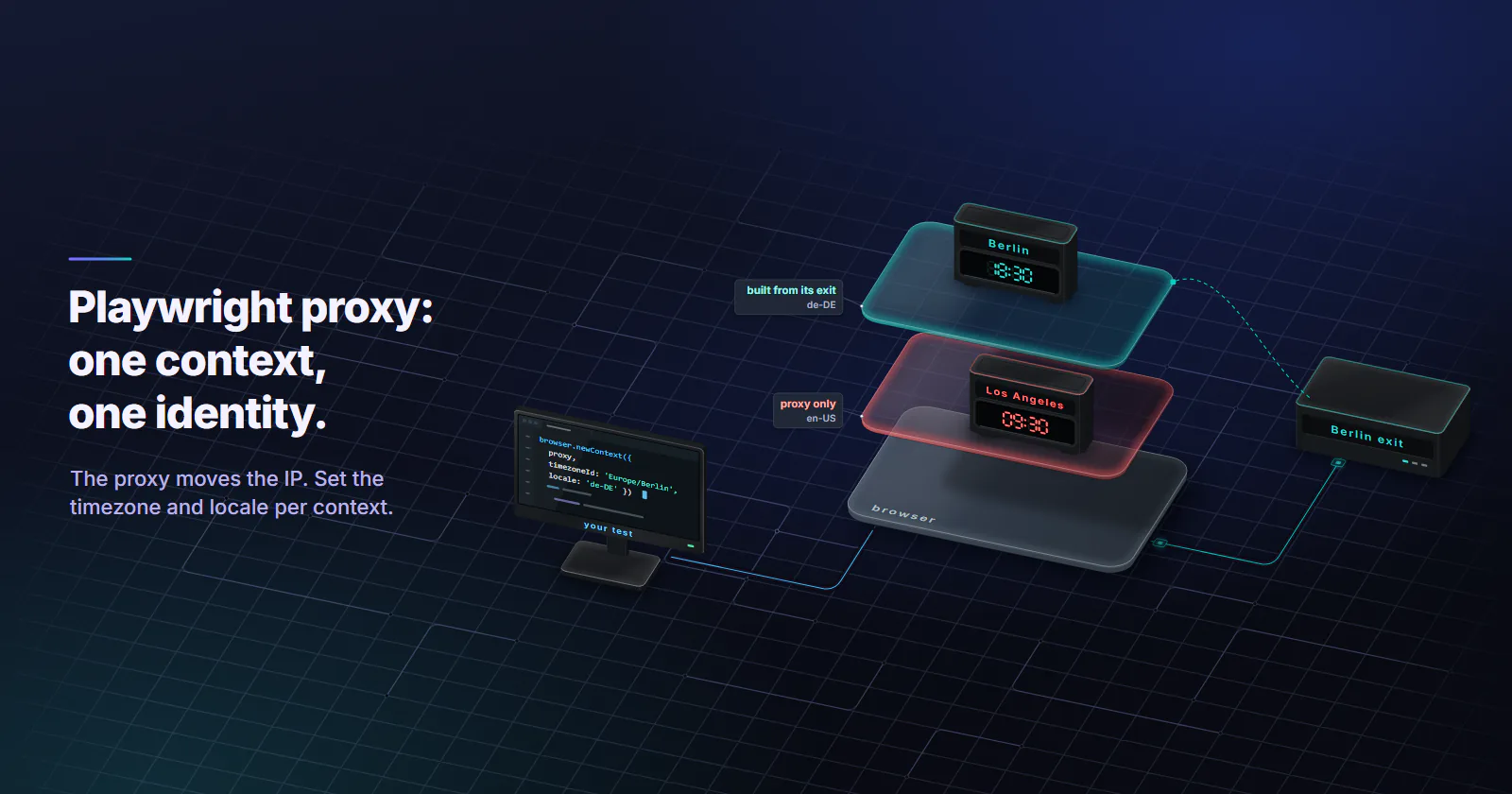
browser.close()That part of a Playwright proxy setup is short. The trouble starts after the IP checker says Berlin. A geo-QA run through a Berlin exit renders the store’s euro prices correctly, then stamps the order summary with a Los Angeles date, because the browser still reports the build server’s clock and an en-US locale. The proxy moved the connection, and nothing set the browser’s clock or language to match.
Playwright proxy scopes: browser, context, page
The Playwright network docs (accessed September 2026) say a proxy can be set globally for the browser or for each browser context. In practice there are four places to put it.
Per browser. proxy on launch(), as above. Every context and page exits through it. Right for a single-identity job.
Per context. proxy on newContext(). Each context is an isolated profile with its own cookies, storage and cache, so one browser process can carry several identities, each with its own exit. The browser itself can launch with no proxy at all.
const browser = await chromium.launch();

const contextA = await browser.newContext({
  proxy: { server: 'http://HOST:PORT', username: 'USERNAME_A', password: 'PASSWORD_A' },
});
const contextB = await browser.newContext({
  proxy: { server: 'http://HOST:PORT', username: 'USERNAME_B', password: 'PASSWORD_B' },
});
Per page. browser.newPage({ proxy }) works too, because it creates a context holding one page. Pages inside a shared context share its exit.
Per API client. request.newContext({ proxy }) builds an HTTP client with no browser attached, the cheapest way to ask the exit where it is.
The bypass option
The bypass option exists for traffic that does not need an exit. It takes a comma-separated list of hosts that skip the proxy, which keeps your own API host, a local mock server or a telemetry endpoint off the metered Playwright proxy. For Chromium, Playwright expands a value with a leading dot, such as .internal.example, to match its subdomains.
proxy: { server: 'http://HOST:PORT', username: 'USERNAME', password: 'PASSWORD', bypass: 'api.internal.example, .mock.local' }Proxy in Playwright Test config
QA teams mostly meet the Playwright proxy in playwright.config.ts, as use.proxy in the test options reference (accessed September 2026). Options inherit from the global use, to each project, to test.use() in a file.
The useful pattern is one project per market, with the proxy next to the timezone, locale and position that market should report:
// playwright.config.ts
import { defineConfig } from '@playwright/test';

const proxy = (market: string) => ({
  server: process.env.PROXY_SERVER!, // http://HOST:PORT
  username: process.env[`PROXY_USER_${market}`]!,
  password: process.env[`PROXY_PASS_${market}`]!,
});

export default defineConfig({
  projects: [
    {
      name: 'de-berlin',
      use: {
        proxy: proxy('DE'),
        timezoneId: 'Europe/Berlin',
        locale: 'de-DE',
        geolocation: { latitude: 52.52, longitude: 13.405 },
        permissions: ['geolocation'],
      },
    },
    {
      name: 'us-new-york',
      use: {
        proxy: proxy('US'),
        timezoneId: 'America/New_York',
        locale: 'en-US',
        geolocation: { latitude: 40.713, longitude: -74.006 },
        permissions: ['geolocation'],
      },
    },
  ],
});
A single file can override the project with test.use({ proxy: { ... } }). Credentials come from process.env via CI secrets and never land in the repository.
One limit: a config states the city but cannot see where the exit landed. Keep one smoke test per project that loads an IP-check page and fails on a timezone mismatch.
Playwright proxy authentication rules
Credentials go in their own fields. Playwright normalizes server down to scheme, host and port before the browser sees it. A URL like http://USERNAME:PASSWORD@HOST:PORT in server loses its credentials on the way. On a plain HTTP page the proxy answers 407 Proxy Authentication Required. On an HTTPS page Chromium reports net::ERR_TUNNEL_CONNECTION_FAILED and Firefox NS_ERROR_PROXY_CONNECTION_REFUSED, and neither looks like a wrong password.
Credentials come from the environment. Read them at runtime so the same script runs locally and in CI:
const proxy = {
  server: process.env.PROXY_SERVER, // http://HOST:PORT
  username: process.env.PROXY_USERNAME,
  password: process.env.PROXY_PASSWORD,
};
The SOCKS5 auth limit
Playwright throws Browser does not support socks5 proxy authentication the moment a socks5:// server comes with a username or password, on launch() and on newContext(). A socks4:// server with credentials throws Socks4 proxy protocol does not support authentication. Both checks sit in Playwright’s own proxy handling, so they fire for Chromium and Firefox alike (both strings reproduced on Playwright 1.59.1 and present unchanged in the 1.63.0 source). Chromium’s proxy documentation (accessed September 2026) says it supports no authentication methods for SOCKSv5, and the Playwright feature request, issue #10567, has been open since November 2021.
Three ways out:
- Switch to the HTTP endpoint with username and password. Nothing is lost for browser traffic: HTTPS still runs end to end inside a CONNECT tunnel. proxymint authenticates by username and password, so on proxymint this is the route.
- Use SOCKS5 without credentials where a provider authenticates by source IP instead.
- Run a local forwarder that accepts unauthenticated connections on localhost and adds credentials upstream. One more process to keep alive.
The wider protocol trade is set out in SOCKS5 vs HTTP proxy.
DNS is not a reason to pick SOCKS5 here. The same Chromium document says name resolution happens on the proxy side for both HTTP and SOCKSv5 proxies. We measured it on the proxymint gateway: through HTTP CONNECT the target hostname resolved on the proxy side (our US test exits used US public resolvers), and no Via or Forwarded header reached the target. Inside a CONNECT tunnel the proxy only relays encrypted bytes, so it cannot add X-Forwarded-For to an HTTPS request. Outside the browser, use socks5h:// rather than socks5:// in tools like curl, because plain socks5 resolves names on your own machine, the classic proxy DNS leak.
Rotate by context
Each context holds one proxy session, one cookie jar and one fingerprint, and closing it throws all three away together. An identity is the IP and the browser state as one unit. There are two ways to change the exit.
Rotation at the gateway. The proxy hands out a new IP per request or on a timer. Fine for a plain HTTP client. Under a browser it causes trouble, because one page load opens several connections for scripts, images and API calls. If each new connection can land on a different exit, the target sees one visit arriving from several addresses within a second. The two modes are compared in rotating vs sticky proxies.
Rotation by context. Give each context a sticky session, then rotate by closing the context and opening a new one on a different session. The browser state and the IP change together, which is what a real new visitor looks like.
Rotating through a proxy list
The same rule covers a list of endpoints: one entry per context, round-robin, never swapped under a live page. A proxymint residential order arrives as a list of ports on one host, and each port holds its own exit, so each context takes the next port with the same username and password.
const endpoints = [
  'http://HOST:PORT_1',
  'http://HOST:PORT_2',
  'http://HOST:PORT_3',
].map((server) => ({ server, username: 'USERNAME', password: 'PASSWORD' }));

for (const [i, job] of jobs.entries()) {
  const context = await browser.newContext({ proxy: endpoints[i % endpoints.length] });
  const page = await context.newPage();
  await runJob(page, job);
  await context.close(); // cookies, cache and exit IP retire together
}
Other providers issue sessions as separate credentials or a session value in the username. Whatever the format, each context gets its own.
An HTTPS request through an HTTP proxy rides a CONNECT tunnel, and a tunnel is a single connection from the exit to the target. Every request reusing a kept-alive connection leaves from the same IP, whatever the rotation setting says. Rotation takes effect on new connections.
Build each context from its exit
A proxy moves the connection. It changes nothing inside the browser. A context created with only a proxy keeps the host machine’s timezone, locale and default position, and a page can read all of them without asking:
Intl.DateTimeFormat().resolvedOptions().timeZoneandnew Date().getTimezoneOffset()give the clock.navigator.languageand theAccept-Languagerequest header give the language.navigator.geolocationgives a position if the permission is granted.
For geo-QA of your own storefront, localized prices and store locators, that mismatch produces wrong results before any site reacts to it. Playwright has an option for each signal. Per the newContext API reference, timezoneId changes the context’s timezone, locale affects navigator.language, the Accept-Language header and number and date formatting, and geolocation plus the geolocation permission sets the reported position.
These are fixed when the context is created, so the exit has to be known first. The pattern: ask the exit where it is, through the same proxy, then build the context from the answer. The code uses ipinfo.io as one example endpoint; any lookup works if it returns timezone and loc.
import { chromium, request } from 'playwright';

const proxy = { server: 'http://HOST:PORT', username: 'USERNAME', password: 'PASSWORD' };

// 1. Ask the exit where it is, through the same proxy the browser will use.
async function exitGeo(proxy) {
  const api = await request.newContext({ proxy });
  const res = await api.get('https://ipinfo.io/json');
  const geo = await res.json(); // { ip, city, country, loc, timezone, ... }
  await api.dispose();
  return geo;
}

// 2. Build a context whose clock, locale and position agree with that exit.
async function coherentContext(browser, proxy, locale) {
  const geo = await exitGeo(proxy);
  const [latitude, longitude] = geo.loc.split(',').map(Number);
  const context = await browser.newContext({
    proxy,
    timezoneId: geo.timezone,
    locale,
    geolocation: { latitude, longitude },
    permissions: ['geolocation'],
  });
  return { context, geo };
}

const browser = await chromium.launch();
const { context, geo } = await coherentContext(browser, proxy, 'de-DE');
const page = await context.newPage();
await page.goto('https://ipinfo.io/json');
const seen = await page.evaluate(() => ({
  timezone: Intl.DateTimeFormat().resolvedOptions().timeZone,
  language: navigator.language,
}));
console.log({ exitIp: geo.ip, exitTz: geo.timezone, ...seen });
if (seen.timezone !== geo.timezone) throw new Error('timezone does not match exit');
await browser.close();
The same flow in Python, with the sync API:
from playwright.sync_api import sync_playwright

PROXY = {"server": "http://HOST:PORT", "username": "USERNAME", "password": "PASSWORD"}

with sync_playwright() as p:
    api = p.request.new_context(proxy=PROXY)
    geo = api.get("https://ipinfo.io/json").json()
    api.dispose()

    lat, lon = (float(x) for x in geo["loc"].split(","))
    browser = p.chromium.launch()
    context = browser.new_context(
        proxy=PROXY,
        timezone_id=geo["timezone"],
        locale="de-DE",
        geolocation={"latitude": lat, "longitude": lon},
        permissions=["geolocation"],
    )
    page = context.new_page()
    page.goto("https://ipinfo.io/json")
    tz = page.evaluate("Intl.DateTimeFormat().resolvedOptions().timeZone")
    assert tz == geo["timezone"], f"context says {tz}, exit says {geo['timezone']}"
browser.close()The probe needs a sticky session. With a new IP on every request, the lookup and the page can leave from different exits.
Pick the locale for the market. Set it to the language of the pages the job needs, for example de-DE for a German storefront.
Check again on long jobs. Residential devices go offline and timed sessions expire. Re-run the probe on a timer shorter than the session window and rebuild the context when the answer changes.
WebRTC and the UDP gap
The proxy carries TCP. WebRTC prefers UDP, and Chromium’s proxy document notes that its SOCKSv5 support is TCP only and cannot relay UDP; an HTTP proxy carries no UDP at all. A page that opens an RTCPeerConnection with a STUN server can therefore gather a candidate from a UDP request sent straight from the runner, outside the proxy, which exposes the runner’s own public address.
Chromium has a launch flag that restricts WebRTC to proxied paths:
const browser = await chromium.launch({
  args: ['--force-webrtc-ip-handling-policy=disable_non_proxied_udp'],
});
On Playwright 1.59.1 with Chromium behind an HTTP proxy, a test page without the flag sent its STUN request directly and returned a server-reflexive candidate. With the flag it gathered no candidates, and the STUN server received nothing. The cost is that WebRTC features on the page, such as calls, stop working. The flag is Chromium’s; Firefox and WebKit need their own handling.
Verify and debug proxy failures
Most Playwright proxy failures are visible if something listens for them.
requestfailedevents.page.on('requestfailed', (r) => console.log(r.url(), r.failure()?.errorText))prints the browser’s own error string for every request that dies, including subresourcespage.gotonever mentions.DEBUG=pw:browser. Run the script with this environment variable and Playwright logs the browser’s launch line, including the--proxy-servervalue it actually passed. Credentials never appear in that line, so check theusernameandpasswordfields in your code instead.- The trace viewer. Record with
context.tracing.start({ snapshots: true }), ortrace: 'on-first-retry'in the Test config, and open the trace’s network tab to see each request, its status and timing.
The error strings then map to causes:
407 Proxy Authentication Required. Credentials sit inside theserverURL, or the username belongs to a different product. Move them tousernameandpassword. The other causes are listed in 407 Proxy Authentication Required.net::ERR_TUNNEL_CONNECTION_FAILED. The proxy refused the CONNECT. On HTTPS pages this is often the same missing-credentials 407 in disguise; otherwise a target port the gateway does not allow, or an upstream failure on the exit.Browser does not support socks5 proxy authentication. Asocks5://server with credentials. Use HTTP with credentials.net::ERR_PROXY_CONNECTION_FAILED. The browser cannot reach the proxy at all: wrong host or port, a firewall on the runner, or source-IP authentication that does not include the runner’s current public address. CI runners change IPs between jobs, which breaks IP-based auth silently.- Throughput plateaus under load. Chromium’s 32-connection cap for an HTTP/1.1 proxy is the first suspect when parallel work stalls well below what the proxy allows.
- Timezone matches in the test, drifts in production. The session expired or the device went offline and the exit moved. Re-probe as above.
- Everything matches and the target still blocks. That is the stop signal: check the site’s terms or an official API.
Playwright proxy tier by test type
A browser moves more bytes than an HTTP client, because every page pulls scripts, fonts and images. On a per-GB tier that is money, so block what the job does not need:
await context.route('**/*.{png,jpg,jpeg,gif,webp,woff,woff2,mp4}', (route) => route.abort());Then pick the tier by what the target checks.
Residential, rotating or sticky. Collection and monitoring of public pages where results depend on a consumer IP and a location. On proxymint, residential is usage-based per GB, with no expiry set on the GB. Rotating residential proxies come with country, region and city targeting, which is what makes the timezone step above precise.
Static ISP. Logged-in work that runs for days on one account, where a changing IP is itself the anomaly. Static ISP proxies hold one ISP-registered address, assigned to your order for the whole billing term, so the timezone probe runs once and stays true.
Datacenter. QA of your own site, load tests, targets with no anti-bot scoring. Coherence still matters for clean test data, but the IP class does not, and datacenter proxies, billed per IP with no traffic meter, fit that job.
Mobile. Only when the pages the job needs are served differently to mobile networks. Mobile exits are classified as cellular by MaxMind.
Free lists. Public lists are mostly dead or slow entries, and a working one is an open relay run by someone unknown, who sees every hostname and all traffic not protected by TLS. Fine for a throwaway demo. Wrong for anything with a login, a cookie or customer data.
Frequently asked questions
Pass a proxy object with server, username and password either to browserType.launch() for the whole browser or to browser.newContext() for one context. The server takes the form http://HOST:PORT or socks5://HOST:PORT, and a value without a scheme is treated as an HTTP proxy. The Python API uses the same keys, as launch(proxy=...) and new_context(proxy=...). Each context can carry its own proxy, so one browser can run several identities with separate exits.
Playwright rejects any socks5:// proxy that comes with a username or password, for Chromium and Firefox alike, and Chromium itself supports no authentication methods for SOCKSv5. The fix is to use the provider's HTTP endpoint with credentials, or to use SOCKS5 without credentials where the provider authenticates by source IP instead.
Give each browser context a sticky session and rotate by closing the context and creating a new one with new session credentials, or with the next endpoint from a proxy list. That changes the IP, cookies and cache together. Letting the gateway rotate per request under a live page can split one page load across several exit IPs.
Add proxy under use in playwright.config.ts to apply it to every test, or under a project's use to give each project its own proxy, timezoneId, locale and geolocation. A single test file can override it with test.use({ proxy }). Read the username and password from environment variables rather than writing them into the config.
The usual cause is credentials written inside the server URL, such as http://user:pass@host:port. Playwright keeps only the scheme, host and port of that URL, so the credentials never reach the proxy. On HTTPS pages the same mistake shows up as net::ERR_TUNNEL_CONNECTION_FAILED instead of a 407. Move the credentials into the separate username and password fields.
Look up the exit's location through the same proxy, for example with request.newContext({ proxy }) and an IP geolocation endpoint that returns a timezone. Then create the browser context with timezoneId and geolocation set from that answer, and verify with Intl.DateTimeFormat().resolvedOptions().timeZone inside the page. The lookup and the browsing must use the same sticky session.
Technically yes, since any HTTP or SOCKS proxy without credentials works in the server field. In practice most public list entries are dead or slow, and a working one is run by an unknown operator who can see every hostname and all unencrypted traffic. They are acceptable for a throwaway demo against a test page and wrong for anything with a login, a cookie or customer data.
Researched and drafted with AI tools, then checked against our publishing rules before it went live: 5 outside links, 10 links to other proxymint pages, no prices and a fact-check pass against our product records. How we write.