
http_proxy environment variable: what each tool actually reads
How http_proxy, HTTPS_PROXY, ALL_PROXY and NO_PROXY work in curl, wget, Python, Go, Node, Ruby and Java: case rules, NO_PROXY matching, debugging.
Quick summary · TL;DR
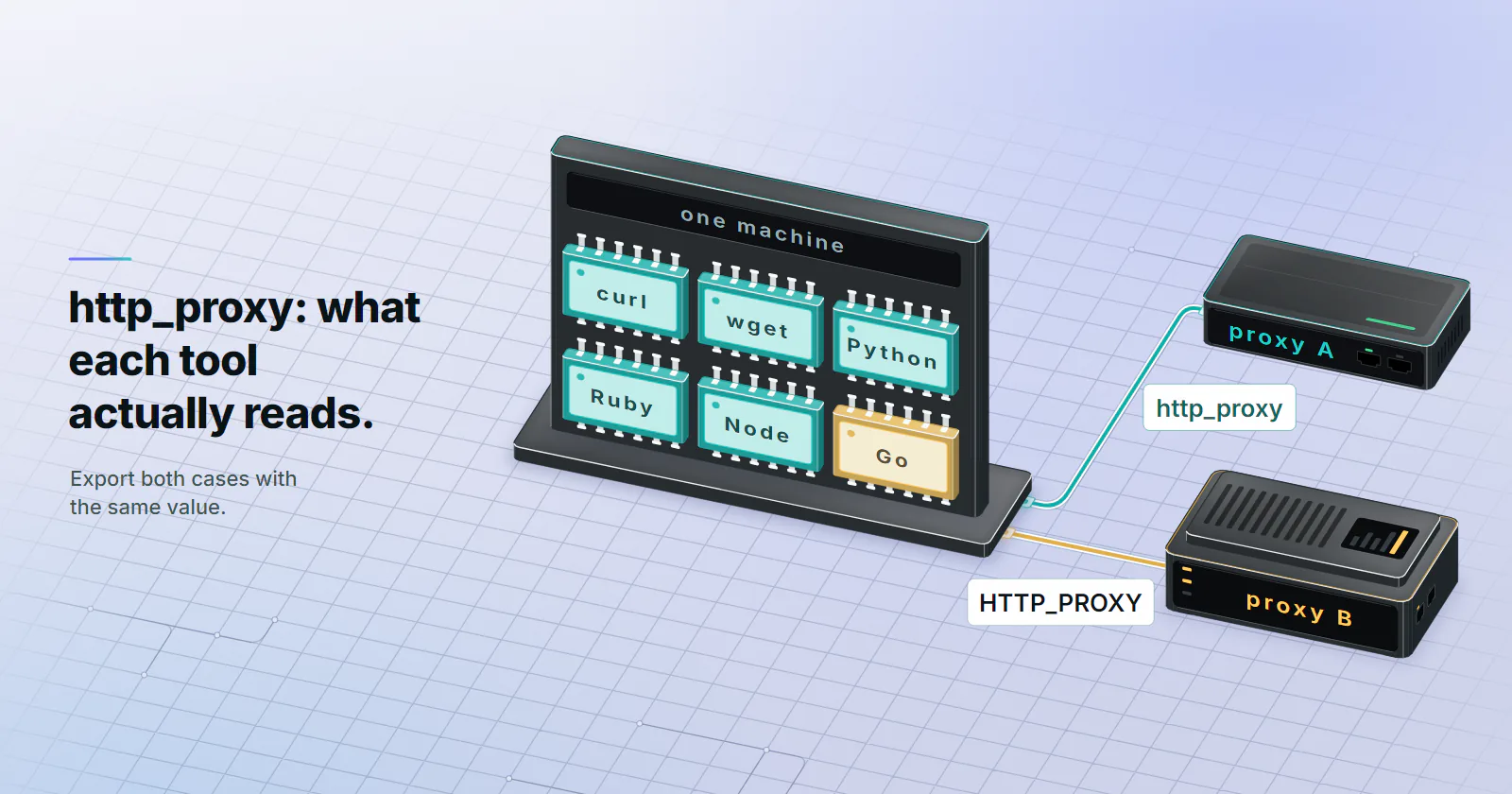
- Export both cases with the same value. curl and wget only read lowercase http_proxy, Go prefers HTTP_PROXY when both exist, so two values that drift apart send two tools to two different proxies.
- Set https_proxy too, or HTTPS goes direct. The tool picks the variable by the site's scheme, and the page still loads without the proxy, which is why this one goes unnoticed for weeks.
- Keep the value http:// even in HTTPS_PROXY. It looks wrong, but the https in the name is about the sites you visit; your client sends CONNECT to the proxy over plain HTTP and the site's TLS runs inside that tunnel.
- Node and Java need extra steps. Node's fetch ignores the variables unless NODE_USE_ENV_PROXY=1 is set, and Java never reads them at all; it wants -Dhttps.proxyHost and friends.
The http_proxy environment variable holds a proxy URL that command-line tools and HTTP libraries read when they start. export http_proxy="http://USER:PASS@HOST:PORT" sends plain HTTP requests through that proxy, https_proxy with the same http:// value covers HTTPS sites, and no_proxy lists the hosts that go direct. Set each one in lowercase and uppercase.
That is the short answer, and it is enough for curl. The trouble starts when you export the variable, curl goes through the proxy, and the Python job on the same box still connects straight out, or a Go binary picks a different proxy entirely. There is no standard behind these variables. Each tool parses them its own way, which is the whole point of GitLab’s write-up on NO_PROXY (first published 2021, updated 2025-06-09).
Below is what the common clients did with the http_proxy environment variable and its siblings in a side-by-side test, plus the NO_PROXY patterns that worked in all of them and a five-minute way to see which tool used which proxy.
How the http_proxy environment variable works
The variable name picks the traffic, and the value picks the proxy. http_proxy applies to http:// URLs, https_proxy to https:// URLs, and the value is a full URL pointing at the proxy itself.
export http_proxy="http://USERNAME:PASSWORD@HOST:PORT"
export https_proxy="http://USERNAME:PASSWORD@HOST:PORT"
export no_proxy="localhost,127.0.0.1,::1,.internal.example"

# same values in uppercase, for the tools that only read that form
export HTTP_PROXY="$http_proxy" HTTPS_PROXY="$https_proxy" NO_PROXY="$no_proxy"
Write the scheme every time. In the test below, curl, wget, Python and Go accepted a bare HOST:PORT, but Node and Ruby quietly ignored it and went direct. A value that works in one tool and silently fails in another is the worst kind of bug, and http:// in front costs nothing.
The scheme in the value is the proxy’s protocol, not the site’s. http:// means “talk HTTP to the proxy”. curl also accepts socks5:// here, per the curl man page (checked 2026-10-21), but most libraries need an extra package for SOCKS, so http:// is the safe default for anything shared across tools.
Credentials in the URL
A username and password go in the URL, http://USERNAME:PASSWORD@HOST:PORT, and any special character in them must be percent-encoded: @ becomes %40, : becomes %3A. With user:p%40ss in the variable, every client in the side-by-side test below that used the proxy decoded it and sent user:p@ss in Proxy-Authorization. The proxy string formats guide has the full encoding table.
Think about where that password ends up. An environment variable is visible to every child process, readable in /proc/<pid>/environ by the same user and root, and printed by env in any CI log that dumps the environment. Keep the export out of shell history (a leading space works when HISTCONTROL=ignorespace is set), and in CI use the platform’s secret store rather than a plain variable.
HTTPS_PROXY and HTTPS sites
This is the one that catches most people. A tool picks the variable by the scheme of the URL it is fetching, so if you only set http_proxy, every https:// request goes direct. In the test, curl, wget, Python and Go all did exactly that. And because the page still loads, nothing tells you the proxy was skipped.
The value of HTTPS_PROXY still starts with http://. Your client opens a plain HTTP connection to the proxy, sends CONNECT example.com:443, and then runs TLS end to end with the site through that tunnel, so the proxy never sees the decrypted page. The 407 guide covers what happens when that CONNECT gets rejected.
Ruby is the odd one out, and it is easy to miss. Net::HTTP.get on Ruby 3.3.6 looked up http_proxy even for an https:// URL and ignored https_proxy and HTTPS_PROXY completely. URI("https://...").find_proxy returns the right value, so the lookup works; Net::HTTP just asks for the wrong scheme. If a Ruby script skips your proxy on HTTPS, pass the proxy to Net::HTTP.new explicitly instead of relying on the environment.
http_proxy vs HTTP_PROXY
Case matters for the http_proxy environment variable, and the tools disagree on which case wins. curl reads http_proxy only in lowercase, as everything.curl.dev spells out (checked 2026-10-21). That rule traces back to httpoxy, where a CGI server turns an incoming Proxy: request header into an environment variable called HTTP_PROXY, so a tool that trusted the uppercase name could be pointed at an attacker’s proxy by any visitor (httpoxy.org, disclosed July 2016). curl had dropped the uppercase form years earlier for the same reason, and other tools added guards after 2016.
Look at the Go row. With http_proxy pointing at proxy A and HTTP_PROXY at proxy B, curl, wget, Python, Ruby and Node went to A and the Go binary went to B. Two values that drifted apart, one in .bashrc and one in a CI secret, is enough to split one machine across two exits. Export both names with the same value and the question never comes up.
The CGI guard can bite outside CGI. With REQUEST_METHOD set, Python and Ruby ignored uppercase HTTP_PROXY and quietly went direct, and Go refused http:// URLs in either case with refusing to use HTTP_PROXY value in CGI environment. Normally that only happens inside a CGI script, but a test runner or a container that leaks REQUEST_METHOD into the environment will do it to you too, and the Python and Ruby half of it fails silently.
ALL_PROXY
ALL_PROXY (or all_proxy) is a fallback for any scheme without its own variable. In the test, curl, git, Python requests and HTTPX read it; wget, Python’s built-in urllib, Go, Node and Ruby went direct. So a Python job may or may not notice it depending on which HTTP library it imports, which is exactly the kind of split that is hard to spot. Set the per-scheme variables and treat ALL_PROXY as a curl convenience, handy for pointing curl at a SOCKS5 proxy for everything.
What each tool reads
This table comes from one test run on 2026-10-21 on Linux. Two local proxies logged the request line and the decoded credentials of every connection, the target hostnames did not resolve (so “direct” means the client tried to connect without a proxy), and each client ran under env -i with only the variables under test. Versions are in the first column, because this behaviour changes between releases. Python requests and HTTPX 0.28.1 went through the same checks the same day; HTTPX matched requests on case and ALL_PROXY but, like urllib, ignored CIDR in no_proxy, and unlike both it still proxied the apex when no_proxy held only .example.test.
| Tool and version | Reads http_proxy | HTTPS target uses | ALL_PROXY | Notes |
|---|---|---|---|---|
| curl 8.5.0 | Lowercase only | https_proxy or HTTPS_PROXY | Yes | curl -v prints which variable it used |
| wget 1.21.4 | Lowercase only | https_proxy only | No | Reads lowercase no_proxy only |
| Python 3.11.17 urllib | Both, lowercase wins | Either case | No | urllib.request.getproxies() shows what it parsed |
| Python requests 2.34.2 | Both, lowercase wins | Either case | Yes | Honours CIDR in no_proxy, unlike urllib |
| Go 1.24.7 net/http | Both, uppercase wins | Either case | No | Refuses the HTTP proxy, either case, when REQUEST_METHOD is set |
| Node 22.22.0 fetch | Only with NODE_USE_ENV_PROXY=1 | Either case, falls back to http_proxy | No | Tunnels plain HTTP through CONNECT too |
| Ruby 3.3.6 Net::HTTP | Both, lowercase wins | http_proxy (ignores https_proxy in both cases) | No | Needs a scheme in the value |
| OpenJDK 21 HttpURLConnection | No | No | No | Uses -Dhttp.proxyHost and friends |
| git 2.43.0 | Lowercase only | https_proxy or HTTPS_PROXY | Yes | git config http.proxy overrides it |
Node’s built-in fetch ignores every proxy variable unless you start it with NODE_USE_ENV_PROXY=1 or --use-env-proxy; the Node.js enterprise network configuration guide (checked 2026-10-21) lists v22.21.0 as the first 22.x release with it. And when it is on, Node sent CONNECT site:80 even for a plain http:// URL, where every other client sent a normal GET http://.... A proxy that only allows CONNECT to port 443 will refuse those requests, and the error looks like a dead proxy.
Java never reads the environment. Set -Dhttp.proxyHost, -Dhttp.proxyPort, -Dhttps.proxyHost, -Dhttps.proxyPort and -Dhttp.nonProxyHosts (pipe-separated, not comma), or put them in JAVA_TOOL_OPTIONS so every JVM on the box picks them up. The Java proxy setup guide has the authenticator code Java needs for a username and password.
NO_PROXY: which hosts skip the proxy
no_proxy is a comma-separated list of hosts that bypass the proxy. It looks obvious, and it is where the tools disagree most. These are the results for example.test and sub.example.test, with both no_proxy and NO_PROXY set to the same pattern:
| Pattern | Bypasses example.test | Bypasses sub.example.test | Tools that did not follow it |
|---|---|---|---|
example.test | All tools | All except Node | Node needs .example.test for subdomains |
.example.test | curl, Python urllib and requests | All tools | wget, HTTPX, Go, Node, Ruby still proxy the apex |
*.example.test | None | Go, Node only | curl, wget, Python, Ruby treat it as a literal |
* | All except wget, Ruby | All except wget, Ruby | wget and Ruby still proxy |
10.0.0.0/8 (target 10.9.9.9) | curl, Go, Ruby, Python requests | n/a | wget, Python urllib, HTTPX and Node ignore CIDR |
The portable pattern is the boring one: list the apex and the dotted form together, example.test,.example.test, and spell out single IPs instead of trusting CIDR. That pair also held in requests and HTTPX. A space after a comma did not break any of the tested tools, but it buys you nothing either, so leave it out.
wget is the one to watch. It read only the lowercase no_proxy; with just NO_PROXY set, wget kept sending internal hosts through the proxy. A sensible default list is localhost,127.0.0.1,::1 plus your internal domains and the metadata address of your cloud, 169.254.169.254, so instance credentials never leave through an outside proxy.
Making proxy variables persistent
An export in a terminal lasts until you close it, and an http_proxy environment variable set that way is gone with the window. Where the variables should live depends on who runs the job, and the usual failure is a job that runs somewhere your profile never loads.
- Your own shells: add the export lines to
~/.bashrc(interactive bash) or~/.profile(login shells, and what many desktop sessions read). zsh users want~/.zshenv. - Every user on the box: a script in
/etc/profile.d/with the export lines covers login shells, and/etc/environmenttakes plainNAME=valuelines with noexportand no variable expansion, soHTTP_PROXY="$http_proxy"will not work there. Write each value out. - systemd services: they ignore both files. Add
Environment="https_proxy=http://..."lines in a drop-in made withsystemctl edit <unit>, then restart the unit. - sudo: it resets the environment by default, so
sudo apt updatecan ignore your proxy. Usesudo -Efor one command or add the names toenv_keepwithvisudo. - cron: jobs start with a minimal environment. Set the variables at the top of the crontab or in the script itself.
- Windows:
setx HTTPS_PROXY "http://HOST:PORT"sets it for new sessions, and$env:HTTPS_PROXY = "..."sets it for the current PowerShell. Windows variable names are case-insensitive, so the lowercase and uppercase question disappears there.
To switch it off again for the current shell, unset http_proxy https_proxy HTTP_PROXY HTTPS_PROXY ALL_PROXY all_proxy. Forget one name and curl or Go keeps using the proxy you thought you removed. For a single curl call, curl --noproxy '*' URL skips it without touching the environment.
apt, dnf and Docker have their own settings
Three common tools either ignore your shell or run somewhere it never reaches, so check them before you blame the proxy.
- apt reads
http_proxy, butsudousually drops it before apt sees it. The reliable fix is a file such as/etc/apt/apt.conf.d/95proxywithAcquire::http::Proxy "http://USERNAME:PASSWORD@HOST:PORT/";and the same value on anAcquire::https::Proxyline. - dnf takes
proxy=http://HOST:PORTplusproxy_username=andproxy_password=in the[main]section of/etc/dnf/dnf.conf. - Docker has three separate places, and people set the wrong one. Image pulls are done by the daemon, a systemd service, so they need the drop-in described above or the
proxieskey indaemon.json(Docker Engine 23.0 and later). Containers get the variables from theproxiesblock in~/.docker/config.json, which the client injects atdocker runanddocker build, per Docker’s proxy docs (checked 2026-10-21). AndHTTP_PROXY,HTTPS_PROXY,NO_PROXYand their lowercase forms are predefined build args, so--build-argpasses them without anARGline in the Dockerfile. Do not put the proxy in anENVline instead: that bakes the value, password included, into the image.
Debug which tool used the proxy
When a job ignores the http_proxy environment variable, guessing wastes the afternoon. Run these in order:
env | grep -i proxyshows what the shell actually exported, both cases. Half the time the answer is right there: an uppercase-only value, or two values that differ.curl -v http://example.com/printsUses proxy env variable http_proxy == '...'when curl picked it up, and nothing when it did not.python3 -c "import urllib.request; print(urllib.request.getproxies())"shows what Python parsed, which catches theREQUEST_METHODcase.- Run the real job under
env -i PATH="$PATH" HOME="$HOME" http_proxy=... https_proxy=...to rule out a stray variable.
If that still does not settle it, point the variables at a logging proxy for a minute. This one prints every request line it receives, then answers 502, so it only shows who connected and how:
// node log-proxy.js, then export http_proxy=http://127.0.0.1:18080
require('net').createServer((s) => {
  s.once('data', (d) => {
    console.log(d.toString().split('\r\n')[0]);
    s.end('HTTP/1.1 502 Bad Gateway\r\nContent-Length: 0\r\n\r\n');
  });
}).listen(18080, '127.0.0.1');
A GET http://... line means the tool used the proxy for HTTP, a CONNECT host:443 line means it tunnelled HTTPS, and silence means it went direct.
Which proxy goes behind the variable
The variables only decide whether traffic goes through a proxy. What that proxy looks like to the far end is a separate choice.
For CI runners, package mirrors, API polling and uptime checks, the target does not care what kind of network the request comes from, and throughput matters more. That is the job datacenter proxies are built for. Each IP has its own login, an HTTP and a SOCKS5 port and no bandwidth cap under normal use, which suits a box where every tool shares one https_proxy, and the datacenter proxy guide explains where hosting addresses get flagged. When the target scores IP type, as consumer sites with anti-bot checks do, residential proxies fit better, and SOCKS5 vs HTTP covers the protocol side. Every proxymint tier includes both HTTP and SOCKS5 with username and password authentication, so the same http://USERNAME:PASSWORD@HOST:PORT value works in every tool above that reads the variable.
Frequently asked questions
Run export http_proxy="http://USERNAME:PASSWORD@HOST:PORT" and export https_proxy with the same value, then repeat both in uppercase for tools that only read that form. The setting lasts for the current shell. Add the lines to ~/.bashrc or ~/.profile to keep them, or to /etc/environment without the export keyword for every user.
They hold the same thing, but tools read them differently. curl, wget and git read only the lowercase http_proxy, Python and Ruby read both and prefer lowercase, and Go reads both and prefers uppercase. Exporting both with the same value avoids every difference.
Start it with http://. The https in the variable name refers to the sites you visit, not to the connection to the proxy. The client sends a CONNECT request to the proxy over plain HTTP and runs TLS with the site inside that tunnel.
List the domain twice, as example.com,.example.com, which bypasses the domain and its subdomains in curl, wget, Python (urllib, requests and HTTPX), Go, Node and Ruby. The .example.com form only works in Go and Node, and a lone is ignored by wget and Ruby. CIDR ranges such as 10.0.0.0/8 work in curl, Go, Ruby and Python requests but not in wget, Python urllib, HTTPX or Node.
For your own shells, add the export lines to ~/.bashrc or ~/.profile. For every user, write NAME=value lines in /etc/environment, without export. systemd services need Environment= lines in a unit drop-in, and sudo needs -E or env_keep, because neither reads your shell profile.
Put them in the URL as http://USERNAME:PASSWORD@HOST:PORT. Percent-encode special characters, so @ becomes %40 and : becomes %3A; the client decodes them before it sends the Proxy-Authorization header. Remember that environment variables are visible to child processes and in /proc, so keep the value out of logs and shell history.
The usual causes are an uppercase-only HTTP_PROXY in a tool that reads lowercase, an https:// site with only http_proxy set, Node's fetch without NODE_USE_ENV_PROXY=1, or a Java program, which never reads the environment. A REQUEST_METHOD variable in the environment also makes Python and Ruby ignore uppercase HTTP_PROXY and makes Go refuse the HTTP proxy outright. Running env | grep -i proxy and curl -v shows which case you are in.
Researched and drafted with AI tools, then checked against our publishing rules before it went live: 6 outside links, 7 links to other proxymint pages, no prices and a fact-check pass against our product records. How we write.