How to scrape Google Maps: Places API first, then scraping
How to scrape Google Maps: how the Places API is billed now, what Google's terms allow, and a scraping method for public business data with city-level proxies.
Quick summary · TL;DR
- Try the Places API before scraping. Since March 1, 2025 the Google Maps API free tier is a monthly cap per SKU, so a job of a few hundred places with phone and website often fits inside it.
- Google's terms say no to scraping on both routes. Section 3.2.3(a) of the Maps Platform terms names bulk downloads of places information, and the end user terms ban mass downloads and bulk feeds of Maps content.
- The API does not give you a database either. Only place IDs may be stored indefinitely and coordinates for up to 30 days, so the API cannot back a permanent lead list.
- Proxies only matter on the browser route. Residential exits with city targeting fit it, because the exit can sit in the map area; datacenter IPv4 is located by country only, and mobile is built for carrier-origin targets rather than a catalog-style job.
How to scrape Google Maps comes down to three routes: the Places API, a browser scraper on the public Maps pages, or a no-code tool or open-source scraper that runs the browser route for you. Try the API first. Since March 2025 a small job often fits inside its free monthly caps, and scraping only makes sense for fields the API will not return, with Google’s terms risk accepted.
A typical request sounds simple. Every dentist in Austin, with phone number, website and rating, in a spreadsheet by Friday. Search Maps, copy what is on screen, repeat. Then the list stops scrolling, the IP goes straight to an “unusual traffic” page, and someone asks whether any of this is allowed.
How to scrape Google Maps: three routes
The Places API. Google’s licensed route. Text Search takes a query such as “dentist in Austin” and returns places with the fields you ask for, billed per request. It needs an API key rather than a proxy or a parser, and each SKU carries a free monthly allowance.
The browser route. A real browser driven by Playwright or Puppeteer loads the public Maps page, scrolls the result list and reads what a visitor sees. It can extract business data from Google Maps that the API bills on a higher SKU or does not return in the same shape. It breaks when the page layout changes, and it runs against Google’s terms.
No-code tools and open-source scrapers. Someone else’s browser route, packaged. A hosted Google Maps scraper bills per 1,000 places; an open-source one is free software that runs on your own machines and proxies. Both carry the same terms risk as writing the browser code yourself.
Most jobs under a few thousand places a month fit inside the API’s free caps, which is why the licensed route comes first.
What a listing holds: business vs personal data
Before picking a route, write down the fields the job needs. The Places API bills each request at the highest tier any requested field belongs to, and some fields are personal data whichever route collects them. The SKU column follows Google’s Place Details (New) field list (updated September 24, 2026).
| Field | Places API SKU that returns it | Personal data? |
|---|---|---|
| Place ID, photos | Essentials (IDs Only) | Photos can show people |
| Address, coordinates, types | Essentials | Can be, when the business runs from a home |
| Name, primary category, Maps link | Pro | Can be, for a sole trader trading under their own name |
| Phone, website, opening hours | Enterprise | The phone can be, when it is a person’s mobile |
| Rating, review count | Enterprise | No |
| Reviews and reviewer names | Enterprise + Atmosphere | Yes |
Company fields such as a limited company’s name, switchboard number and website are generally business data. The line moves for sole traders and small practices. A self-employed plumber’s name and mobile number identify a person, and GDPR Article 4(1) defines personal data as any information relating to an identifiable person, published or not. Reviews carry the author’s name and often a photo, so they are personal data on either route.
Is scraping Google Maps allowed?
No, not under Google’s terms, and that holds for the API and the website alike. The Google Maps Platform Terms of Service (last modified August 26, 2026) set out three restrictions that matter here:
- 3.2.3(a), No Scraping. Customers may not extract, export or scrape Maps content for use outside the services. The clause names bulk downloading places information and copying business names, addresses or user reviews.
- 3.2.3(b), No Caching. Content may not be stored except where the service-specific terms allow it.
- 3.2.3(c)(vii). Maps content may not be used to train or fine-tune AI models.
Customers billed in the European Economic Area sign the EEA version of the terms, where the same no-scraping rule sits at section 3.3.2.
For people using the website, the Google Maps End User Additional Terms (last modified January 27, 2026) rule out mass downloads and bulk feeds of content. They also ban using Maps to build a business listings database, mailing list or telemarketing list for a service that substitutes for Google Maps. A scraped list of every dentist in a city is the kind of mass download the first clause rules out.
Terms are a contract, not criminal law. US law. In hiQ Labs v. LinkedIn, the Ninth Circuit held on April 18, 2022 that scraping pages anyone can see without logging in is likely not access “without authorization” under the Computer Fraud and Abuse Act. The EFF’s write-up of the ruling (April 19, 2022) explains why: a public page needs no permission to begin with, so a cease-and-desist letter could not turn LinkedIn’s objection into a CFAA claim. Contract claims, and the trespass claim the opinion left open, are a separate matter. EU law. GDPR applies to personal data even when it is public, and Article 14 requires telling people when their data was collected from somewhere other than them, which is hard to do for 10,000 scraped sole traders. Cold outreach to a collected list meets its own rules on top: GDPR and ePrivacy in the EU, CAN-SPAM in the US.
Taken together, scraping Google Maps is a contract risk everywhere, a personal-data question in the EU, and rarely a crime on its own in the US. The same split between terms, courts and data law runs through how to scrape Amazon. This is not legal advice; a lawyer who knows the jurisdiction and the planned use of the data should make that call.
The official route: Places API
The Places API (New) has two calls a data job needs. Text Search turns a query into a list of places. Place Details returns the fields of one place by its ID. Three rules shape the cost and the output.
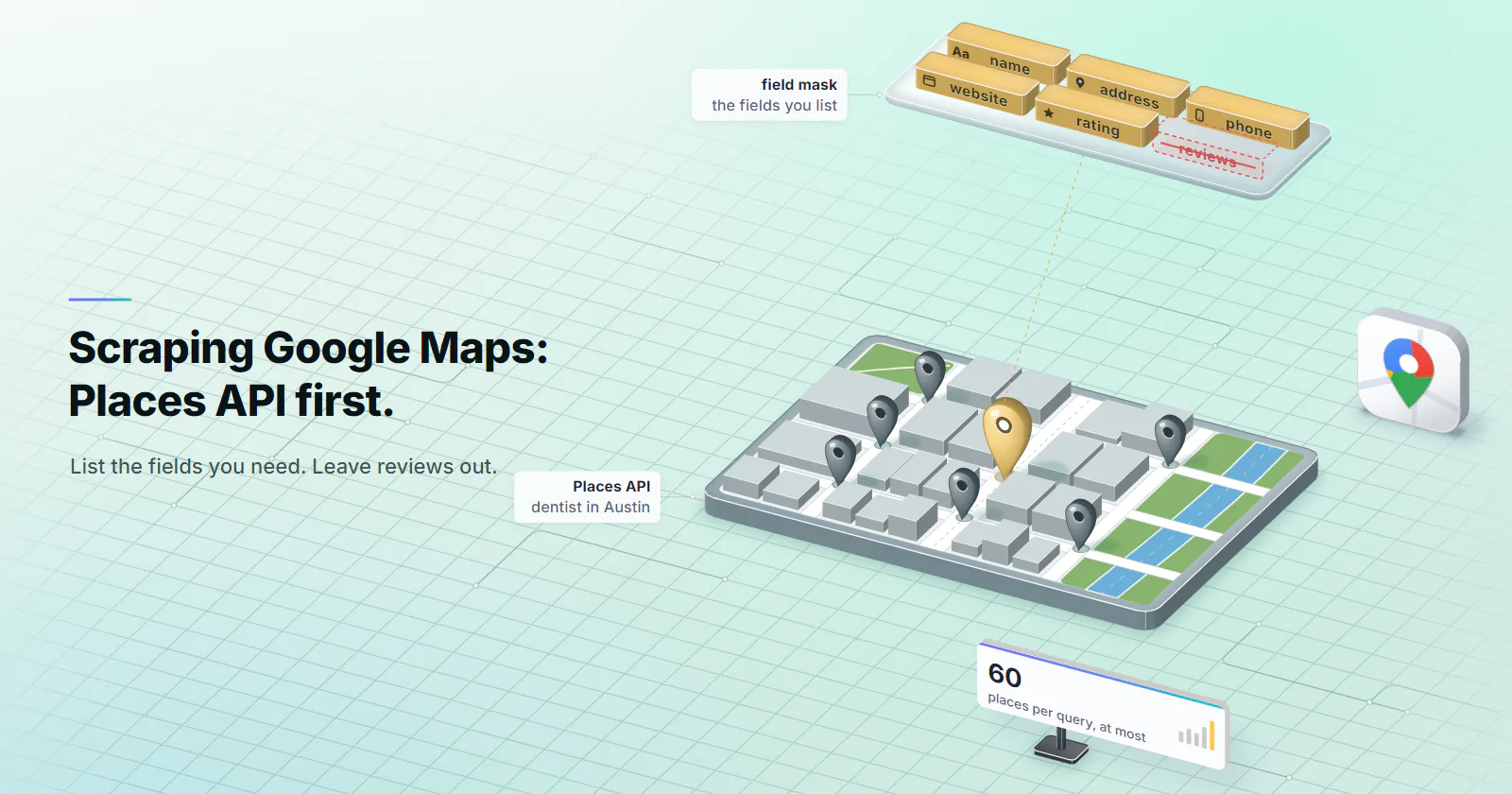
The field mask is mandatory. Every request names the fields it wants in an X-Goog-FieldMask header, and the Text Search (New) documentation (updated September 24, 2026) rejects a request without one. The mask also sets the price: a request is billed at the highest SKU any requested field triggers, so adding a website to an address lookup moves it from Pro to Enterprise.
Pages stop at 60. Text Search returns up to 20 places per page and up to 60 per query across pages, a cap the same page says may change. A citywide category needs several narrower queries or a set of smaller map areas, not one broad query.
Storage is restricted. Google’s Places API policies (updated September 24, 2026) let place IDs be stored indefinitely. The Maps Service Specific Terms, section 14.3 (last modified June 10, 2026), allow latitude and longitude to be cached for up to 30 consecutive calendar days. Google’s place ID guide still recommends refreshing an ID older than 12 months, because IDs can change as the Maps database updates. Everything else is fetched fresh, and results shown to people carry Google’s attribution.
The API is licensed for lookups and display, so it cannot back a permanent copy. A team can store place IDs and refresh the details when it needs them, but a stored table of names, phones and websites is off-limits on this route as well.
A Text Search call for dentists in Austin, asking for phone, website and rating:
curl -X POST 'https://places.googleapis.com/v1/places:searchText' \
  -H 'Content-Type: application/json' \
  -H 'X-Goog-Api-Key: API_KEY' \
  -H 'X-Goog-FieldMask: places.id,places.displayName,places.formattedAddress,places.nationalPhoneNumber,places.websiteUri,places.rating,nextPageToken' \
  -d '{"textQuery": "dentist in Austin, TX", "pageSize": 20}'
Phone, website and rating put this request on the Text Search Enterprise SKU. The nextPageToken in the response fetches the next 20 places, up to the cap of 60.
Is the Google Maps API still free?
Partly. Google’s pricing FAQ (updated September 24, 2026) confirms the old monthly credit ended on March 1, 2025. The Google Maps API free tier is now a monthly cap per SKU, and a billing account is required even when usage stays inside it.
Google Places API pricing past those caps works per SKU: each one is billed per 1,000 requests, with a monthly free allowance per SKU, and the rate depends on the SKU and the monthly volume. Current rates are on Google’s pricing page (updated September 24, 2026). The free allowance for the two calls a data job uses:
| SKU | Free each month |
|---|---|
| Text Search Essentials (IDs Only) | Unlimited |
| Text Search Pro | 5,000 |
| Text Search Enterprise | 1,000 |
| Text Search Enterprise + Atmosphere | 1,000 |
| Place Details Essentials | 10,000 |
| Place Details Pro | 5,000 |
| Place Details Enterprise | 1,000 |
| Place Details Enterprise + Atmosphere | 1,000 |
Billable requests: 10,000 vs 100,000 places
The arithmetic rests on three assumptions; swap in your own. Phone, website and rating put every request on Text Search Enterprise. Each page is its own request, because a nextPageToken is passed into a new call. Grid or narrow queries return partial pages, so the average is 12 new places per request rather than 20.
- 10,000 places a month. 10,000 / 12 = 834 requests, inside the 1,000 free.
- 100,000 places a month. 100,000 / 12 = 8,334 requests. The first 1,000 are free, so 7,334 are billable.
- Same job at full pages. At 20 places per request, 100,000 places take 5,000 requests and 4,000 billable.
Places per request moved the 100,000-place job from 4,000 to 7,334 billable requests, so log that ratio on the first 100 calls before trusting either figure.
The browser route, step by step
This is how to scrape Google Maps in a browser: public business data at modest volume, collected by a team that has read the terms above and accepted the risk. A plain HTTP request to a Maps search URL usually returns a script-heavy shell with no listings in it, so every working method on this route drives a real browser. Google’s internal endpoints are out of scope: they are undocumented, change without notice and read as circumvention.
- One query per city. “dentist in Austin” with the map centred on Austin. For dense categories, split the city into a grid of map areas, because the visible result list stops after a few screens of results.
- Wait for the result feed. The list loads as it scrolls. Read it after it renders, not before.
- Read the visible public fields. Name, category, address, phone, website, rating. Skip reviews and reviewer names.
- Dedupe by place. Grid cells overlap, so key every row on its Maps URL or place ID.
- Pace the requests. One browser session, one search at a time, pauses between scrolls.
- Handle the EU consent screen. EU exits land on a consent page first. Choose “Reject all” and continue.
- Save to CSV with the date collected, so stale rows can be refreshed or deleted.
A Playwright Python sketch of steps 1 to 7 for one query and one city:
import asyncio, csv, random
from playwright.async_api import async_playwright

PROXY = {"server": "http://HOST:PORT", "username": "USERNAME", "password": "PASSWORD"}
QUERY, LAT, LNG = "dentist", 30.2672, -97.7431  # Austin, TX

async def main():
    async with async_playwright() as p:
        browser = await p.chromium.launch(proxy=PROXY)
        context = await browser.new_context(locale="en-US")  # English results
        page = await context.new_page()
        await page.goto(f"https://www.google.com/maps/search/{QUERY}/@{LAT},{LNG},13z")
        if "consent." in page.url:
            await page.get_by_role("button", name="Reject all").click()

        seen = {}
        feed = page.locator('div[role="feed"]')
        await feed.wait_for()
        for _ in range(10):
            if "/sorry/" in page.url:
                break  # a challenge means stop, not retry
            for card in await feed.locator('a[href*="/maps/place/"]').all():
                url = (await card.get_attribute("href")).split("?")[0]
                seen[url] = await card.get_attribute("aria-label")
            await feed.evaluate("el => el.scrollBy(0, el.clientHeight)")
            await page.wait_for_timeout(random.uniform(3000, 6000))

        with open("austin-dentist.csv", "w", newline="") as f:
            out = csv.writer(f)
            out.writerow(["name", "maps_url"])
            for url, name in seen.items():
                out.writerow([name, url])
        await browser.close()

asyncio.run(main())
Each visible card yields a name and a Maps URL. Address, phone and website sit in each place’s panel: extend it by opening each saved URL and reading those fields, at the same pace. It uses the HTTP endpoint, because Chromium does not take a username and password on a SOCKS5 proxy. Every proxymint residential package includes both HTTP and SOCKS5, and HTTPS pages still run end to end through the HTTP endpoint via CONNECT. The context changes only locale, which sets Accept-Language to en-US, the market whose pages the job needs, so the site serves English results.
How Google blocks automated Maps traffic
Google does not publish how it scores Maps traffic. These are the signals that show up in practice.
The sorry page. A page headed “unusual traffic from your computer network”, usually with a reCAPTCHA. It is the visible end of every other signal below.
Hosting ASNs. Addresses announced by cloud and hosting networks tend to meet the sorry page first.
Rate per IP. Many searches from one address in a short window, or a pattern no person scrolls in.
Browser signals. Headless defaults, automation flags, and a timezone or language that disagrees with the IP’s location.
The answer to a challenge is to stop. A captcha is Google declining that traffic, and pushing through with a solver or a fresh exit is the evasion the terms and the spam policies describe. Slow down, narrow the job, or move it to the API. The same page on other targets is covered in why proxies trigger captchas.
Where proxies fit, and don’t
Proxies only matter on the browser route. The API needs a key, not a different IP. The four tiers are compared in general in types of proxies and, for other targets, in best proxies for web scraping.
Residential, on a timer. A residential proxy exits from a home connection and takes city targeting, so the exit can sit in the map area the query covers. For Maps, set a 5 to 60 minute timer so one browser session keeps one IP for a whole search; rotating vs sticky proxies covers what breaks under each mode. A new IP on every request changes the address mid-page, which breaks one browser session into many. Rotating residential proxies on proxymint take the rotation mode and the country, region and city on the order.
Datacenter. IPv4 ports are located by country only, so they cannot follow a city-level map area. Datacenter proxies suit targets without anti-bot scoring.
Mobile. Mobile proxies are built for targets that require a carrier origin. Maps does not, so residential is the fit here.
ISP. ISP proxies are built for account logins on one fixed address, not catalog collection.
What the exit city changes
Less than vendors suggest. On Maps, the query (“dentist in Austin”) and the map area in the URL drive most of the result set. The IP’s location matters for “near me” searches with no place in them, for language and consent defaults, and for the local pack in Google Search. So set the query and the viewport first. City targeting on its own does not fix wrong-location results. For US jobs, USA residential proxies sets out state and city targeting in detail.
On proxymint, one residential package carries one location, so three cities at the same time are three packages; a live package’s location can also be changed later with the same credentials. Size each package from the bytes a test run moves in that city.
API or browser for a larger job? At 12 places per request, 1,000 places take 84 Text Search Enterprise requests, billed per 1,000 past the free tier. The browser route bills traffic instead, so the comparison depends on how many MB 1,000 places move. Measure MB per 1,000 places on a small run with images blocked before deciding, and remember the API side carries no terms risk and no parser to maintain.
No-code tools and open-source scrapers
Hosted scrapers run the browser route on their own servers and bill per 1,000 places, with add-ons for reviews or contact details. Open-source scrapers such as gosom’s google-maps-scraper on GitHub (MIT licence) run on your own hardware, take proxy settings, and can pull 30-plus fields including optional emails and reviews. Teams that want to scrape Google Maps for free often land here. Neither kind changes the terms position: the tool performs the same automated access, and the output falls under the same database and personal-data rules.
What to check before running one:
- Fields. Which fields it returns, and whether reviews, reviewer names and email harvesting can be switched off.
- Personal data. How the vendor handles it, and whether a data processing agreement is on offer.
- Proxies. Included or bring your own, and which tier.
- Challenges. What it does on a block. A tool that advertises captcha solving is advertising evasion.
Choosing a route for the job
Which Google Maps scraper fits depends on the job, and two rows end in “do not”.
| The job | Route | Why |
|---|---|---|
| A few hundred businesses with phone and website | Places API | Fits inside 1,000 free Enterprise requests a month |
| Monitoring your own or clients’ listings and local positions | Places API, or the browser route with city exits | Store place IDs, refresh the details on each check |
| Fields the API does not return, or more than 60 per query at scale | Browser route or a tool, terms risk accepted | Residential exits, city matched, slow pace |
| Reviews at scale or personal contact data | Do not | The terms name user reviews; reviewer data is personal data |
| AI training data | Do not | 3.2.3(c)(vii) forbids it for API content, and the site bans mass downloads |
Every row starts the same way: one Text Search call with a field mask, counted against the free caps.
Frequently asked questions
It depends on the country and the law. In the US, the Ninth Circuit's April 18, 2022 ruling in hiQ v. LinkedIn means scraping pages anyone can see without logging in is unlikely to be access without authorization under the Computer Fraud and Abuse Act. Google Maps adds a contract layer: section 3.2.3(a) of the Maps Platform terms names bulk downloading places information, and the end user terms ban mass downloads and bulk feeds, so Google's terms do not allow it on either route. In the EU, GDPR applies to any personal data collected, public or not. This is not legal advice.
Partly. On March 1, 2025 Google replaced the old monthly credit with a free monthly cap per SKU, and a billing account is needed even when usage stays inside the caps. Requests past a cap are billed by volume, at a rate that depends on the SKU. The current caps and rates are on Google's own [Maps Platform pricing page](https://developers.google.com/maps/billing-and-pricing/pricing).
The Places API Text Search returns up to 20 places per page and up to 60 per query across pages, and Google says that cap may change. The result list on the Maps website stops after a few screens of results. To cover a dense category, split it into narrower queries or a grid of map areas and dedupe by place ID.
The closest thing to free is the Places API itself. Text Search Enterprise, which returns phone, website and rating, includes 1,000 free requests a month, and at 12 to 20 places per request that covers roughly 12,000 to 20,000 places before any request is billed. Open-source scrapers are free software, but not free of Google's terms risk, proxy traffic or maintenance.
Do not bulk collect them. Google's Maps Platform terms name copying user reviews in the no-scraping clause, and reviews carry reviewer names and photos, which are personal data. In the API, reviews sit on the most expensive Enterprise + Atmosphere SKU. For reviews of a business you own, use its Google Business Profile.
Only for the browser route; the Places API needs an API key, not a different IP. For a browser, residential exits with city targeting and a timed session fit best. Datacenter IPv4 is located by country only, and mobile is built for carrier-origin targets rather than a catalog-style job.
Only in part. Google's Places API policies let place IDs be stored indefinitely, and the Maps service terms allow latitude and longitude to be cached for up to 30 consecutive days. Names, phones, websites, ratings and the other fields must be fetched fresh, so the API is licensed for lookups and display rather than a permanent copy.
Researched and drafted with AI tools, then checked against our publishing rules before it went live: 10 outside links, 12 links to other proxymint pages, no prices and a fact-check pass against our product records. How we write.