Instagram proxies for brand and agency account logins
Instagram proxies for brand and agency teams: what Instagram allows, why login location matters, which proxy type fits, billing, and when you need none.
Quick summary · TL;DR
- An Instagram proxy gives an account one consistent login origin. It is an intermediary IP the team logs in through; it does not change what the account is allowed to do.
- Most agency work needs no proxy. Meta Business Suite partner access lets an agency work on a client's Instagram account as itself, with 2FA on and without the client's password.
- A proxy fits when staff log in directly from somewhere the account has never been. A hub team running a regional account, a contractor abroad or a team whose logins jump between cities.
- Desk teams fit static ISP, app-first teams fit sticky mobile. Datacenter exits, per-request rotation and shared VPNs all read as a new or suspicious login location.
- Static ISP is billed per IP per month and mobile per GB at proxymint, so steady desk work and app-first work each have a matching billing model.
Instagram proxies give a team one steady login origin for accounts it already owns or manages under contract. For a desk-based team that usually means one static ISP address per account. For a team that works in the app on phones, it means one sticky mobile session per account. Many agencies need neither: Meta’s partner access covers most client work without anyone sharing a password.
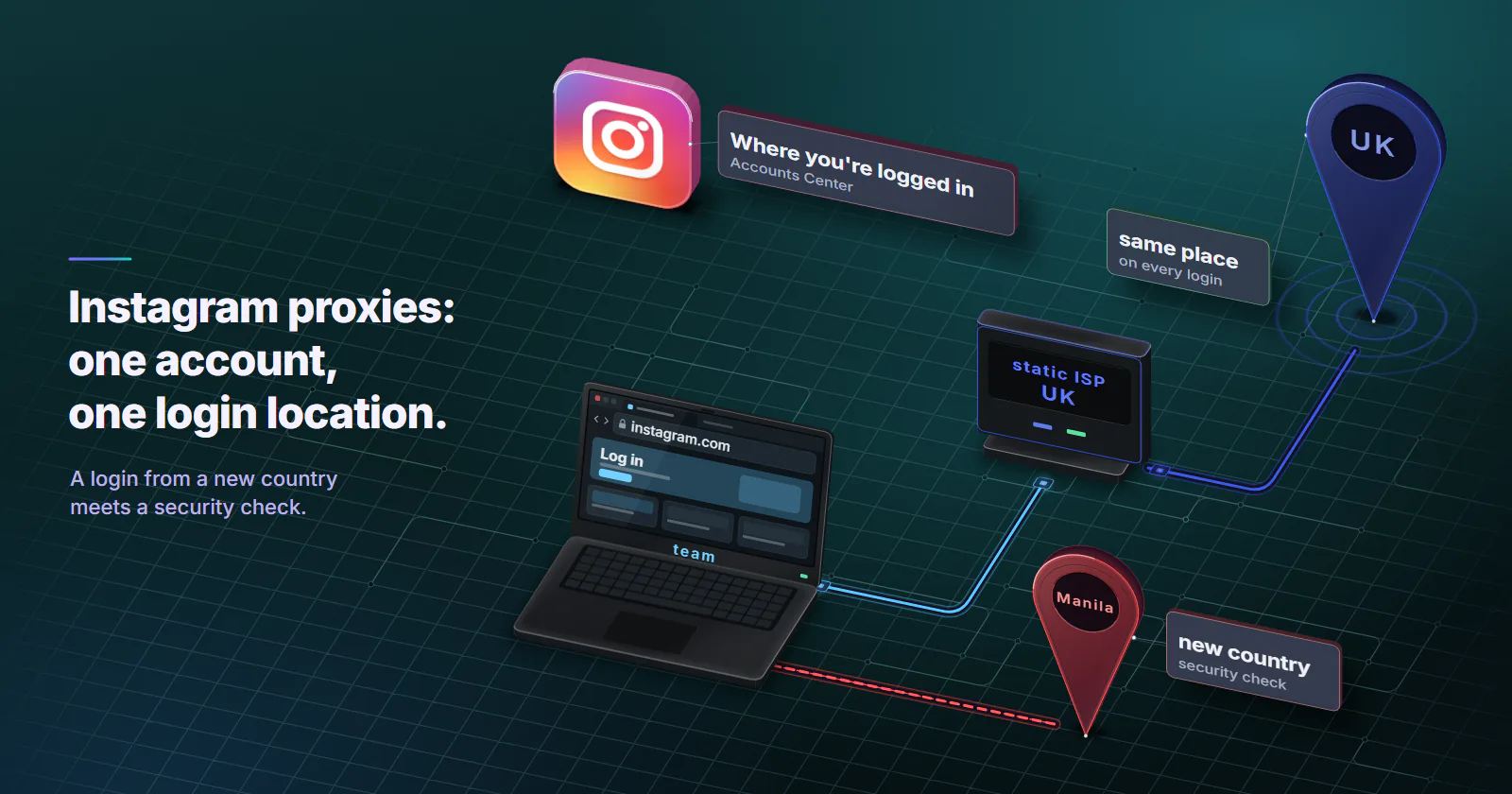
This guide is written for in-house social teams, brands that run regional accounts and agencies with client contracts. The problem they hit is concrete. A community manager in Manila logs in to a brand’s UK account, Instagram sees a login from a country the account has never used, and the account sits behind a security checkpoint until someone in London confirms it.
What Instagram proxies do
For account teams the definition is narrow. An Instagram proxy is an intermediary IP address that a team’s browser or phone logs in through, so the account sees one steady login origin on every visit. It does not change what the account is allowed to do.
An HTTP proxy in a browser profile works as a proxy for Instagram. The decisions come right after that: which kind of network sits behind the IP, how long one session holds, and whether each account keeps the same exit for months.
Why login location matters
Instagram shows the owner a list of devices that recently logged in to the account, with a location and device for each, under “Where you’re logged in” in Accounts Center. For a login the owner does not recognise, the page offers “This wasn’t me”, which leads to a password reset, and a button to log that device out (Instagram Help Center, checked September 2026).
So the instagram login location is part of the account’s security profile. A login from a new country, from a hosting network or from a commercial VPN range is exactly what an account takeover looks like from the platform’s side. The response is a verification step: a code, a confirmation from a known device, or a locked session until the owner approves it.
Platforms read the network behind an address, not only the address. IP intelligence data classifies each range by its ASN as hosting, consumer broadband or mobile carrier, and carrier addresses often sit behind shared NAT. How platforms score a mobile origin, and where that trust stops, is covered in how platforms detect mobile proxies.
A proxy here keeps legitimate staff on one consistent origin. The owner still sees every login it produces, on the same Accounts Center screen.
Instagram’s terms on logins and automation
Instagram’s Terms do not mention proxies. They do list uses that no IP address makes allowed, and Instagram and Meta describe the official routes for running several accounts. Every rule below comes from Instagram’s or Meta’s own pages.
The Terms of Use
Instagram’s Terms of Use (Instagram Help Center, checked September 2026) bar creating accounts or accessing or collecting information in an automated way without Instagram’s express permission. They bar buying, selling or transferring any part of an account, including the username, and soliciting, collecting or using other users’ login credentials. And they bar impersonation, including creating an account for someone else without their express permission.
Multiple profiles are a supported feature
Instagram’s help page on adding and switching between multiple profiles says up to 10 accounts can be logged in at one time (Instagram Help Center, checked September 2026). The “5 accounts” figure many proxy pages still quote is the older in-app switcher limit. Running several accounts is normal, and one person switching between a brand’s accounts on one phone needs no proxy.
Agencies work through partner access
A brand adds its Instagram professional account to its own business portfolio in Meta Business Suite, and each Instagram account can sit in only one portfolio (Meta Business Help Center, checked September 2026).
The brand then gives its agency partner access, full control or partial access for specific tasks such as creating content or answering messages, using the agency’s business portfolio ID (Meta Business Help Center, checked September 2026). The agency works as itself, with two-factor authentication on, and never holds the client’s password. That is how instagram agency accounts are meant to run.
Because the Terms bar using other users’ login credentials, partner access is the default for agency work. Direct login with a password the client hands over is the client’s own choice for their own account, not the workflow this guide recommends.
The Publishing API
Professional accounts can publish through the Instagram Platform’s content publishing API, which allows 100 API-published posts per account in a 24-hour moving period, with a carousel counting as one post (Meta for Developers, checked September 2026). Scheduling tools built on it need no proxy, because the call comes from the tool, with the account’s permission, not from a login.
Scraping and password apps
Instagram restricts accounts it detects collecting information in unauthorized ways, which it calls data scraping, and warns that giving the username and password to a third-party app, such as one that offers likes or followers, can get an account restricted (Instagram Help Center, checked September 2026). A proxy does not make either use allowed, and this guide does not cover them.
Official tools first, proxy if needed
Partner access, Accounts Center and the Publishing API cover most agency work with no proxy at all. The agency logs in as itself, from its own office, and the platform sees a known business acting on a client’s asset. Nothing about that needs a different IP.
A proxy fits a narrower case: people log in to the account directly, from somewhere the account has never been. Four setups produce that.
- A regional account run from a hub. A team in Madrid runs the brand’s Mexico account, and the account’s history says Mexico.
- A contractor abroad. A freelance community manager in Lisbon logs in to a German brand’s account every morning.
- A distributed team. Logins jump between home broadband in three cities, coworking Wi-Fi and phone data, so the account never settles on one origin.
- A desktop tool that logs in as the account. A tool the owner has approved signs in directly rather than through the API. Check first that it is not one of the password-taking apps Instagram restricts.
If nobody logs in to the account directly from somewhere new, a proxy solves nothing, and the platform’s own tools already do the job.
Which proxy type fits Instagram
Every proxy type connects to Instagram. What differs is the network class Instagram sees and whether the address stays put while the team is logged in.
| Type | What Instagram sees | Session behaviour | Fit for brand and agency accounts | Billing |
|---|---|---|---|---|
| Datacenter | Hosting ASN | Fixed port | No: built for collection and API work, and proxymint’s datacenter page lists social platforms as a wrong fit | Per port per month |
| Rotating residential, per request | Home ISP | New IP on every request | No. The login changes address mid-session | Per GB |
| Residential, timer or sticky | Home ISP | A 5-60 minute timer, or sticky until the home device drops | Acceptable for short desk sessions | Per GB |
| ISP static | ISP-registered address | Same IP for the whole term, country-level only | Best for desk-based web teams | Per IP per month |
| Mobile sticky | Classified as cellular (MaxMind) | Holds while the device stays online, can change when it drops | Best when the team works in the app or the account’s history is mobile | Per GB |
A shared commercial VPN exit is the classic “new location” trigger, because thousands of strangers use the same address and IP intelligence lists it as a VPN range.
That leaves two real candidates for logged-in account work.
Where ISP static fits better. A desk-based web team managing 10 accounts is usually better served by 10 static ISP proxies: one fixed address per account, a flat monthly price, chosen by country. The account sees the same ISP-registered address every weekday, which is what a stable office connection looks like. The guide to what ISP proxies are covers how those addresses are registered and hosted.
Where mobile fits. An instagram mobile proxy makes sense when the team works in the Instagram app on phones, or when the account’s login history is already a carrier connection in its home market. Then a sticky session on mobile proxies keeps the origin on exits MaxMind classifies as cellular, the class the account’s phones show. Mobile vs residential proxies explains why carrier addresses are shared.
One account, one session, one region
Every account gets one operator, one home region and one exit, and keeps them. A plan for four accounts looks like this.
| Account | Operator | Region (home market) | Exit | Browser profile or device | 2FA method |
|---|---|---|---|---|---|
| Brand, UK main | Social lead in London | GB | One ISP static IP, GB | Profile “UK main” | Authenticator app |
| Brand, Germany | Freelance manager in Lisbon | DE | One ISP static IP, DE | Profile “DE” | Security key |
| Brand, US | Hub team in Toronto | US | One ISP static IP, US | Profile “US” | Authenticator app |
| Creator campaign, app-first | Community manager on a phone | US, New York | One sticky mobile session, New York | Dedicated phone | Authenticator app |
ISP countries depend on the ranges available at order time, so confirm the account’s home country is on the list before planning around it.
The checks that make the table work:
- Never per-request rotation on a logged-in account. Rotation is for collecting public pages, not for a session with a cookie, as rotating vs sticky proxies explains.
- One exit per account, reused every session. Not one exit shared by all accounts, and not a fresh exit each morning.
- One browser profile or device per account. Cookies and sessions stay inside one account, so the team never logs the wrong brand in by accident.
- 2FA on every account and on the business portfolio. An authenticator app or a security key, not SMS to a phone that may be abroad.
The answer to how to manage multiple Instagram accounts behind Instagram proxies is the second check: each account has its own exit and keeps it.
Setting the exit on a phone
A browser profile takes the proxy’s host, port, username and password directly. Instagram proxies on a phone are less tidy. On an iPhone the HTTP proxy is a setting of one Wi-Fi network, with an Authentication toggle for the username and password (Apple iPhone User Guide, checked September 2026), so the moment the phone drops to mobile data, the app logs in from the phone’s own carrier instead. Android’s proxy setting holds a host, a port and a list of hosts to skip, with no field for a username or password, and the Android documentation says HTTP stacks other than the built-in ones must read it themselves (Android Developers, ProxyInfo, checked September 2026). A proxy that signs in with a username and password therefore needs an app-level proxy client on Android that stores the credentials.
Whether the Instagram app honours the phone’s proxy setting is up to the app, so the check below is the only proof that the exit is in use.
Check the exit before moving
Before moving an account onto a proxy, run a five-minute check. Log in once through the new exit. Open “Where you’re logged in” in Accounts Center and confirm the location shown for that login is the expected region. Then keep that exit for that account and nothing else.
If the location shown is the wrong country, log that session out from the same screen and fix the exit before anyone works in the account.
When the exit IP changes
ISP static. The address does not change during the term.
Mobile sticky. A sticky mobile session holds for as long as the device behind it stays online. When the device drops, the next session gets a different IP, possibly in a different city of the same region. Addresses change for real phones too, so a same-region change is ordinary for an app-first account. A jump to another country is not.
The rule for a drop: re-target the same region, or the same city if the account’s history is that specific, and start a new sticky session there. Do not fall back to a random pool or to whatever country has supply at that moment.
How often the origin moves in practice is worth measuring before committing a team to mobile. The method: start 20 sticky sessions in each of three regions at different hours, poll an IP echo service every 60 seconds, stop at 24 hours, and record the minutes until the exit IP changes. Then look up each new IP’s ASN, region and city in an IP database to see what share of changes stayed in-region.
What Instagram proxies cost
Instagram proxies are billed two ways. ISP static is billed per IP per month, with no traffic meter. Mobile is billed per GB as a one-off package with no renewal.
The per-unit rate falls as the order grows, and entry prices with every volume band are on the pricing page.
On mobile, GB per account is the unknown. Text replies, comment moderation and insights move little data. Uploading Reels, posting Stories and scrolling the feed in the app move a lot. Run one real working week through the proxy, read the traffic counter in the proxymint dashboard and multiply by four. Steady, media-heavy desk work suits the monthly line of ISP static; app-first work suits mobile.
Residential, billed per GB, suits short desk sessions, but home devices go offline, so it cannot hold one account on one address for weeks.
When to skip a proxy
A proxy does not fix content or behaviour that breaks Instagram’s rules, bought followers or bought engagement, or automation tools that break the Terms. A compromised password needs a reset and 2FA, not a new IP. Instagram proxies change where a login comes from, and nothing about what the account does.
The decision:
- If the whole team logs in from one office country and works through Business Suite partner access: buy nothing. The platform’s own route already does the job.
- If desk-based staff log in directly to accounts whose home is another country: one static ISP IP per account, in the account’s home country, kept for the whole term.
- If staff work in the Instagram app on phones, or the account’s login history is mobile: one sticky mobile session per account, re-targeted to the same region whenever it drops.
Frequently asked questions
Yes. An HTTP proxy works with Instagram in a browser profile. On an iPhone the Wi-Fi proxy setting has an Authentication toggle for the username and password; Android's Wi-Fi proxy has no field for them, so Android needs an app-level proxy client that stores the credentials. The real choice is which type of IP sits behind the proxy and how long one session holds. For brand and agency accounts, that usually means one static ISP address or one sticky mobile session per account. This is about managing accounts a team owns, not about getting past a school or office network filter.
Proxies are legal in most countries, and Instagram's Terms of Use do not mention them. The Terms do ban automated account creation and data collection without permission, buying or selling accounts, using other people's login credentials and impersonation. What the account does decides whether it breaks the rules, not the IP it logs in from. This is not legal advice.
Instagram's help page on multiple profiles says up to 10 accounts can be logged in at one time, as checked in September 2026. The widely quoted limit of 5 is the older in-app switcher figure. Agencies managing more client accounts use partner access in Meta Business Suite, which has no such login limit because the agency never logs in as the client.
Yes. Each account should have its own exit, one static ISP IP or one sticky mobile session, and reuse it every session. One exit shared by every account ties the accounts together, and a fresh exit every day means the account never settles on one login location.
Static ISP proxies suit desk-based teams on the web, because one ISP-registered address is assigned to the order for the whole term, at a flat monthly price. Mobile proxies suit teams that work in the Instagram app on phones or accounts whose login history is mobile. Rotating residential only fits as a sticky session for short desk work, because home devices go offline. Datacenter proxies are built for collection and API work, not logged-in account work.
It depends on the type. At proxymint, static ISP proxies are billed per IP per month with no traffic meter, and mobile proxies per GB as a one-off package with no renewal. On both, the per-unit rate falls as the order grows, and every volume band is on the pricing page.
Platforms read the network behind an address as well as the address itself. IP intelligence data marks ranges as hosting, consumer broadband or mobile carrier, lists known VPN exits and shows when a login jumps between countries. A login from the region and network type the account always uses is the ordinary case; datacenter and shared VPN exits are what those checks look for.
Researched and drafted with AI tools, then checked against our publishing rules before it went live: 9 outside links, 9 links to other proxymint pages, no prices and a fact-check pass against our product records. How we write.