ISP vs datacenter proxies: which job each one fits
ISP vs datacenter proxies: both run on servers and hold one IP for the term. Which job each one fits, how speed compares, and how each is billed.
Quick summary · TL;DR
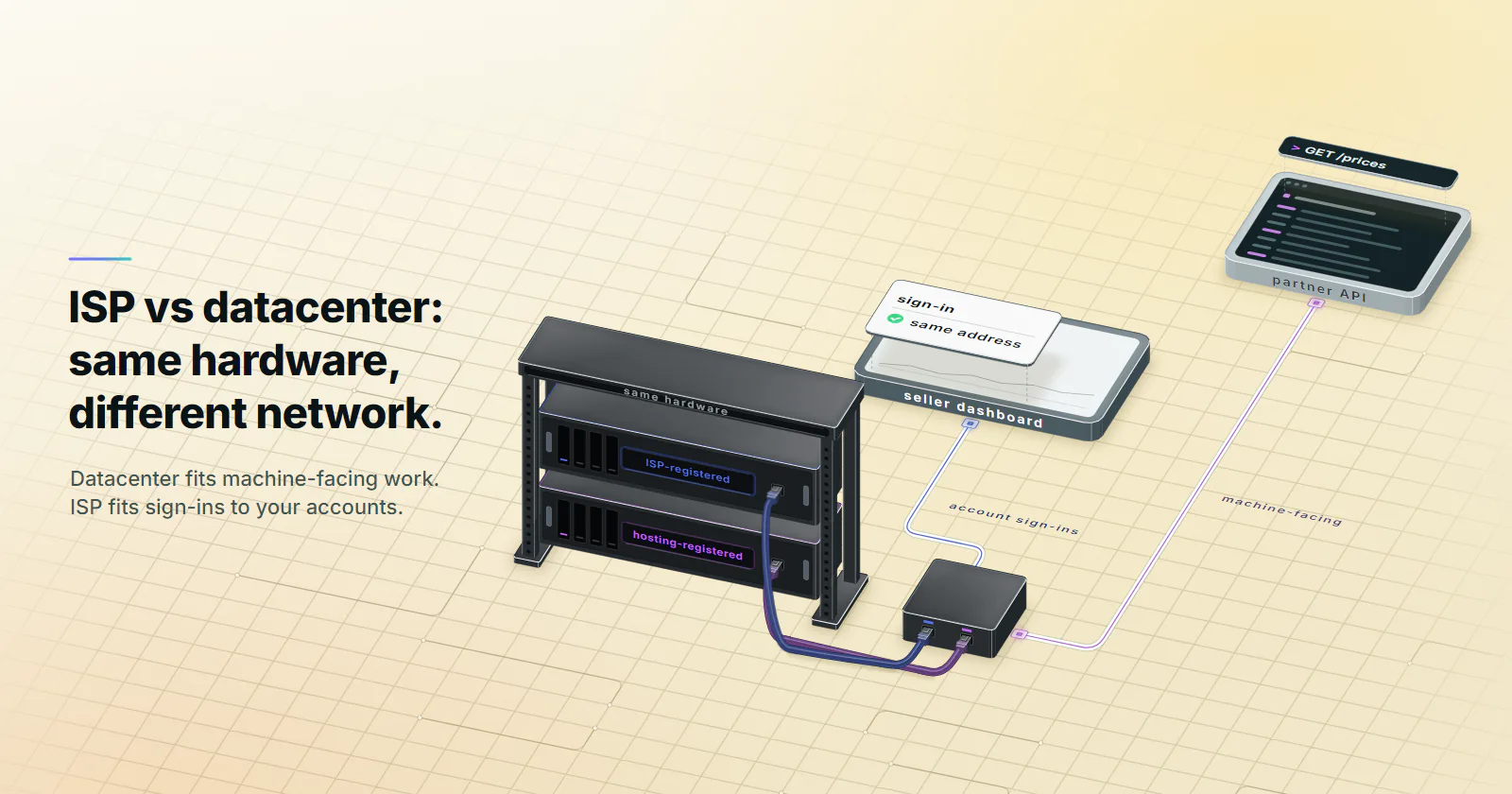
- It is the same kind of server with a different name on the address. Run a whois on each exit and you will usually see a hosting company on the datacenter IP and an internet service provider on the ISP one. Both hold that one address for your whole billing term.
- Your API pollers and monitors belong on datacenter. A partner API that checks a key does not care whose network you come from, and a datacenter port is built for exactly that kind of traffic.
- Anything that signs in to an account belongs on ISP. Seller dashboards and ad accounts compare each login with the last one, so you want one ISP-registered address that stays put for weeks.
- Do not pick on speed. Neither type goes through a home router, so the gap is mostly distance. A 20-run curl loop against your real target settles it in a minute.
- Both bill per address, per month. Datacenter per port, ISP per IP, and neither meters you per GB, which keeps the monthly number easy to predict.
ISP vs datacenter proxies differ in who the IP is registered to, not in the hardware. Both hold one fixed IP, assigned to your order for the whole billing term, usually on servers. A datacenter IP is registered to a hosting company; an ISP proxy’s IP is registered to an internet service provider. Datacenter fits APIs, monitoring and your own tools; ISP fits sign-ins to accounts the team owns.
Say your team runs two jobs. One polls a partner API every five minutes for price updates. Another is a seller dashboard that three people sign in to every day. That first job is machine-facing and fits a datacenter port. Its sibling is account work that needs one address, held for weeks, and that is the one people get wrong. Most fleets have both kinds of job, and that split is what this comparison settles.
ISP vs datacenter proxies, defined
Datacenter proxies. A server in a hosting facility, on an address block that belongs to the hosting company. That company’s ASN announces the block, so a lookup returns a cloud, a colocation provider or a server host. proxymint’s dedicated IPv4 ports are this product: one address per port, billed monthly, with no per-GB traffic meter.
Dedicated datacenter proxies. Dedicated means the port and its address are assigned to your account for the term rather than handed to many customers at once, which is what you want when a partner allowlists the IP. What the dedicated label means next to shared pools is covered in dedicated vs shared proxies.
ISP proxies. Also a server in most setups, with the same fixed address for the term. What changes sits upstream of the machine: the address is registered to an internet service provider, not to the hosting company that runs the box. On proxymint each ISP IP comes with its own username and password and an HTTP and a SOCKS5 port, chosen by country, not metered per GB. The ISP proxies guide goes further into how those ranges come about.
So are ISP proxies datacenter proxies? Physically, often yes, and plenty of buyers are surprised by that. The difference is whose network the address is registered to, and that decides which jobs each one fits.
Why the ASN changes the score
The ASN type registry. IP data vendors do not stop at recording which network announces an address. They classify the network. The IPinfo ASN database (updated October 28, 2025) files every ASN under one of five types: ISP, hosting, education, government or business. MaxMind does the same job per address: its user context data (checked September 2026) returns a user_type such as hosting, business, residential or cellular. Hosting ASN vs ISP ASN is one field in those records, and any service that buys the data can read it.
Check the ASN of each exit
Reading the network behind an address takes one query, and it is worth doing before you put an address into production. Team Cymru’s free IP to ASN mapping service (checked September 2026) returns the origin ASN, the announced prefix, the registry country and the network’s name:
# The exit IP the target sees, asked through the proxy itself
curl -s -x http://HOST:PORT -U "USERNAME:PASSWORD" https://api.ipify.org

# Origin ASN, prefix, registry country, allocation date and AS name
whois -h whois.cymru.com " -v EXIT_IP"
Ask for the exit through the proxy, not the HOST you connect to: the two can differ, and the exit is what the target scores. The AS name shows which kind of company announces the block. For the type itself, read a database with a type field, such as IPinfo’s asn.type or MaxMind’s user_type.
Some services key rules on it. The ad industry writes this down. The Media Rating Council’s invalid traffic addendum (June 2020 update) classes known data-center traffic as general invalid traffic in ad measurement, filtered by lists, at minimum for the three largest hosting entities: Amazon AWS, Google and Microsoft. Site operators can write a similar rule by hand. Cloudflare’s challenges troubleshooting guide (updated May 5, 2026) uses a firewall rule on ASNs 16509 and 15169, AWS and Google Cloud, as its worked example.
Can a site still tell it is a proxy?
Yes, if it buys IP intelligence, and those feeds read more than the ASN type. IPinfo’s privacy detection data (checked October 2026) carries separate flags for VPN, proxy, Tor, relay and hosting, so the network type and the proxy flag are two different fields. On top of that sit request pace, cookies, the TLS handshake and the client itself, and those apply to both types equally; the full stack is in how websites detect proxies. The ASN type is the part that actually differs between them, which is why it gets its own section here.
What that means for fit. Machine-facing work talks to services that expect servers: an API that authenticates by key, a monitor, your own staging site. There the network type is not part of the decision, and a datacenter port is the fit. Account work is different. A platform compares each sign-in with the last one, so the account needs one steady address, and an address registered to an ISP, held for the whole term, fits that job.
Speed, sessions and pool size
Speed tops most comparison tables for this query, and it is the weakest axis to decide on.
Speed. Both types usually run on server hardware in a facility, with no home router or mobile device in the path. So neither is reliably faster by category. Latency comes mostly from distance: client to proxy, proxy to target. A datacenter exit in the target’s country will beat an ISP exit on another continent, and the reverse holds too. A “3x faster” line with no method behind it is marketing, so measure it yourself:
# Time to first byte through one proxy, 20 runs
for i in $(seq 1 20); do
  curl -s -o /dev/null -w "%{http_code} %{time_starttransfer}\n" \
    -x http://HOST:PORT -U "USERNAME:PASSWORD" https://TARGET_URL/
done
Run it through an ISP IP and a datacenter port in the same country and compare the median and the slowest runs. Read the status code next to each time: a 403 or a challenge page is the target’s answer and a stop signal, not a speed result. Watch the slowest runs more closely than the median, since that is what your timeouts actually hit.
Sessions. Both hold one address for the whole term, so neither rotates on its own. proxymint’s ISP IPs carry no rotation at all: the address is the product. So a cookie tied to one IP survives on either type. Rate is the part people forget. One static address sending a heavy, steady stream to one target stands out on either type, and the fix is a slower pace or the target’s API, not more addresses.
Pool size and location. Hosting space is plentiful across the market, so datacenter supply in a given country is rarely the constraint. ISP ranges are smaller across the market, so expect a shorter country list on ISP than on datacenter from most providers. One more point applies to both: addresses often arrive in contiguous blocks, and a target that blocks a range blocks every address in it.
When each one fits
When datacenter proxies fit
Much of proxy work is machine-facing. For these jobs, datacenter proxies are the fit; where residential exits come in instead is covered in datacenter vs residential proxies.
- APIs. Public and partner APIs authenticate by key and expect machine traffic. The ASN is not part of the decision.
- Lenient sites. Catalogs, documentation, public data portals and any target that publishes its data for collection.
- Monitoring. Uptime checks, API polling, and checks of your own sites from another country.
- Internal tools. Your own staging, admin panels and firewall allowlists. Partner firewalls work the same way: a fixed address is a fixed address, unless the partner asks for a specific network type.
- Load testing. Many addresses, heavy traffic on your own systems.
When ISP proxies fit
Account work is the other half: one login, one address, for weeks.
- Accounts the team owns or runs for clients. Posting, messaging and managing social and marketplace accounts, with the owner’s permission. Use the platform’s own route first (Business Manager, partner access, team roles) wherever it exists.
- Sign-in flows. Seller dashboards and ad accounts. Login risk scoring reads a change of network as a new risk signal, so one steady address keeps the account on familiar ground.
- Long-lived sessions. Any job where one address has to hold for weeks, such as a partner integration that allowlists a single IP registered to an ISP.
This is the ground static ISP proxies are built for: one ISP-registered address, assigned to your order for the whole billing term, so the account sees the same address every day. For collection that needs thousands of different IPs, rotating residential is the fit; for app-first accounts, see mobile vs ISP proxies.
ISP vs datacenter proxies: how each is billed
Both bill per address, per month, and the rate falls as the order grows; rates are on the pricing page. Datacenter bills per port and ISP per IP, and neither is metered per GB. ISP IPs can be held month to month or on 3- and 12-month terms.
In practice the billing unit rarely changes the answer. What the job needs does.
Using both together
Mixed fleets do not have to pick one type. Route each job to the type it fits.
With 100 addresses and only 20 jobs that face sign-in flows, those 20 go on ISP and the other 80 on datacenter ports. That split only works if the halves stay apart:
- Route by job list, not by habit. Keep one list of jobs that sign in to accounts and send only those through ISP.
- One config per type. Separate credentials and job configs, so a retry never falls back from an ISP address to a datacenter port.
- Never mix on one account. An account that has logged in from an ISP address should not see a different network on its next sign-in.
- Re-check when a job changes. A job that starts signing in to an account moves to the ISP list.
That fallback is the one that bites, because most HTTP clients retry happily on whatever proxy you hand them. Making the choice in one function, with no second option, closes it off:
from urllib.parse import quote

# One entry per proxy type, filled from your own secrets store
CREDS = {
    "isp": ("ISP_USERNAME", "ISP_PASSWORD", "ISP_HOST", "ISP_PORT"),
    "dc": ("DC_USERNAME", "DC_PASSWORD", "DC_HOST", "DC_PORT"),
}

def proxies_for(job_signs_in: bool) -> dict:
    user, password, host, port = CREDS["isp" if job_signs_in else "dc"]
    url = f"http://{quote(user, safe='')}:{quote(password, safe='')}@{host}:{port}"
    return {"http": url, "https": url}  # no fallback to the other type
The quote calls keep a password with @ or : from breaking the URL, which is easy to miss until the first rotation of credentials. If an ISP request fails, the job retries on the same address or stops; it never borrows a datacenter port.
Datacenter or ISP proxy: the rule
In ISP vs datacenter proxies, decide per job, not per team.
- A job that talks to an API, a lenient site, a monitoring endpoint or your own tool goes on datacenter. It is built for machine-facing work.
- A sign-in flow or an account the team owns goes on ISP.
- When one fixed address has to hold an account for weeks, use ISP. When the job needs thousands of different IPs, use rotating residential proxies instead.
- When only part of the fleet faces sign-ins, split it.
Answering datacenter or ISP proxy for a new job takes four questions before any order. Does it sign in to an account? Does one address have to hold for weeks? Does the other side expect a server? Does it need many different addresses? Then run the time-to-first-byte loop from both types in the same country to size the path. A challenge from a target is a stop signal, not a reason to change tier. More on how network type shapes trust is in the posts tagged ASN reputation.
Frequently asked questions
Both hold one fixed IP address, assigned to your order for the billing term, and both usually run on server hardware. A datacenter proxy uses an address registered to a hosting company, while an ISP proxy uses an address registered to an internet service provider. Datacenter fits machine-facing work such as APIs, monitoring and internal tools; ISP fits sign-ins and accounts that need one address held for the term.
Usually, yes. ISP proxies are typically servers whose addresses are registered to an internet service provider rather than to the hosting company. They hold the same fixed address for the term as a datacenter port; the difference is whose network the address belongs to.
Neither is reliably faster. Both usually run on server hardware with no home connection in the path, so latency depends mostly on the distance between the exit, the target and the client. Measure time to first byte through one address of each type against the real target before assuming a gap.
Both are billed per address, per month: datacenter per port, ISP per IP. Neither is metered per GB, and the rate falls as the order grows. On proxymint, ISP IPs can be held month to month or on 3- and 12-month terms, and the rates for both are on the pricing page.
It depends on the job. If the job signs in to accounts the team owns or runs for clients, or needs one address held for weeks, an ISP-registered address fits that work, because account platforms compare each login with the last one. APIs, monitoring, lenient sites, internal tools and load tests are machine-facing, and a datacenter port is enough for them.
It is the type an IP data vendor gives the network that announces an address. IPinfo's ASN database files every ASN under one of five types: ISP, hosting, education, government or business. A hosting ASN belongs to a cloud, colocation or server company; an ISP ASN belongs to an internet service provider. Some services key rules on that field, which is why it shapes the jobs each proxy type fits.
Yes, and a mixed fleet is often the cleanest setup. Put the addresses that face sign-ins on ISP, and route APIs, monitoring and lenient sites through datacenter ports. Keep the two in separate job configs so no account ever logs in from a datacenter port.
Researched and drafted with AI tools, then checked against our publishing rules before it went live: 6 outside links, 11 links to other proxymint pages, no prices and a fact-check pass against our product records. How we write.