
Node fetch proxy: ProxyAgent, env vars, SOCKS5 and auth
Send Node's built-in fetch through a proxy: undici ProxyAgent, NODE_USE_ENV_PROXY, encoded auth, SOCKS5, rotation and the errors each mistake throws.
Quick summary · TL;DR
- Pass a ProxyAgent as the dispatcher. fetch(url, { dispatcher: new ProxyAgent("http://USERNAME:PASSWORD@HOST:PORT") }) routes HTTP and HTTPS through the proxy. Import fetch and ProxyAgent from the same undici package.
- Built-in fetch ignores HTTP_PROXY by default. Node reads the proxy variables only with NODE_USE_ENV_PROXY=1 or --use-env-proxy, available from Node 24.0.0 and 22.21.0.
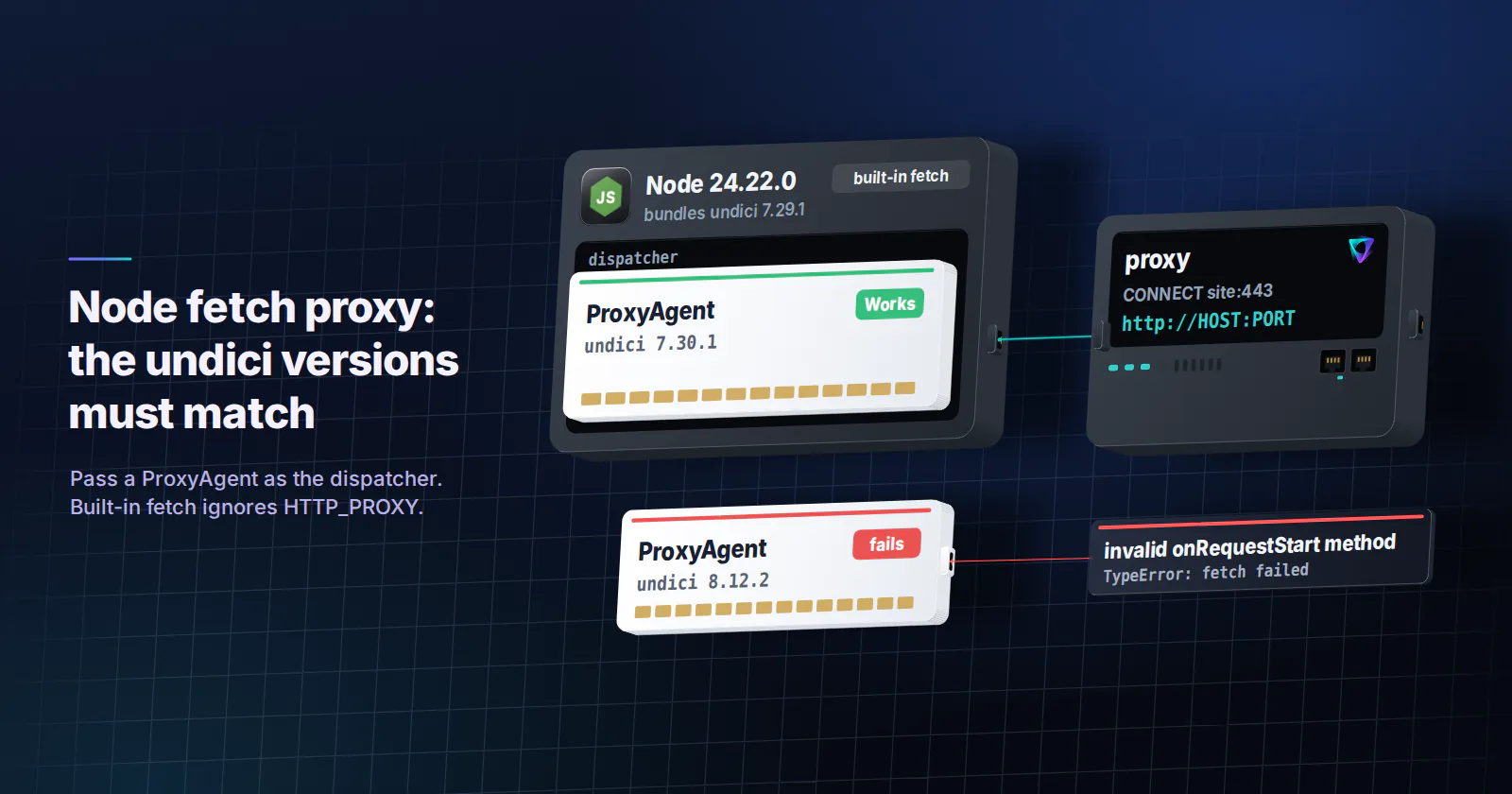
- The undici versions must match. An npm undici 8 ProxyAgent passed to the built-in fetch on Node 22 or 24 fails with invalid onRequestStart method; on Node 22, importing undici 8 also switches the environment proxy off without an error.
- Encode credentials or pass a token. A raw / or # in the password makes the ProxyAgent constructor throw invalid url; encodeURIComponent each part or use the token option.
- Use undici 7.28.0 or 8.2.0 and later for SOCKS5. Socks5ProxyAgent arrived in 7.23.0, but releases before the fix can send a request to the wrong origin (CVE-2026-6734). It takes socks5:// URLs, sends host names to the proxy, and is marked experimental.
A node fetch proxy takes one option: pass an undici ProxyAgent as the dispatcher of the request, fetch(url, { dispatcher: new ProxyAgent("http://USERNAME:PASSWORD@HOST:PORT") }), with fetch and ProxyAgent imported from the same undici package. Node’s built-in fetch ignores HTTP_PROXY and HTTPS_PROXY unless the process starts with NODE_USE_ENV_PROXY=1 (Node 24, or 22.21 and later).
Those two lines cover the setup. Failures come after, and most of them look like something else: a TypeError: fetch failed that names onRequestStart, a proxy that worked yesterday and is silently skipped after a dependency update, a 407 buried two causes deep, a password with a # that breaks the constructor. Each one has a cause in how Node bundles undici, and a fix below.
Every snippet was run on Node 22.22.0, 24.22.0 and 26.12.0 with npm undici 6.29.1, 7.30.1 and 8.12.2 against a local CONNECT proxy and a local SOCKS5 server on 2026-10-17. Placeholders stand in for real credentials: HOST, PORT, USERNAME, PASSWORD.
Node fetch proxy setup in one call
Install undici, read the proxy URL from the environment, set a timeout and print the exit IP before anything else runs:
import { ProxyAgent, fetch } from "undici";

const proxy = new ProxyAgent(process.env.PROXY_URL); // http://USERNAME:PASSWORD@HOST:PORT

const res = await fetch("https://httpbingo.org/ip", {
  dispatcher: proxy,
  signal: AbortSignal.timeout(30_000),
});
console.log(res.status, await res.json());
For an HTTPS site, undici connects to the proxy in plain TCP and sends CONNECT site:443. TLS then runs end to end between the script and the site, so the proxy relays bytes it cannot read. That is why the proxy URL keeps http:// for HTTPS traffic. A plain http:// target is forwarded instead, as an absolute-form request the proxy reads in full (undici ProxyAgent docs, checked 2026-10-17).
Keep the agent for the whole job. It pools connections per origin and reuses a tunnel for the next request to the same host, so building one per call throws that reuse away. Set the User-Agent header yourself as well: undici’s own fetch sends user-agent: undici, the built-in one sends user-agent: node, and the target sees whichever goes out.
Why built-in fetch ignores HTTP_PROXY
Node’s global fetch is undici, bundled into the binary. Its default dispatcher is a plain Agent that opens direct connections, and it reads no proxy variables. So HTTPS_PROXY=... node app.mjs changes nothing for fetch, while curl in the same shell goes through the proxy. A dispatcher passed on one call replaces the global dispatcher for that call only; setGlobalDispatcher(proxy) replaces it for every call in the process.
undici ProxyAgent and version matching
Built-in fetch belongs to the undici version bundled with your Node release, and the ProxyAgent you install from npm may be a different major. Undici 8 dispatchers expect a newer handler interface than the fetch bundled in Node 22 and 24 provides, and the undici guide on built-in fetch (checked 2026-10-17) says to keep fetch and its helpers from one implementation. Mixing them fails at the first request:
TypeError: fetch failed
  [cause]: InvalidArgumentError: invalid onRequestStart method
Print what you have with node -p "process.version + ' ' + process.versions.undici", then check the pair:
Three fixes, in order of preference. Import fetch from undici next to ProxyAgent, as in the snippet above. Or call undici’s install() once at startup, which replaces the global fetch with the installed package’s. Or pin undici to the major your Node bundles. Undici 8 also requires Node 22.19.0 or later (npm registry, 8.12.2 published 2026-10-15).
The NODE_USE_ENV_PROXY switch
Node can read the proxy variables itself. The Node.js CLI docs (checked 2026-10-17) list NODE_USE_ENV_PROXY=1 as added in v24.0.0 and v22.21.0, and the --use-env-proxy flag in v24.5.0 and v22.21.0, both at Stability 1.1, active development. With either set, Node parses HTTP_PROXY, HTTPS_PROXY and NO_PROXY at startup and routes both fetch and the http and https modules through the proxy:
export HTTPS_PROXY="http://USERNAME:PASSWORD@HOST:PORT"
export NO_PROXY="localhost,127.0.0.1"
NODE_USE_ENV_PROXY=1 node app.mjs
# or: node --use-env-proxy app.mjs
Rules worth knowing, from the Node.js docs, with the first two and a NO_PROXY host match checked in the local runs:
- When both cases are set, the lowercase variable wins (
https_proxyoverHTTPS_PROXY). - For fetch,
HTTP_PROXYalone also carries HTTPS requests on Node 22.HTTPS_PROXYalone carries only HTTPS. NO_PROXYtakes exact hosts,.example.comsuffixes,*.example.comwildcards, IP ranges andhost:port, and a match goes direct.- Node 22 prints
[UNDICI-EHPA] Warning: EnvHttpProxyAgent is experimentalat startup. Requests still go through the proxy.
On Node 24.14.0 and later, http.setGlobalProxyFromEnv() does the same from inside the process, for code that cannot control how it is started. It returns a function that restores the previous agents (Node.js HTTP docs, checked 2026-10-17):
import http from "node:http";

http.setGlobalProxyFromEnv(); // reads process.env, returns a restore function

const res = await fetch("https://httpbingo.org/ip");
console.log(res.status, await res.json());
Env vars without the flag
On a Node release without the switch, including Node 20, which reached end of life on 2026-04-30 (Node.js release schedule, checked 2026-10-17), undici’s EnvHttpProxyAgent reads the same variables from inside the process. It has been in undici since 6.14.0; on Node 20, install undici 7 or 6, because undici 8 needs Node 22.19.0:
import { EnvHttpProxyAgent, setGlobalDispatcher } from "undici";

setGlobalDispatcher(new EnvHttpProxyAgent()); // HTTP_PROXY, HTTPS_PROXY, NO_PROXY
const res = await fetch("https://httpbingo.org/ip");
Wrapper packages such as node-fetch-native/proxy and fetch-with-proxy do the same job with one more dependency.
The silent switch-off on Node 22
NODE_USE_ENV_PROXY works by installing an undici EnvHttpProxyAgent as the global dispatcher before your code runs. On Node 22.22.0, importing npm undici 8 anywhere in the process replaces it. Undici 8 looks for its global dispatcher under a new key, finds nothing, installs a plain Agent and writes it over the old key as well (source: lib/global.js in undici 8.12.2). Fetch then goes direct, without an error or a warning. In the local runs the proxy saw the CONNECT with undici 7 imported and saw nothing with undici 8 imported; on Node 24.22.0 and 26.12.0 the environment proxy survived the same import.
So if an upgrade made a Node 22 service bypass its proxy, look for undici 8 in the lockfile, often pulled in by an SDK. Setting the dispatcher explicitly, or setGlobalDispatcher(new EnvHttpProxyAgent()) from the same undici package, puts the proxy back.
node-fetch and http.request
Older code on node-fetch 3 does not use dispatchers. It takes an agent, and https-proxy-agent provides one:
import fetch from "node-fetch";
import { HttpsProxyAgent } from "https-proxy-agent";

const agent = new HttpsProxyAgent(process.env.PROXY_URL);
const res = await fetch("https://httpbingo.org/ip", { agent });
console.log(res.status, await res.json());
Node’s own https.request and https.get take a proxyEnv option on the agent since v22.21.0, with no package at all:
import https from "node:https";

const agent = new https.Agent({ proxyEnv: { HTTPS_PROXY: process.env.PROXY_URL } });
https.get("https://httpbingo.org/ip", { agent }, (res) => res.pipe(process.stdout));
Proxy authentication and special characters
Node proxy authentication is Basic: the credentials travel in a Proxy-Authorization header on the CONNECT. ProxyAgent builds it from the userinfo part of the URL and URL-decodes both parts first, so encoded credentials arrive intact. Raw ones do not. A / or # in the password ends the authority part of the URL, and the constructor throws InvalidArgumentError: invalid url before any request. A URL with no scheme at all, such as HOST:PORT, throws TypeError: Invalid URL.
Encode each part, or keep the secret out of the URL with the token option:
import { ProxyAgent } from "undici";

const user = encodeURIComponent(process.env.PROXY_USER);
const pass = encodeURIComponent(process.env.PROXY_PASS);
const proxy = new ProxyAgent(`http://${user}:${pass}@HOST:PORT`);

// or, without encoding:
const basic = Buffer.from(`${process.env.PROXY_USER}:${process.env.PROXY_PASS}`).toString("base64");
const proxy2 = new ProxyAgent({ uri: "http://HOST:PORT", token: `Basic ${basic}` });
Undici’s older auth option still works but is deprecated in favour of token. Never set Proxy-Authorization in the request headers: ProxyAgent rejects it with an InvalidArgumentError. Exact formats for every client are in proxy string formats.
Watch the logs too. When Node’s built-in proxy support fails a tunnel, the error message carries the proxy URL as configured, password included:
Error [ERR_PROXY_TUNNEL]: Failed to establish tunnel to HOST:443 via http://USERNAME:PASSWORD@HOST:PORT: HTTP/1.1 407 Proxy Authentication RequiredScrub that string before it reaches an error tracker. Wrong or lapsed logins are one cause of a 407 among several; the full list is in 407 Proxy Authentication Required.
SOCKS5 proxies with fetch
A node socks proxy no longer needs a third-party package. Undici added Socks5ProxyAgent in 7.23.0 (published 2026-03-12); the Socks5ProxyAgent docs mark it experimental, and it prints an ExperimentalWarning once per process. Pin undici 7.28.0 or 8.2.0 or later: releases from 7.23.0 up to those reuse the first origin’s connection pool for every later origin, which can send requests and credentials to the wrong host and downgrade HTTPS (GHSA-hm92-r4w5-c3mj, CVE-2026-6734, published 2026-06-17). On an older release, create one Socks5ProxyAgent per origin:
import { Socks5ProxyAgent, fetch } from "undici";

const socks = new Socks5ProxyAgent("socks5://HOST:PORT", {
  username: process.env.PROXY_USER,
  password: process.env.PROXY_PASS,
});
const res = await fetch("https://httpbingo.org/ip", { dispatcher: socks });
console.log(res.status, await res.json());
Three behaviours to know:
Names resolve on the proxy. Socks5ProxyAgent sends the target as a host name, not an IP, so no lookup reaches the local resolver. In the local runs, the SOCKS5 server logged a DOMAIN address type for every request. That is the socks5h behaviour of curl, and on proxymint’s per-GB gateway socks5h names resolve on the proxy side (proxymint Lab, measured 2026-09-28). A leak test for your own client is in DNS leak through a proxy.
The scheme must be socks5:// or socks://. A socks5h:// URL throws Proxy URL must use socks5:// or socks:// protocol, even though the agent already resolves remotely.
Pass credentials as options. ProxyAgent also accepts a socks5:// URI and hands it to Socks5ProxyAgent, but in undici 8.12.2 that path passes URL-encoded credentials on without decoding them. Any password with @ or / then fails with Socks5ProxyError: Authentication failed. Use Socks5ProxyAgent directly with username and password options, as above.
On undici 6, or on a runtime pinned below 7.28.0, the fetch-socks package provides a SOCKS dispatcher for the same dispatcher option. When to pick SOCKS5 over HTTP at all is covered in SOCKS5 vs HTTP proxy.
Rotating proxies and connection reuse
A node fetch proxy has no per-request list. Rotation happens either behind one gateway URL, where the provider changes the exit, or across one agent per endpoint, where the script picks.
A rotating gateway. One ProxyAgent, one URL, and the exit changes behind it. On proxymint’s rotating residential proxies, rotation is set on the order: a new IP on every request, a timer from 5 to 60 minutes, or sticky for as long as the device stays online, and it can be changed later without new credentials. Your code stays the same. What matters is connection reuse: an agent keeps tunnels open, and whether a gateway assigns a new exit per request or per new connection varies by provider. The test below shows which one an order does.
An endpoint list. Static ISP ports and datacenter IPv4 ports each come with their own address and login. Build one agent per endpoint and route work across them, so keep-alive pools and cookies stay separate per exit:
import { ProxyAgent, fetch } from "undici";

const agents = process.env.PROXY_LIST.split(",") // http://USERNAME:PASSWORD@HOST:PORT,...
  .map((uri) => new ProxyAgent({ uri, connections: 10 }));
let i = 0;
const next = () => agents[i++ % agents.length];

const res = await fetch("https://httpbingo.org/ip", { dispatcher: next() });
connections caps the sockets per origin behind each agent. Every concurrent HTTPS request through a ProxyAgent is its own CONNECT tunnel: four parallel calls opened four tunnels in the local runs. A proxy port with a session or connection limit sees that number, not the number of agents.
Check what the exit does
This script compares one reused agent with fresh agents per call. Run it against the order you have before building rotation logic on top:
import { ProxyAgent, fetch } from "undici";

const ECHO = "https://httpbingo.org/ip";
const shared = new ProxyAgent(process.env.PROXY_URL);

const reused = [];
for (let n = 0; n < 5; n++) {
  const r = await fetch(ECHO, { dispatcher: shared });
  reused.push((await r.json()).origin);
}

const fresh = [];
for (let n = 0; n < 5; n++) {
  const agent = new ProxyAgent(process.env.PROXY_URL);
  const r = await fetch(ECHO, { dispatcher: agent });
  fresh.push((await r.json()).origin);
  await agent.close();
}
console.log({ reused: new Set(reused).size, fresh: new Set(fresh).size });
Against the local proxy, five sequential calls on one agent used two tunnels and five fresh agents used five. On a per-request gateway the fresh count shows how many exits five new tunnels get; on a sticky or timed order both counts should read 1. Tradeoffs between the modes are covered in rotating vs sticky proxies.
Node fetch proxy errors
Most node fetch proxy failures arrive as TypeError: fetch failed, because fetch wraps every network failure that way and puts the real reason in err.cause, sometimes one level deeper. A failed tunnel to a proxy that answers 407 prints only Request was cancelled. when a script logs err.cause.message. Walk the chain:
function describe(err) {
  const chain = [];
  for (let e = err; e; e = e.cause) chain.push(`${e.name}: ${e.message}`);
  return chain.join("\n  caused by ");
}
TypeError: fetch failed
caused by Error: Request was cancelled.
caused by AbortError: Proxy response (407) !== 200 when HTTP TunnelingEach message below was reproduced on the local test proxy:
| Message (innermost cause) | Cause | Fix |
|---|---|---|
invalid onRequestStart method | npm undici 8 agent passed to the built-in fetch on Node 22 or 24 | Import fetch from undici, call install(), or use undici 7 |
invalid onError method | npm undici 6 agent passed to the built-in fetch on Node 26 | Upgrade undici or import its fetch |
InvalidArgumentError: invalid url | Raw / or # in the password | encodeURIComponent each part, or token |
TypeError: Invalid URL | Proxy URL without a scheme | Prefix http:// |
Proxy response (407) !== 200 when HTTP Tunneling | Proxy refused the login on an HTTPS target | Check credentials and encoding |
Proxy Authentication Required (407) | Same refusal on a plain http:// target | Same fix |
connect ECONNREFUSED HOST:PORT | Wrong port, or nothing listening | Check the port against the order |
ERR_SSL_PACKET_LENGTH_TOO_LONG | https:// proxy URL on a plain HTTP port | Use http:// |
Socks5ProxyError: Authentication failed | Wrong SOCKS login, or encoded credentials through ProxyAgent | Socks5ProxyAgent with username and password |
Proxy URL must use socks5:// or socks:// protocol | socks5h:// given to Socks5ProxyAgent | Use socks5:// |
ERR_PROXY_TUNNEL ... 407 | Node’s built-in proxy support refused on the CONNECT | Same as 407; scrub the URL from logs |
| No error, but traffic goes direct | No dispatcher, env vars without NODE_USE_ENV_PROXY, NO_PROXY match, or undici 8 imported on Node 22 | Set the dispatcher explicitly |
Two outcomes need handling of their own. A plain http:// target through proxymint’s per-GB gateway gets a 301 to the https:// address (Lab, measured 2026-09-28); fetch follows redirects by default, so a health check lands on the HTTPS URL, and with redirect: "manual" it reads 301. And fetch has no overall timeout of its own: undici’s defaults are 10 seconds to connect and 300 seconds each for headers and body, so pass AbortSignal.timeout() on every proxied call.
Retry 429, 5xx and timeouts with backoff. Do not retry a 407 or a 403 in a loop: the first means the login is wrong, the second means the target refused, and repeating either changes nothing.
Which proxy type fits Node fetch
Node fetch proxy code is the same for every category. What the target accepts decides which one the job needs:
- The job polls APIs or collects from targets without anti-bot scoring, at volume. Datacenter proxies are built for that: IPv4 ports billed monthly with no bandwidth cap under normal use, each IP with its own username and password and an HTTP and a SOCKS5 port. Use the endpoint-list pattern, one
ProxyAgentper port, and setconnectionsper port. - The target scores hosting networks, or shows home users different content. Rotating residential exits come from home connections, with country, region and city targeting and rotation set on the order. One gateway URL, one agent.
- One login has to hold for days. Static ISP proxies keep one ISP-registered address for the billing term. One agent per account.
- The platform expects a phone. Mobile carrier exits fit app-first platforms. Setup stays a single gateway URL.
Datacenter vs residential proxies walks through how to check which category a target accepts.
Frequently asked questions
Install undici and pass a ProxyAgent as the dispatcher option: fetch(url, { dispatcher: new ProxyAgent("http://USERNAME:PASSWORD@HOST:PORT") }), with fetch and ProxyAgent imported from undici. To proxy every call, use setGlobalDispatcher(agent) once at startup. The proxy URL keeps http:// for HTTPS sites, because the request runs through a CONNECT tunnel.
Not by default. The built-in fetch reads HTTP_PROXY, HTTPS_PROXY and NO_PROXY only when the process starts with NODE_USE_ENV_PROXY=1 or the --use-env-proxy flag, on Node 24 or Node 22.21.0 and later. Without either, fetch connects directly even when curl in the same shell uses the proxy.
NODE_USE_ENV_PROXY=1 makes Node parse HTTP_PROXY, HTTPS_PROXY and NO_PROXY at startup and route fetch and the http and https modules through the proxy. It was added in Node 24.0.0 and 22.21.0 and is marked active development. On Node 22, importing npm undici 8 replaces the dispatcher it installs, so requests go direct again without an error.
Put the username and password in the proxy URL, encoding each part with encodeURIComponent, or pass the token option with a Basic header value built from username:password in base64. ProxyAgent decodes the URL credentials and sends them in a Proxy-Authorization header on the CONNECT. A raw slash or hash in the password makes the constructor throw invalid url.
Use undici's Socks5ProxyAgent on undici 7.28.0 or 8.2.0 and later (earlier releases from 7.23.0 carry CVE-2026-6734), and pass it as the dispatcher: new Socks5ProxyAgent("socks5://HOST:PORT", { username, password }). It sends host names to the proxy, so names resolve on the proxy side. The agent is experimental, accepts only socks5:// and socks:// URLs, and the fetch-socks package covers older undici versions.
The ProxyAgent comes from npm undici 8 and the fetch is the one built into Node 22 or 24, which bundles undici 6 or 7. The two use different dispatcher handler interfaces. Import fetch from the same undici package as the agent, call undici's install() at startup, or install undici 7.
Fetch has no per-request proxy list, so rotation happens behind one rotating gateway URL or across one ProxyAgent per endpoint. An agent keeps tunnels open and reuses them, so compare a reused agent with fresh agents against an IP echo endpoint to see how often the exit changes on a given order.
Researched and drafted with AI tools, then checked against our publishing rules before it went live: 8 outside links, 10 links to other proxymint pages, no prices and a fact-check pass against our product records. How we write.