
Residential proxy pricing: what a GB buys for your job
Residential proxy pricing per GB explained: what a GB buys in pages, traffic per 1,000 pages, expiry and run-outs, and when another tier fits the job better.
Quick summary · TL;DR
- You buy residential on proxymint per GB in one-off packages, so nothing renews, and the bigger the package the lower the rate per GB; checkout shows the rate for your quantity before you pay.
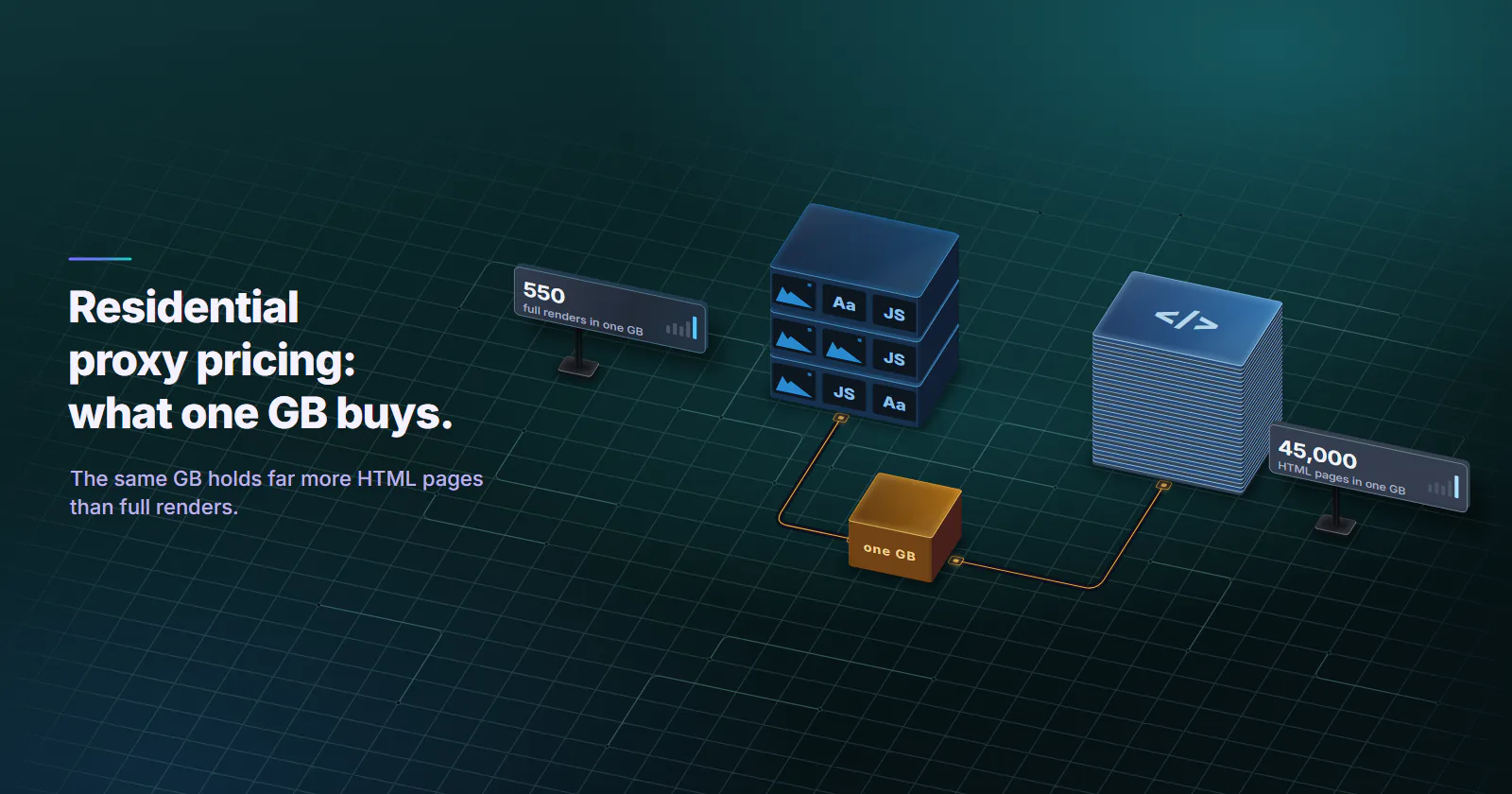
- Find out what one page weighs before you size anything, because that decides the budget: at the 22 KB median HTML size a GB is about 45,000 pages, at the 1.8 MB median mobile inner page about 550 full renders.
- The shortcut worth keeping: 1,000 pages move as many GB as one page weighs in MB, so 1,000 renders at 1.8 MB move about 1.8 GB, and switching the fetch method changes that far more than any package size.
- Blocked requests still burn traffic, which is the line people forget, so divide by pages you kept; at 80% success you pay for a quarter more traffic per kept page.
- No expiry is set on the GB, so a package bought for a quarterly crawl is still on the balance when the next run starts.
If the rate card says GB and your brief says pages, the conversion is the whole job. Residential proxy pricing on proxymint is per GB, the rate drops as the package grows, and each package is a one-off purchase with no renewal and no expiry set on the GB. One GB is tens of thousands of HTML pages or a few hundred full browser renders, depending on how your client fetches.
Say the brief is 50,000 product pages a week, or every search result in six cities. The catch is that the same GB buys about 80 times more pages as HTML than as full renders, and blocked requests eat into it either way.
How residential proxy pricing works
The meter is traffic. Each request goes out through a home internet connection. Exits change and the pool is shared, so the fair unit is the bytes you move, not the number of IPs you touch. One thousand 5 KB JSON calls and three full renders of a 1.8 MB page move about the same bytes, so they cost about the same, which surprises people who expected to pay per request.
The rate falls with package size. Residential proxy cost per GB steps down as the package grows, and the whole package is priced at the rate for its size. Every step is on the pricing page, and checkout shows the price for your quantity before you pay. For where per-GB rates sit across the market, see the monthly proxy pricing index.
The package is one-off. On proxymint, rotating residential proxies are sold in whole GB and paid once, by card or crypto. Nothing renews and nothing is charged again until you place another order.
Targeting and rotation are not priced. Country, region and city targeting, and the rotation mode (a new IP every request, a 5 to 60 minute timer, or sticky while the device stays online), all draw on the same balance at the same rate. HTTP and SOCKS5 are both included. So the price depends on the quantity alone, and you can change targeting between runs without reworking the budget.
Datacenter and residential proxies are billed in different units because of where the traffic runs. Datacenter addresses sit in hosting networks and are rented per port. Traffic over home connections, whose exits come and go, is metered by the byte, and the home ISP address is what a strict target accepts. For the two tiers side by side, see datacenter vs residential proxies.
Per GB, per IP and subscription models
Across the market, residential proxy plans come in three shapes:
- One-off per-GB packages. Pay for a fixed amount of traffic and use it when the job runs. This is how proxymint sells residential, and the model behind pay as you go proxies.
- Monthly subscriptions. An allowance of GB that renews on a date, often with an overage rate past the allowance and a reset of what is left. Fine for steady usage, wasteful when your volume swings.
- Per-IP pricing. A fixed address rented by the month. That is a static ISP product, not a rotating pool.
Subscriptions are easy to misjudge. Used at 40% of its allowance, a plan pays for 2.5 GB for every GB the job moves, and the reset means the unused 60% is gone. Pull last quarter’s usage before you sign one.
What a GB buys in pages
Gigabytes become a budget only once they are converted into the unit your job counts, and that conversion depends almost entirely on how your client fetches the page.
Two starting points come from primary data. Published January 15, 2026, the HTTP Archive Web Almanac 2025 page weight chapter puts the median home-page HTML at 22 KB and the median mobile inner page, with every image, script and font, at 1.8 MB as of July 2025. JSON endpoints are usually far lighter than either, but their size varies by site, so the figure below is an illustrative 5 KB, not a measurement.
Same gigabyte, roughly 80 times more pages when the client fetches HTML instead of rendering the page. That ratio moves residential proxy cost far more than the package size does, and it is the first number to pin down.
Traffic per 1,000 pages
Scraping budgets really run on traffic per 1,000 pages. Since 1,000 pages at 1 MB each is 1 GB, the traffic for 1,000 pages in GB equals the page weight in MB. Full renders at the 1.8 MB median move about 1.8 GB per 1,000 pages. Everything in the table stays in traffic, so the rate for any package size applies to it directly.
Add 20-30% for retries and heavier pages, and the 100,000-page render job lands at about 216-234 GB. Fetched as HTML, the same job fits in 3 GB.
Medians are a starting point, not your target’s real weight. Ten minutes of measuring gives a better estimate:
- Pick 20 pages that represent the job: listings, detail pages, search results.
- Fetch them through the same client, headers and render settings the job will use.
- Sum the bytes on the wire, or read the usage counter in the dashboard before and after.
- Divide by 20, multiply by the page count, and add 20-30% headroom.
Then cut the bytes at the client. Send Accept-Encoding: gzip, br, defined in RFC 9110 section 12.5.3 (June 2022), fetch HTML or the page’s own JSON instead of rendering where the site’s terms allow it, and block images, media and fonts when a render is unavoidable. In Playwright that last one is a page.route handler that aborts any route whose request().resourceType() is image, media or font; it is easy to forget on a second script, and the meter notices.
Failed requests and success rate
Every figure above assumes each request returns the page you wanted. Real jobs do not. Any 403, challenge page or redirect to a consent wall still moves bytes, and a headless browser that loads a challenge page pulls its scripts too.
So divide traffic by successful pages, not by requests sent. Traffic per kept page is bytes per attempt divided by the success rate: at 80% success a full-render job pays for a quarter more traffic per page it keeps, and at 50% it pays for twice the traffic.
Small block pages soften this for HTML fetches. Renders feel it most.
In practice, log status codes and response sizes from the first hour, and treat a rising block rate as a reason to stop rather than retry. Retried ten times, a blocked request is ten pages of traffic and no data. For how rotation and sticky sessions change what a target sees, see rotating vs sticky proxies.
Residential proxy price bands
On proxymint, residential proxy pricing is set in volume bands that step down as the package grows. Every band is listed on the pricing page, and checkout charges against that table. Because the whole package takes the rate for its size, the order is one number: the quantity, sized from your page estimate plus headroom.
Band edges and package size
Each band covers a range of quantities. Every GB in a package takes the rate of the band its quantity falls in, with no blend across steps. Checkout shows the result for the quantity you type before anything is paid, so there is nothing to work out by hand.
Size from the job, then read the rate. Picking a quantity to chase a band edge turns a sizing decision into a guess about next month’s crawl, and an estimate from 20 measured pages beats that guess every time. For a fleet of jobs, the sizing logic across tiers is in how many proxies do I need.
Expiry, refunds and run-outs
Expiry. Across the market, some providers keep traffic on the balance and others expire it after a set period or at a subscription renewal. proxymint does not set an expiry on residential GB, so a package bought for a quarterly job is still there for the next run.
Running out. When the balance reaches zero, traffic stops. Nothing renews by itself and nothing is charged by itself; a new package is a new order. Your scheduled overnight job needs its top-up before it starts, not after it fails halfway through a crawl.
Refunds. The terms give a first purchase a 7 day money-back guarantee, as long as no more than 10% of the data bought, or 1 GB, whichever is larger, has been used. Separately, if a pool fails against what the product page and checkout describe (the country, protocol or session type) and the failure is measured and sustained, the affected usage is refunded or credited within 24 hours of confirmation.
Before buying cheap residential proxies
In residential proxy pricing, a low headline rate per GB is one line of the bill. Before comparing cheap residential proxies, get answers to these from the provider’s own terms page, in writing:
- Minimum package or minimum spend. A low rate that only applies above a large commitment is not the entry price.
- Expiry. How long unused GB last, and whether a plan’s allowance resets at renewal.
- Commitment. Monthly, quarterly or annual, and whether it renews automatically.
- Overage and run-out. What happens at zero: traffic stops, an overage rate kicks in, or a top-up charges on its own.
- Targeting surcharges. Whether city, region or session control is priced separately.
- Allowance used. How much of last month’s plan allowance your job really moved.
- Refund window and remedies. When the refund window lapses, how much usage voids it, and what happens if the pool fails what was sold.
A provider that answers all seven clearly is easier to budget than one with a lower headline and vague terms. Ask about the overage line first; it is the one that shows up as a surprise on an invoice.
When to buy something other than residential
Residential proxies per GB suit targets that block datacenter ranges and jobs that need many consumer addresses: price and stock monitoring across markets, local search tracking where the engine permits automated access, and ad checks on home networks. Three common jobs fit another tier better. How per-GB, per-IP and per-port units compare across tiers is covered in proxy pricing.
Lenient bulk collection. API polling, uptime checks and targets without anti-bot scoring do not need a home ISP address. Datacenter proxies are IPv4 ports billed per month with no bandwidth cap under normal use. Ports are billed the same at 2 GB or 200 GB, so the 180 GB render job above fits a handful of ports if the target serves datacenter addresses.
One address for weeks. Logged-in dashboards and partner systems that expect a fixed IP want the same exit every day. Static ISP proxies are billed per IP per month, each an ISP-registered address assigned to your order for the whole billing term. Home devices go offline, so a rotating pool cannot promise one address for that long.
Targets that only trust a mobile origin. Mobile proxies exit from mobile carrier networks, classified as cellular by MaxMind, which app-first platforms and mobile ad checks expect. Price and catalog monitoring clears on residential. Its billing is covered in mobile proxy pricing.
Which jobs fit residential per-GB pricing
Residential proxy pricing only settles into a budget when you work it backwards from the job:
- Testing a new target: start with a 1 GB package and measure bytes per page on 20 real pages before sizing anything bigger.
- HTML or JSON collection: a small package goes a long way; 100,000 HTML pages fit in 3 GB.
- Full browser renders: block media first, then size from the measured page weight plus 20-30% headroom.
- A block rate above a few percent: fix the client before buying more traffic, because the extra GB goes to block pages.
- Steady monthly volume: one package sized to the month, with no expiry set on whatever is left.
- Lenient targets or one fixed address: datacenter ports or static ISP IPs per month.
Frequently asked questions
Residential proxies are usually sold per GB, and the rate drops as the package grows. On proxymint every band is on the pricing page, packages are one-off with no renewal, and no expiry is set on the GB. What a GB buys depends on page weight, from a few hundred full renders to tens of thousands of HTML pages.
They run on different networks. Residential traffic is carried over home connections whose exits change and drop off, so the fair meter is the bytes a customer moves. Datacenter addresses sit in hosting networks and are rented per port per month. Strict targets accept the home ISP address; lenient targets that accept hosting ranges suit a datacenter port.
Rotating residential proxies are almost always priced per GB, because the customer shares a pool of changing exits and the fair meter is traffic. Per-IP monthly pricing belongs to static ISP proxies, where one fixed address is the product. proxymint sells residential per GB and static ISP per IP per month.
It depends on the fetch method. At the 22 KB median HTML size from the 2025 Web Almanac, one GB is about 45,000 pages; at the 1.8 MB median mobile inner page with every asset, it is about 550 full renders. Measuring 20 real pages of your target gives a better figure than any median.
It varies by provider: some keep unused traffic on the balance, others expire it after a set period or reset a plan allowance at renewal. proxymint does not set an expiry on residential GB. When the balance reaches zero, traffic stops and nothing renews or charges on its own.
A monthly plan only pays off when the allowance is used. A plan used at 40% of its allowance pays for 2.5 GB for every GB the job moves. For irregular or seasonal jobs a one-off per-GB package avoids paying for allowance the job never touches.
Some providers sell city or session targeting as an add-on, so read the terms. On proxymint the residential price depends on the quantity alone: country, region and city targeting and every rotation mode draw on the same balance at the same per-GB rate.
Researched and drafted with AI tools, then checked against our publishing rules before it went live: 2 outside links, 13 links to other proxymint pages, no prices and a fact-check pass against our product records. How we write.