
axios proxy: config, auth, HTTPS agents, SOCKS5 and rotation
Set an axios proxy on Node.js: the proxy object, auth, HTTPS_PROXY, https-proxy-agent with proxy: false, SOCKS5, rotation and the errors each mistake raises.
Quick summary · TL;DR
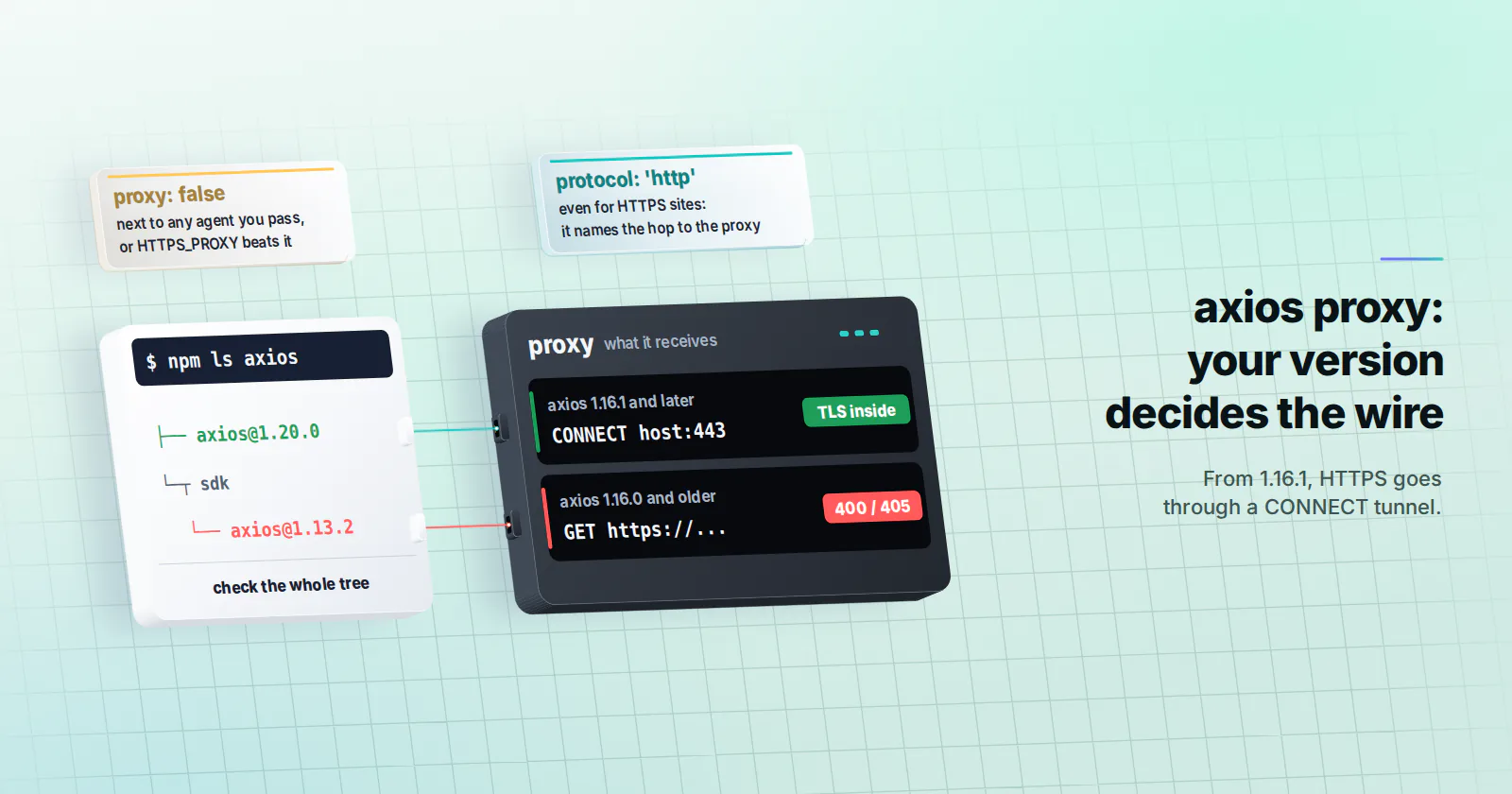
- Run npm ls axios before you debug anything else. From 1.16.1 the plain proxy object tunnels HTTPS through CONNECT; on 1.16.0 and older the proxy gets GET https://... in plain text, and many proxies answer that with 400 or 405.
- Add proxy: false whenever you pass your own agent. If HTTPS_PROXY is set, axios builds its own tunnel from it and your HttpsProxyAgent never sees the request, which is a fun one to chase.
- SOCKS5 needs socks-proxy-agent on httpAgent and httpsAgent. Use socks5h:// so the proxy resolves hostnames, and do not put a socks5:// URL in HTTPS_PROXY: axios speaks HTTP to it and the call just hangs.
- Keep protocol: 'http' even for HTTPS sites. It describes the hop to the proxy. protocol: 'https' on an ordinary proxy port ends in EPROTO ... packet length too long.
To use an axios proxy in Node.js, pass a proxy object to the request or to axios.create(): { protocol: 'http', host, port, auth: { username, password } }. From axios 1.16.1 that object handles HTTPS sites too, through a CONNECT tunnel. Older versions need https-proxy-agent with proxy: false. SOCKS5 always needs socks-proxy-agent, and the option does nothing in a browser.
Guides on the axios proxy option split into two camps. One says the built-in option cannot do HTTPS and you must bring an agent. The other shows the option and never mentions what older versions put on the wire. Both were true at some point, which is exactly why your job behaves differently on a teammate’s laptop.
Then comes the trouble that shows up after the five-line setup: a 407 with the right password, an HTTPS_PROXY that quietly beats the agent you built by hand, a timeout: 10000 that never fires, and requests that skip the proxy entirely. Every behaviour below was checked on October 21, 2026 with axios 1.20.0 (and 1.16.0 and 1.13.2 for the old path) on Node.js 22.22.0, against a local CONNECT proxy, a SOCKS5 server and a TLS test server. That is a test rig, not a measurement of any proxy network.
axios proxy setup in code
Here is the working minimum, with the connection details read from environment variables so they stay out of the repo:
import axios from 'axios';

const proxy = {
  protocol: 'http',
  host: process.env.PROXY_HOST,
  port: Number(process.env.PROXY_PORT),
  auth: {
    username: process.env.PROXY_USER,
    password: process.env.PROXY_PASS,
  },
};

const client = axios.create({ proxy, timeout: 15000 });

const { data } = await client.get('https://api.ipify.org?format=json');
console.log(data.ip); // the proxy's exit address, not yours
To apply it to every request in the process instead, assign the same object to axios.defaults.proxy; a per-request proxy still overrides it.
Run it once with and once without the proxy line. If both print the same address, the proxy is not in the path, and the sections below explain the usual reasons. The curl proxy guide runs the same exit-IP check from the shell.
protocol: 'http' describes the connection to the proxy, not the site you are calling. Keep it http for HTTPS targets as well. The proxy receives CONNECT api.ipify.org:443, opens a tunnel, and TLS runs end to end between your process and the site, so the proxy sees the hostname and port but never the path, headers or body. Plain http:// URLs go the other way: axios sends the full request to the proxy, which forwards it. Python has the same trap in the https key of a requests proxies dict, and the Python requests proxy guide covers it.
The proxy option belongs to axios’s Node.js http adapter. In a browser, axios uses XMLHttpRequest or fetch and the option is ignored, because a page cannot pick its own proxy. If you need a proxy from browser code, the request has to go through your own backend.
And if you searched for an axios proxy because a React or Vue app hit a CORS error in development, that is a different tool. The dev server proxies the call (server.proxy in a Vite config, for example), and axios just requests a relative path like /api.
Check your axios version first
npm ls axiosToday’s release is axios 1.21.0 on npm, published October 27, 2026. The rig results in this guide come from 1.20.0, the release before it. Check the whole tree, not only your package.json. SDKs often pin their own axios, and a nested 1.13 copy will behave like the old version no matter what your top level says. That one is easy to miss.
HTTPS targets and the CONNECT fix
In the axios changelog you will find a “Proxy Cleartext Leak” fix in 1.16.1, released on May 13, 2026 (PR #10858). The difference is easy to see from the proxy’s side.
On 1.16.0 and 1.13.2 the test proxy received GET https://localhost:8443/ip as a plain-text request, with the Proxy-Authorization header and every request header readable on the way. A proxy that does not fetch HTTPS on the client’s behalf answers that with 400 Bad Request or 405 Method Not Allowed, and those two status codes are behind most “axios proxy not working” threads. On 1.20.0 the same code produced CONNECT localhost:8443 with the credentials on the CONNECT only, then TLS inside the tunnel.
If you cannot upgrade, the old fix still works on every version: build the tunnel yourself with an agent and set proxy: false, as shown further down. On 1.16.1 and later you only need an agent for connection pooling, custom TLS settings or SOCKS.
Proxy authentication in axios
Put the username and password in auth, as plain strings. axios builds the Proxy-Authorization: Basic ... header itself, and the raw password goes in as typed, so @, :, / and # need no escaping there:
const proxy = {
  protocol: 'http',
  host: 'HOST',
  port: 8080,
  auth: { username: 'USERNAME', password: 'PASSWORD' },
};
Do not also set a Proxy-Authorization header by hand. For http:// targets axios overwrites it whenever auth is set, and for https:// targets it would travel inside the TLS tunnel to the website, where it does nothing for the proxy and hands your credentials to a stranger.
Why axios returns 407
A rejected login arrives as an AxiosError with error.response.status === 407, the same on HTTP and HTTPS targets, so one check covers both:
try {
  await client.get('https://api.ipify.org?format=json');
} catch (err) {
  if (err.response?.status === 407) {
    console.error('Proxy rejected the credentials');
  } else {
    throw err;
  }
}
Usually it is a wrong or expired password, credentials that never reached the proxy (a proxy object without auth, or an HTTPS_PROXY URL that lost its user part) and the encoding trap in the next section. The 407 Proxy Authentication Required guide walks through the proxy side of the same error.
HTTPS_PROXY, NO_PROXY and proxy: false
With no proxy in the config, axios reads the environment through proxy-from-env: HTTP_PROXY for http:// URLs, HTTPS_PROXY for https:// URLs, ALL_PROXY as the fallback for both, and NO_PROXY for hosts that skip the proxy. Lowercase names work too.
HTTPS_PROXY=http://USERNAME:PASSWORD@HOST:PORT \
NO_PROXY=localhost,127.0.0.1,.internal.example \
node job.js
proxy: false switches all of that off for a request or an instance. An explicit proxy object wins over the environment. Both things that go wrong here are silent, and the first one is annoying to track down.
Encoded passwords in HTTPS_PROXY. A password containing @ or : must be percent-encoded to form a valid URL; written raw, axios throws TypeError: Invalid URL (ERR_INVALID_URL). But axios 1.20.0 does not decode the user part of a proxy URL from the environment, so p%40ss reaches the proxy as p%40ss and the answer is 407. If the password has reserved characters, use the proxy object with auth instead of the environment.
The environment beats your agent. If HTTPS_PROXY is set and you pass your own HttpsProxyAgent without proxy: false, axios builds its own tunnel from the environment and your agent is not used. On the test rig with 1.20.0, an agent with deliberately wrong credentials still got a 200, because the request never touched it. Add proxy: false every time you supply a proxy agent.
Node.js itself can now proxy its built-in clients: the Node.js 24.5.0 release notes (July 31, 2025) describe NODE_USE_ENV_PROXY=1 and the proxyEnv agent option, also in 22.21.0. When the selected agent has proxyEnv set, axios steps back and lets Node handle the environment proxy; an explicit proxy object is still handled by axios. One change landed in 1.21.0: with proxy: false, a proxyEnv agent that overrides pool-management or TLS-session hooks now fails with ERR_BAD_OPTION_VALUE, and the 1.21.0 changelog says to build that agent without proxyEnv.
Using https-proxy-agent with proxy: false
Bring your own agent when you want control the built-in tunnel does not give you: a fixed pool of connections, keep-alive, a custom CA on the target side, or support for axios versions before 1.16.1.
import axios from 'axios';
import { HttpsProxyAgent } from 'https-proxy-agent';
import { HttpProxyAgent } from 'http-proxy-agent';

const user = encodeURIComponent(process.env.PROXY_USER);
const pass = encodeURIComponent(process.env.PROXY_PASS);
const proxyUrl = `http://${user}:${pass}@HOST:PORT`;

const client = axios.create({
  httpsAgent: new HttpsProxyAgent(proxyUrl, { keepAlive: true, maxSockets: 20 }),
  httpAgent: new HttpProxyAgent(proxyUrl),
  proxy: false,
  timeout: 15000,
});
Here the URL encoding is required, and it works: the agent decodes the user part before it builds the header. Without encodeURIComponent, a password with @ or # throws ERR_INVALID_URL before any request leaves.
Before you copy this into a scraper, note that httpsAgent covers only https:// URLs; leave out httpAgent and every http:// URL goes straight from your machine. And maxSockets caps the tunnels per agent: on the rig, six concurrent requests through an agent with maxSockets: 2 opened two CONNECT tunnels and queued the rest.
axios SOCKS5 proxy setup
axios has no SOCKS client of its own. A socks5:// URL in HTTPS_PROXY does not work: axios talks HTTP to the SOCKS port and, on the rig with 1.20.0, the request hung with no error. Use socks-proxy-agent and set it on both agents:
import axios from 'axios';
import { SocksProxyAgent } from 'socks-proxy-agent';

const user = encodeURIComponent(process.env.PROXY_USER);
const pass = encodeURIComponent(process.env.PROXY_PASS);
const agent = new SocksProxyAgent(`socks5h://${user}:${pass}@HOST:PORT`);

const client = axios.create({ httpAgent: agent, httpsAgent: agent, proxy: false });
Which side resolves the hostname comes down to one letter after socks5. With socks5://, the agent looks the name up on your machine and sends the proxy an IP address; the rig’s SOCKS server logged an IPv4 address type. With socks5h://, it sends the hostname and the proxy resolves it; the rig logged a domain address type. On a geo-targeted job, socks5h keeps the lookup in the exit’s region and off your local resolver, which is the DNS leak most setups never check for. The SOCKS5 vs HTTP proxy comparison covers when SOCKS is worth the extra package at all.
Rotating proxies with axios
Unlike some HTTP clients, axios takes a proxy per request, so rotating through a list needs no new instances:
const proxies = [
  { protocol: 'http', host: 'HOST1', port: 8080, auth: { username: 'USERNAME', password: 'PASSWORD' } },
  { protocol: 'http', host: 'HOST2', port: 8080, auth: { username: 'USERNAME', password: 'PASSWORD' } },
  { protocol: 'http', host: 'HOST3', port: 8080, auth: { username: 'USERNAME', password: 'PASSWORD' } },
];
let i = 0;
const nextProxy = () => proxies[i++ % proxies.length];

const res = await axios.get(url, { proxy: nextProxy(), timeout: 15000 });
A gateway works the other way round: one host and port, and the rotation lives on the proxy side. With rotating residential proxies on proxymint, the order sets it to a new IP on every request, a timer from 5 to 60 minutes, or sticky while the device stays online, and it can be changed later without new credentials. Rotating vs sticky proxies explains which jobs want which.
That first row decides what a rotating gateway gives you. Whether it hands out a new exit per HTTP request or per new connection varies by provider, so a reused tunnel can keep the same IP even with every-request rotation. Measure it with your own setup instead of trusting the label:
const seen = new Set();
for (let n = 0; n < 10; n++) {
  const { data } = await client.get('https://api.ipify.org?format=json');
  seen.add(data.ip);
}
console.log(`${seen.size} distinct exits in 10 requests`);
Run it once with the built-in proxy object and once with the keepAlive agent. If the numbers differ, connection reuse is pinning your exit.
Retries without hammering the target
axios has no retry built in. Retry network failures (ECONNRESET, ECONNABORTED, ETIMEDOUT) with the next proxy and a growing delay, and stop on the rest. A 407 will not fix itself on the second attempt. A 403 or 429 is the site’s answer about your request rate, so slow the job down rather than rotating around it, and treat a captcha the same way.
axios proxy errors and timeouts
By default timeout is 0, which means none, so set one on every proxied client. But on 1.20.0, timeout alone did not save an HTTPS request whose proxy accepted the TCP connection and never answered the CONNECT: the request was still pending after 30 seconds with timeout: 1500 through the built-in tunnel, and a user HttpsProxyAgent hung the same way in a shorter run. The same setting fired at 1.5 seconds for an http:// target and on 1.16.0. An abort signal covered every case:
const res = await client.get(url, {
  timeout: 15000,
  signal: AbortSignal.timeout(20000),
});
When it fires you get a CanceledError (ERR_CANCELED), so catch that alongside ECONNABORTED.
| What you see | Cause | Fix |
|---|---|---|
400 or 405 from the proxy on HTTPS URLs | axios 1.16.0 or older sends GET https://... instead of CONNECT | Upgrade to 1.16.1+, or HttpsProxyAgent with proxy: false |
error.response.status === 407 | Wrong password, missing auth, or an encoded password in HTTPS_PROXY | Fix the credentials; use the auth object for special characters |
TypeError: Invalid URL, ERR_INVALID_URL | Raw @, :, / or # in a proxy URL | encodeURIComponent the user and password |
EPROTO ... packet length too long | protocol: 'https' toward a plain HTTP proxy port | protocol: 'http' |
ECONNREFUSED | Wrong host or port, or nothing listening | Test the port from the same machine |
| Request hangs, no error | CONNECT never answered, or socks5:// in HTTPS_PROXY | AbortSignal.timeout(); SOCKS through socks-proxy-agent |
ECONNABORTED: timeout of 15000ms exceeded | Slow exit or slow target | Raise the timeout or lower concurrency |
A 301 that becomes an error | maxRedirects: 0 while the proxy redirects http:// to https:// | Request https:// URLs, or keep redirects on |
| No error, your own IP | adapter: 'fetch', proxy: false with no agent, NO_PROXY match, or no httpAgent | Check the exit IP before the run |
adapter: 'fetch' ignores the proxy option and HTTPS_PROXY: on the rig with 1.20.0 it went straight to the target, and only NODE_USE_ENV_PROXY=1 routed it through the proxy. And some gateways answer every plain http:// request with a redirect to https://; the proxymint Lab gateway test recorded exactly that on September 28, 2026. axios follows up to 21 redirects by default and re-applies the proxy on each hop, so the call still succeeds through the tunnel, just one round trip slower.
Choosing the proxy type
Your axios proxy code stays the same for every category; the target and the job decide which one goes behind it:
- The job polls APIs or collects from targets that accept hosting networks. Datacenter proxies are built for that volume: IPv4 ports billed monthly with no bandwidth cap under normal use, each IP with its own username and password and an HTTP and a SOCKS5 port. Use the per-request
proxylist above, and a keepAlive agent withmaxSocketsper port. The datacenter proxies guide covers where they fit. - The target scores hosting networks or shows home users different content. Rotating residential proxies serve consumer-origin coverage, with country, region and city chosen on the order. Use one gateway, and decide per job whether connection reuse should pin the exit.
- One login has to hold for days. Static ISP proxies keep one ISP-registered address for the billing term; keep the job on one keepAlive agent.
- The platform expects a phone. Mobile proxies on carrier networks cover app-first platforms and mobile ad checks.
Whichever it is, keep four lines in every job: npm ls axios at 1.16.1 or later, proxy: false next to any agent, an AbortSignal.timeout() next to timeout, and an exit-IP check before the first real request.
Frequently asked questions
Pass a proxy object to the request or to axios.create(): protocol 'http', host, port and an auth object with username and password. It works in Node.js only, and from axios 1.16.1 it covers HTTPS URLs through a CONNECT tunnel. Check the exit IP against an IP echo service to confirm the proxy is in the path.
Yes, for HTTPS websites through an HTTP proxy. axios 1.16.1 and later open a CONNECT tunnel for https:// URLs, so TLS runs end to end and the proxy only sees the host and port. Versions 1.16.0 and older send the full https URL to the proxy in plain text, so on those versions use https-proxy-agent with proxy: false. Keep protocol: 'http' for the proxy itself unless the proxy port really speaks TLS.
The usual causes are the fetch adapter, which ignores the proxy option, an agent set only on httpsAgent so http:// URLs go direct, a NO_PROXY entry that matches the host, or proxy: false with no agent. Browser builds of axios ignore the proxy option entirely. Print the exit IP from an IP echo service to see which path the request took.
Add auth: { username, password } inside the proxy object; axios builds the Proxy-Authorization header and the password needs no escaping there. In a proxy URL, such as HTTPS_PROXY or an agent URL, the username and password must be percent-encoded, and axios 1.20.0 does not decode an encoded password from the environment. A rejected login shows up as error.response.status 407.
Not on its own. Install socks-proxy-agent, create one agent with a socks5h:// URL and pass it as both httpAgent and httpsAgent with proxy: false. socks5h lets the proxy resolve hostnames, while socks5 resolves them on your machine first.
It turns off axios's own proxy handling for that request or instance, including HTTP_PROXY, HTTPS_PROXY and ALL_PROXY from the environment. Use it whenever you pass your own proxy agent, because otherwise an environment proxy replaces the agent. With proxy: false and no agent, the request goes direct.
axios accepts a different proxy object on every request, so a list can be rotated with a counter and no new instances. With a rotating gateway, one proxy object is enough and the rotation is set on the proxy side. Connection reuse through a keepAlive agent can keep the same exit, so count distinct exit IPs over ten requests to confirm the behaviour.
Researched and drafted with AI tools, then checked against our publishing rules before it went live: 4 outside links, 10 links to other proxymint pages, no prices and a fact-check pass against our product records. How we write.